


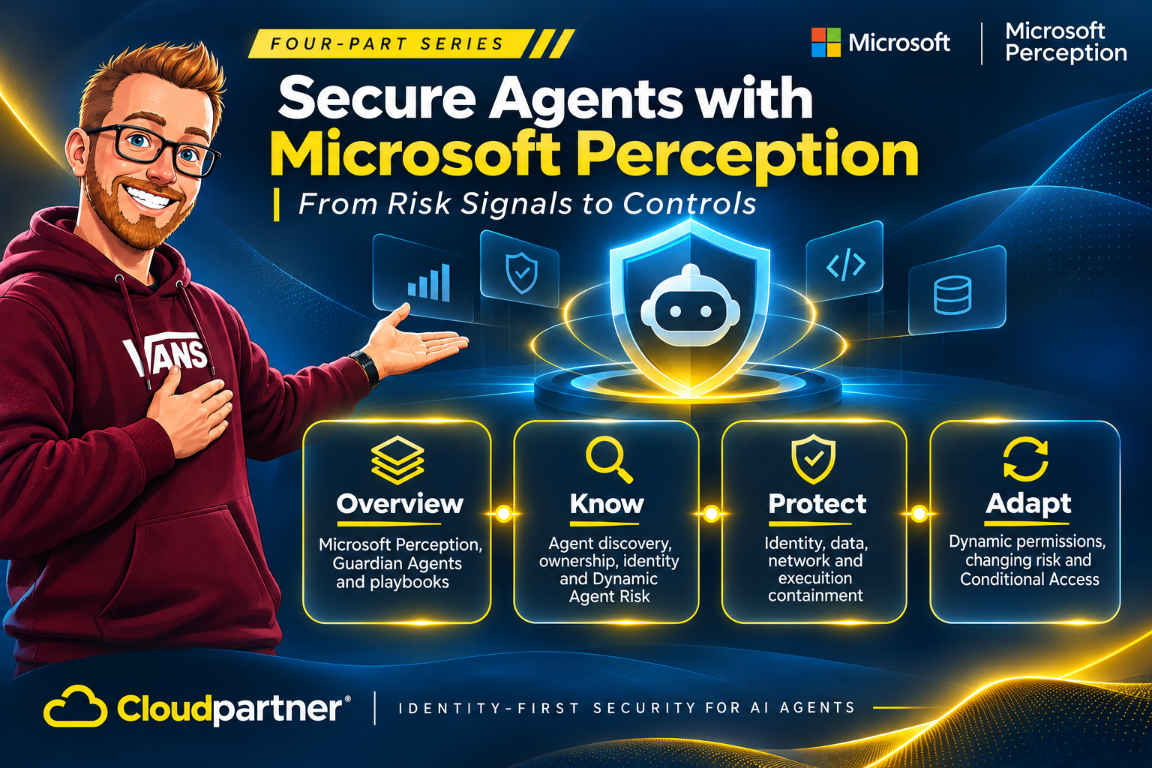
Building on agent discovery and risk assessment and protection through policies and playbooks, Microsoft connects changing agent behavior to adaptive controls. Dynamic Agent Risk supplies the current context, while Dynamic Permissions and Dynamic Conditional Access govern access for supported tasks and requests.
Adapt covers the changes that happen after work starts. An agent reads new content, requests another resource, or attempts an action outside its task. Microsoft Perception brings the associated runtime activity, posture, exposure, and blast radius into the risk view, with Guardian Agents and playbooks coordinating the response within policy.
The November 17 Ignite announcement makes Microsoft Perception generally available, not every adaptive control. Dynamic Agent Risk and the expanded agentic-insider protections are in preview. Microsoft Entra ID Governance dynamic permissions and Conditional Access dynamic controls remain in limited preview.
Risk does not stop at sign-in
A task can begin in a reasonable state. An agent has an owner, a narrow purpose, and permission to read an approved dataset. Then it encounters untrusted instructions in a document, requests a different resource, or tries to send data somewhere outside the task. The original access decision does not answer whether the next action is still appropriate.
Dynamic Permissions provisions the task-specific access the agent needs and removes it when it is no longer needed. Dynamic Conditional Access evaluates supported actions in context as risk changes, including decisions beyond the initial sign-in. The first scopes the grant to the task; the second evaluates the request under current conditions.
Dynamic Agent Risk combines signals from identity, data, endpoints, cloud, network, and runtime with posture and blast radius. This context connects a change in behavior to policy decisions across the participating security controls.
A risk assessment supplies evidence; it does not itself revoke a token, restrict a file, or stop a process. The supported identity, endpoint, network, data, or runtime control must enforce the response. A risk change should therefore be tested against the actual policy target and resource, not just checked in the risk dashboard.
Adjust the response to the risk
Adaptive protection supports different responses, from allowing work within the task's scope to restricting access, requiring approval, or stopping unsafe activity. The response follows the configured policy and the controls available for the agent and resource.
| Risk response | Purpose | Control area |
|---|---|---|
| Allow within scope | Give the agent the access required for its assigned task. | Task-scoped permissions and resource access policy. |
| Constrain access | Limit the agent's authority under changed conditions. | Identity and resource policies for supported requests. |
| Require approval | Route a policy-controlled action to the designated person. | Approval and delegation rules in the protection workflow. |
| Block a destination | Prevent access to high-threat destinations or restricted web content. | Global Secure Access policy. |
| Block unsafe activity | Prevent prohibited local access or sensitive-data disclosure. | Endpoint, runtime, and data-protection policies. |
Microsoft Entra Agent ID gives supported controls a separate target for agent access. This separates policies for the agent from the employee's own access and connects the response to the workload that generated the risk.
Access follows the assigned task
Task-scoped access separates the agent's immediate work from the employee's wider authority. Consider a coding agent building a dashboard from approved CRM data. Its required permission is read access to that dataset. With a supported limited-preview integration, the access request goes through the access workflow before the agent retrieves the data.
Dynamic Permissions governs that grant and its duration. Dynamic Conditional Access adds current risk and context to supported resource requests. This connects the task's access needs with conditions that can change while the agent is working.
Protection during execution
Consider an agent requesting a protected .env file or attempting to disclose a Social Security number. An applicable endpoint or runtime policy must deny the local access, while a supported Purview DLP policy must cover the sensitive-data interaction. The filename alone does not make every read prohibited, and a risk score is not a DLP rule. Enforcement depends on the configured policy and supported channel.
Microsoft Perception brings related incidents and changing runtime risk into the agent's risk profile, alongside exposure and blast radius. This gives security teams the context to investigate the agent and coordinate further protection through a playbook.
Network and runtime policies complement these protections. Global Secure Access restricts high-threat destinations and web content. The preview agentic-insider capabilities include Intune containment for supported local agents. Microsoft's containment guidance also describes Microsoft Execution Container (MXC) as a policy-controlled runtime boundary. Its deployment requirements must be checked separately from Perception's GA status.
Expanded Purview prompt DLP for Copilot and local Windows agents is planned for preview in January 2027. Copilot grounding protection based on sensitive information types has the same planned preview timing, while enhanced data classification is planned for January GA. Don't build a November production policy on an expansion that has not entered preview yet.
Coordinate the response through a playbook
Guardian Agents work with playbooks to investigate risk and act within policy. People define the security outcome, who can approve a change, and which actions are delegated. The playbook coordinates the steps and keeps the response tied to those decisions.
The workflow connects a changed risk profile to investigation, a proposed response, and any required approval. Practitioners can review findings and policy settings before a change is assigned, or delegate actions within the approved scope.
The wider Perception product coordinates red, blue, and green agents. For posture work, Posture Prioritization is GA and Risk Reduction is in public preview. Those statuses do not make dynamic permissions or the Guardian Agent workflows for agentic insiders generally available. Select the playbook and participating agents for the outcome you need, then verify the access and approval requirements.
This connects to my earlier posts on the agentic insider and runtime containment. Agent identity, risk context, and execution controls now have a coordinated protection workflow around them.
The adaptive protection workflow
Risk assessment and response stay connected as the agent continues its work.
- The agent requests the access needed for its task.
- Identity and resource policies evaluate supported access requests.
- Endpoint, data, network, and runtime policies protect the relevant activity.
- New activity and incidents contribute to the agent's risk profile.
- Guardian Agents investigate the relevant context through playbooks.
- Responses follow the configured policy, delegation, and approval rules.
The operator can return to the agent record to review related incidents, runtime risk, exposure, and blast radius. That keeps follow-up investigation tied to the same agent and its protection context.
Deployment scope and cost
Perception is consumption-priced through pay-as-you-go or an AI Flex Plan, with eligible usage counting toward an active MACC. It is priced separately from Security Copilot. Use the estimator and track spend and outcomes in Defender portal > Setup & configuration > Microsoft Perception, as described in the pricing FAQ.
Add the participating service licenses and ongoing policy review to the budget. Before expanding automation, test that an allowed task still completes, a prohibited action is blocked at the intended enforcement point, and a high-impact action waits for approval. Review the session and control logs to confirm what actually happened.
The three parts fit together: discovery connects the agent to its owner and identity, protection assigns the policies for its work, and adaptation responds as activity and risk change. Guardian Agents and playbooks coordinate investigation and action within the organization's approval and delegation rules.
References
- Microsoft Ignite security announcements, November 17, 2026
- Microsoft Perception product details, pricing, and FAQ
- What is Microsoft Perception? | Microsoft Learn
- View and manage Microsoft Perception sessions | Microsoft Learn