


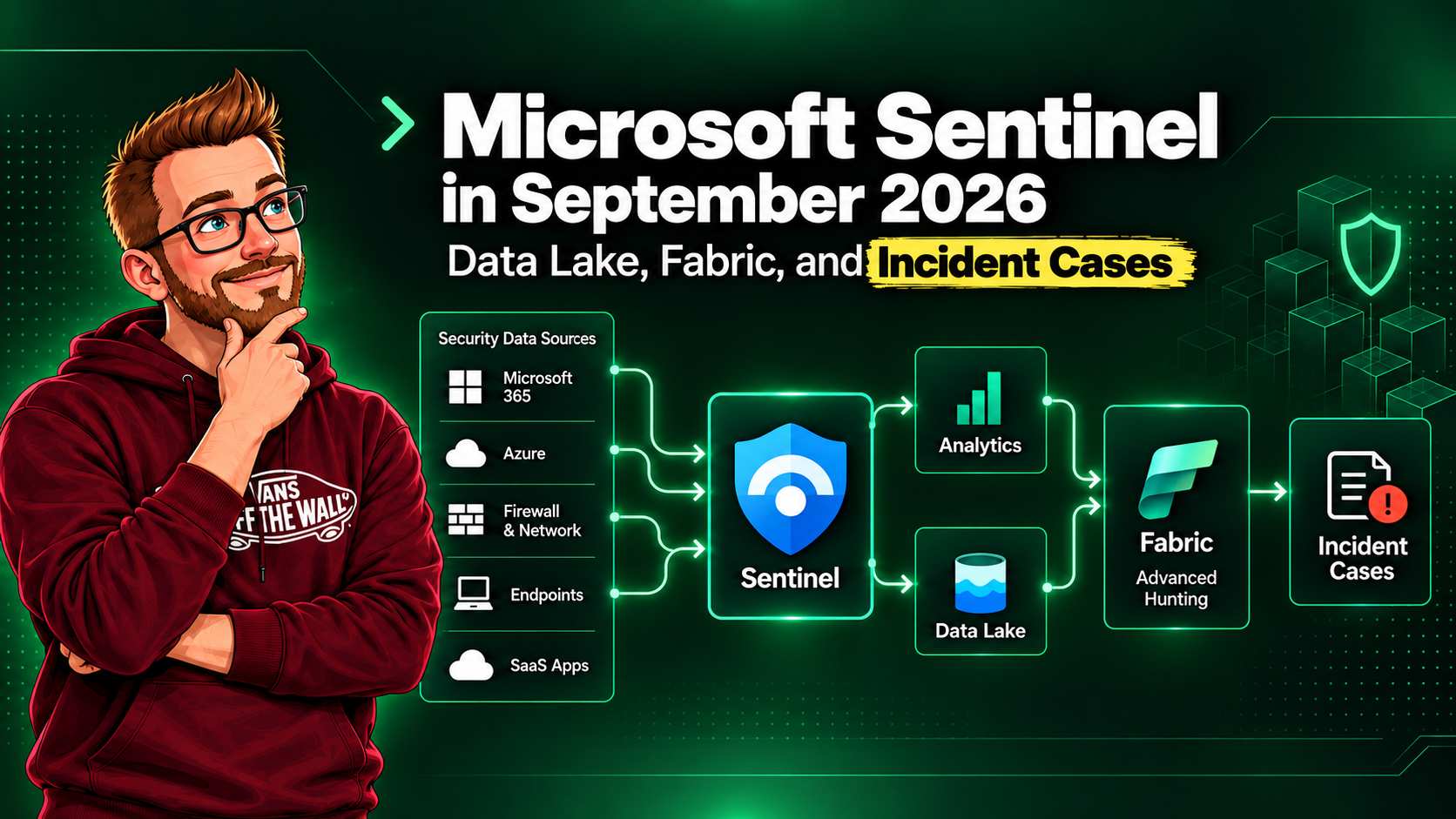
Microsoft Sentinel's September update looks like a storage announcement at first. It is more than a storage change. The new flow brings Sentinel onboarding, long-term retention, Advanced Hunting, and Microsoft Fabric access onto one path in the Defender portal. At the same time, Incident Cases give response teams a new working entity for the investigation itself. Data, compute, and case workflow are now much closer together.
The old framing was easy: connect logs, write detections, investigate incidents, then keep an archive if the budget allowed it. The new framing is closer to a security data operating model. The SOC can decide which tables need fast Analytics-tier detection, which data needs cheaper lake retention, and which historical or external data should join an investigation without being copied into a second platform.
Microsoft published the new data lake guidance for customers onboarding after September 23, 2026. Existing data lake customers can keep their current setup or choose the new Microsoft Fabric guidance. Incident Cases are currently preview and are the recommended incident-management experience during that preview. Nothing here means that every organisation needs Fabric or an agent-led SOC. It does mean those discussions no longer start from disconnected products.
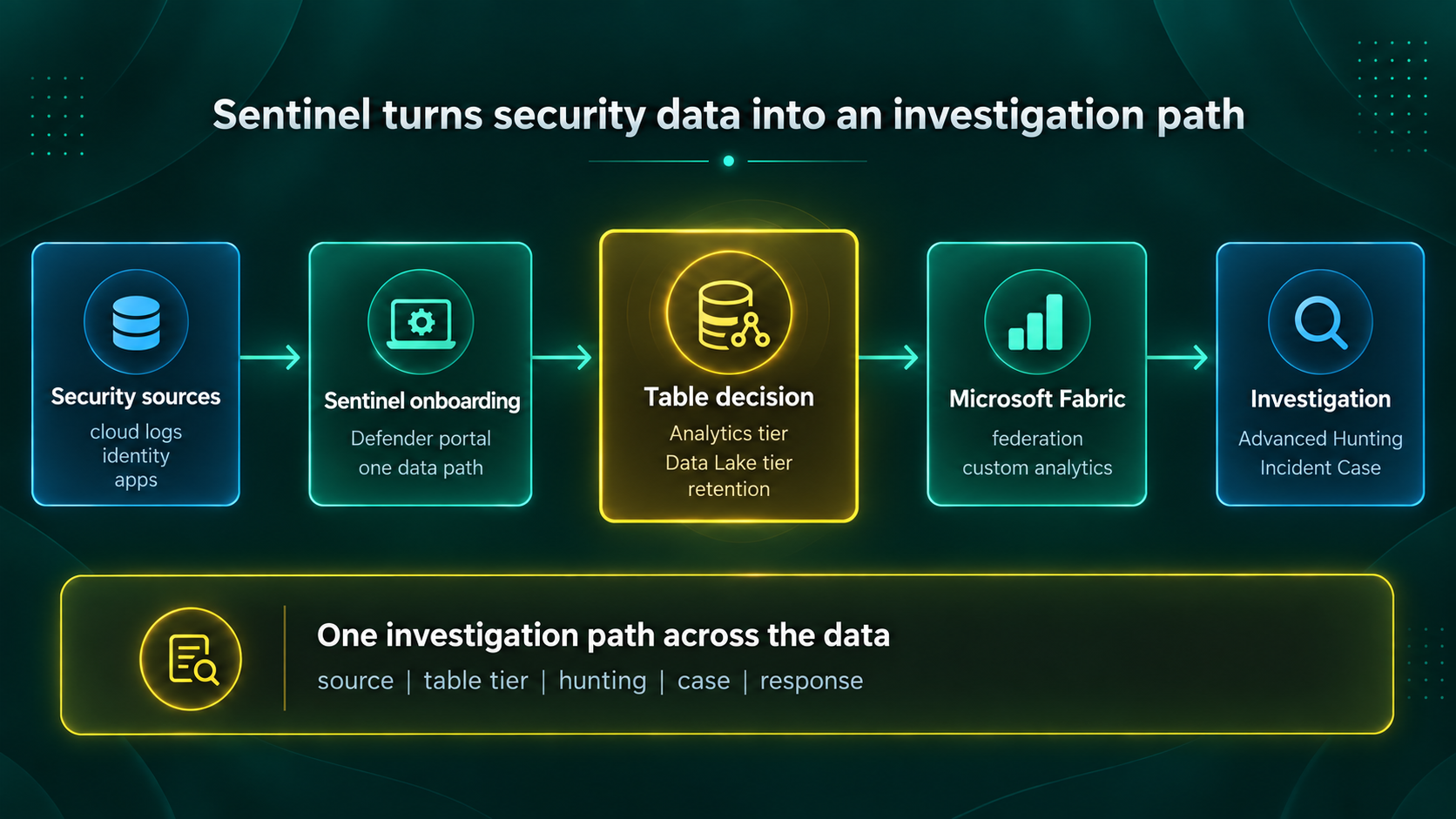
- New Sentinel customers use one Defender portal path for onboarding and table-level data-lake decisions.
- Advanced Hunting can query historical lake data without restoring it to the Analytics tier first.
- Incident Cases are still preview, so permissions, reporting, export, and handoff should be proven in a pilot.
What actually changed
For new customers, Sentinel and the data lake no longer have separate onboarding and billing paths. You onboard Sentinel and connect the workspace to the Defender portal. From there, Table management is the control point for enabling the lake tier on a table and setting retention.
That is a practical simplification, but it also moves an important design decision closer to the people managing detections. A table that is essential to near-real-time analytics may belong in the Analytics tier for its working window. A table needed for investigations, audits, and longer behavioural baselines can be mirrored or retained in the Data Lake tier. The retention setting is now part of an investigation and governance conversation, rather than a storage afterthought.
Microsoft also says analysts can run interactive KQL queries against lake data from Advanced Hunting in the Defender portal. Historical Sentinel data does not have to be restored into the Analytics tier before an analyst can query it. The difference sounds small until an incident needs a six-month lookback and the team is waiting for data before it can form a conclusion.
Why the project will feel different
I think projects based on this model will be perceived differently by each group involved. That is not a branding issue. It changes who has a legitimate decision to make and what a successful first phase proves.
| Group | Old project perception | September 2026 perception | Decision to make early |
|---|---|---|---|
| SOC leadership | A SIEM migration and detection-content project. | An investigation-capability project with detection, retention, and hunting in one service path. | Which tables need rapid detection, and how far back must investigations reach? |
| Platform and cloud teams | Connector deployment, workspace administration, and access provisioning. | A shared operating model for access, data classification, retention controls, and ingestion ownership. | Who approves table-tier changes and who reviews their cost impact? |
| Data and Fabric teams | A separate analytics request after the SOC has collected the data. | A contributor to security investigations through mirroring, shortcuts, and federation. | Which external sources can be queried in place, and which need a security-owned copy? |
| Risk and finance | A log-ingestion cost line with an archive policy. | A retained-evidence and investigation-readiness decision with tier-specific consumption. | What evidence, history, and query capability are worth funding for each data class? |
The useful project outcome is no longer just "we connected the logs." A stronger outcome is: "we can investigate the scenarios we care about across the time range we agreed to retain, and we can explain the control and cost model for every table." That is harder work, but it is a result a SOC manager can defend.
Fabric is the compute path, not a mandatory detour
The Fabric part of the announcement will get attention because it extends Sentinel data into OneLake without creating another copy of the data. Microsoft describes Azure Monitor mirroring as exposing selected Sentinel workspace tables in Fabric, where the data remains in the Log Analytics workspace. Fabric can then analyze it in place.
Data federation goes further when security context already lives elsewhere. Microsoft lists Fabric metadata mirroring for sources such as Azure Databricks, and OneLake shortcuts for sources such as AWS S3, Google Cloud Storage, and ADLS Gen2. The important word is logical: analysts can build one investigation view without treating an expensive or regulated data move as the default answer.
Do not make Fabric a checkbox: start with an investigation question that genuinely needs an external dataset. If the SOC can answer the question with Sentinel and Defender data, a new Fabric workload just adds another service to govern.
For teams that do have the use case, Fabric is the compute layer for custom security analytics. It can run interactive KQL queries and scheduled jobs across Sentinel and federated data, host notebooks for exploratory or repeatable analysis, and build custom graphs from data lake tables and external sources. Microsoft also describes a route for publishing selected findings back into Sentinel through a data collection rule, so enriched results can support hunting, detections, and investigations. That feedback loop needs clear provenance, validation, and an owner. A pipeline that writes unreviewed enrichment back into security telemetry can be worse than no enrichment at all.
Incident Cases are the response workspace
Data access is only half of the operating model. An investigation also needs a place to record who owns the work, which evidence changed the decision, what the team did next, and whether response commitments were met. Microsoft Defender Case Management introduces that workspace. An Incident Case brings together correlated incident context, alerts, assets, investigations, evidence, activities, response actions, tasks, comments, attachments, and activity history.
Incident Cases are in preview. Microsoft describes them as the recommended incident-management experience while the legacy incident experience remains available. That status matters in a production plan. Use a pilot to prove permissions, reporting, handoff, and export needs before you make it the only response workflow.
| Case capability | What it changes for the SOC | Design question |
|---|---|---|
| Custom fields and statuses | Teams can represent their own lifecycle, such as legal review, customer notification, or containment verification. | Which fields are required for a meaningful handoff, and which are only report decoration? |
| SLA policies | Cases can track time to acknowledge, escalate, and resolve using criteria such as status, severity, owner, or other supported fields. | Which timer reflects an actual operational commitment, and when should it pause? |
| Tasks, comments, and history | Ownership and decision evidence stay with the security matter rather than in a separate chat or ticket thread. | What is the minimum record needed to reconstruct a containment or closure decision? |
| Agentic sessions | Supported agentic playbooks can run from an Incident Case, with session status and outputs visible in that case. | Which agent actions remain read-only, and who approves any action that changes production state? |
Case activity can be audited, retained, and reported through the SecurityCaseEvent
table in Log Analytics. That is a useful link back to the data lake discussion. A response workflow
should be able to prove both what an analyst or agent concluded and what evidence was available at
the time.
Why ISOC and Cases change the operating model
Microsoft is not merely moving an incident page. The Integrated Security Operations Center (ISOC) model treats an incident as a shared security matter, rather than a container for alerts from one product. In a real SOC, the alert correlation may begin the work, but response usually needs asset context, analyst notes, tasks, approvals, evidence, customer or legal handoffs, and a record of what changed. Those activities often end up split between a SIEM, a ticketing system, a chat thread, and an analyst's private notes.
Case Management moves that working record into the Defender portal, next to the investigation context and response actions. That is also why agentic sessions belong in the case experience. An agent result is useful only when an analyst can see which security matter prompted it, what data it used, who owns the next decision, and whether a human approved an action. The case is the place where those facts can stay together.
This does not make an external IT service-management system obsolete. Many organisations will still open a linked change, problem, or major-incident record elsewhere. The value of Cases is that the security investigation, evidence, task ownership, and response timeline no longer have to leave the security operations surface just to become operational work.
Does this extend to existing Sentinel customers?
Yes, existing Sentinel customers are not excluded. The important boundary is not when the workspace was created. It is whether the case scenario needs Microsoft Sentinel workspace data and whether that workspace is connected to the Microsoft Defender portal. Cases are available only in the Defender portal, not in the Microsoft Sentinel experience in the Azure portal.
| Starting position | What Case Management can do | What the team must verify |
|---|---|---|
| ISOC customer using the Defender portal | Incident and generic cases can be used without an ISOC workspace or a connected Sentinel workspace for the ISOC case scenario. | Licensing, tenant configuration, case type, and the unified RBAC permissions for the people who view or manage cases. |
| Existing Sentinel customer with a workspace already connected to Defender | Can use workspace-based case scenarios that depend on Sentinel workspace or Sentinel-ingested data, subject to the case feature requirements. | That each required workspace is connected, roles are mapped, and the pilot covers existing detections, investigations, and handoff paths. |
| Existing Sentinel customer still working only in the Azure portal | Cannot use Cases from the Azure portal experience. | Plan the Defender portal connection first. Case Management is a Defender portal capability, and Sentinel-data-dependent scenarios need the connected workspace. |
| Generic SecOps work without Sentinel data | Generic Cases can track tasks, collaboration, follow-up, and reporting outside the incident response workflow. | Whether a generic case is sufficient, or whether the investigation requires the Sentinel workspace data and context of an Incident Case. |
The practical answer is therefore: this extends to existing Sentinel customers, but it is not automatically an Azure portal feature. Connect the workspace to Defender before you expect it to participate in Sentinel workspace-based Case Management. A customer does not need to have adopted the new data lake tier first, but it does need the Defender portal connection for the unified workflow. Existing Sentinel customers can adopt Cases after that connection; customers who use Sentinel only in the Azure portal cannot use the Defender portal Cases experience until they do.
Plan the portal move as an operating-model change: review not only connectors and analytics rules, but also Microsoft Defender unified RBAC, ownership fields, SLA definitions, evidence retention, export requirements, and links to existing ITSM processes.
What this could mean for Project Perception
This is still the part where a firm line between fact and inference matters. Microsoft has announced that supported agentic playbooks can run from an Incident Case and that their session outputs can be reviewed there. Microsoft has not announced that Project Perception directly consumes every September Sentinel data lake feature. I would not promise a wider integration or plan a deployment on that assumption.
Still, the direction is easy to see. Project Perception is described as a coordinated defense approach that needs broad, current, and explainable security context. Sentinel's updated model makes more of that context available through a common operational surface: current Analytics-tier signals, longer historical data in the lake, interactive hunting, and external data that can be federated instead of copied.
That could make a future Perception-style workflow more credible in real environments. A Red-style discovery task needs exposure and relationship context. A Blue-style validation task needs events, history, and the ability to test a hypothesis with KQL. A Green-style remediation task needs ownership, evidence, and enough audit context to show why a change is justified. An Incident Case gives those human and agent tasks a shared response record. The September architecture does not create those processes, but it reduces some of the data and workflow boundaries between them.
The near-term value is more ordinary, and more useful. Build a reliable data model for analysts first. Give people a way to investigate historic evidence without a restore queue. Bring external context into the same investigation when it matters. Then decide which recurring tasks are constrained enough to automate under a named owner and a recorded approval path.
A sensible first phase
- Choose three investigation scenarios that currently fail because the data is too old, too costly to query, or in a separate platform.
- Confirm which workspaces are connected to the Defender portal and classify each scenario as an ISOC-only, generic-case, or Sentinel workspace-based case workflow. Review the required RBAC permissions before changing analyst processes.
- Inventory the tables behind those scenarios. For each one, document the detection window, retention requirement, data classification, owner, and expected query pattern.
- Onboard Sentinel to the Defender portal and trial the lake-tier decision on a limited set of tables. Measure the analyst experience, not only the ingestion bill.
- Use Advanced Hunting to replay the chosen scenarios against retained data. Record the query, result quality, elapsed time, and any missing fields.
- Add Fabric federation only where an external dataset materially changes the conclusion of an investigation.
- Keep any agent or Project Perception experiment read-only at first. Require a human approval and a rollback plan before an automated workflow changes a production control.
This sequencing keeps the project grounded. You can demonstrate an improvement in hunting and evidence retention before introducing notebooks, graphs, agents, or cross-team automation. It also gives finance and governance teams something concrete to assess: a small number of named tables and scenarios, rather than an open-ended request to retain everything forever.
The question to ask now
The September update is Microsoft making a stronger claim about Sentinel's role. It is not just where logs arrive or where analytics rules live. It is becoming the security-data foundation inside the Defender portal, with a governed route to historical data and external context.
So I would ask one question before calling this a Sentinel project: which security decisions become possible when the SOC can query the right history and context without moving data around first? The answer will tell you which tables to retain, whether Fabric belongs in the design, and how much future agent-led security work is actually worth discussing.
References
- What's new in Microsoft Sentinel, September 2026
- Manage data tiers and retention in Microsoft Sentinel
- Advanced hunting with Microsoft Sentinel data in Microsoft Defender
- Configure the Mirror Azure Monitor Solution in Fabric
- Case management in the Microsoft Defender portal
- Configure case templates in the Microsoft Defender portal
- SLA policies for cases in the Microsoft Defender portal
- Connect Microsoft Sentinel to the Microsoft Defender portal
- Integrated Security Operations Center in Microsoft Defender