


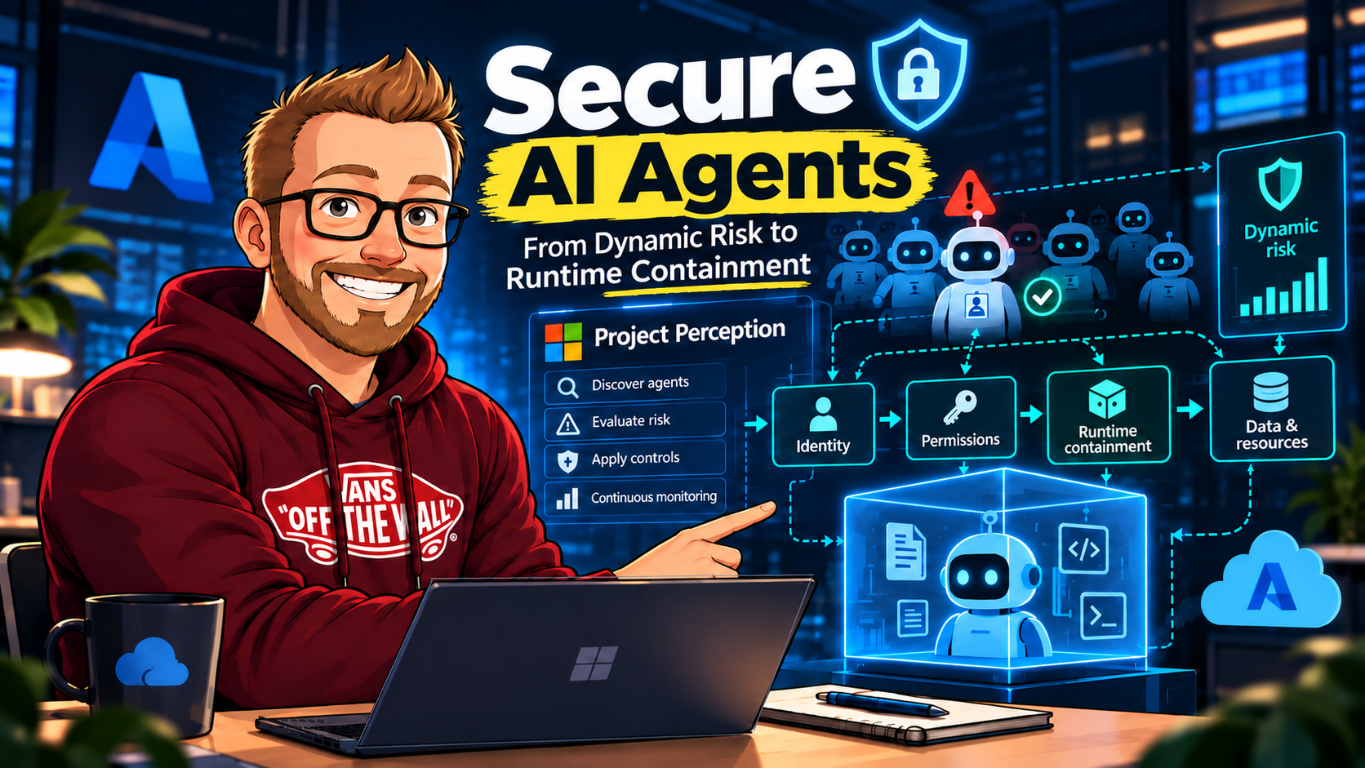
At the end of my post on Microsoft Execution Containers (MXC), I wrote that execution containment was only one part of Microsoft's plan and asked what was around the corner. The October 19 Project Perception announcement is the next public piece: how security teams can discover agents, understand changing risk, and adjust controls as that risk changes. It addresses a broader security-operations layer than MXC's process boundary.
Microsoft calls the risk an agentic insider. An agent may have legitimate access and still make a mistake, respond to manipulated input, or behave differently when its context changes. The October announcement describes an approach that brings security signals, identity, risk evaluation, policy, and security agents into a continuous control loop. For me, the useful question is whether that loop can produce a verified change in access or behavior, with someone accountable for the decision. An inventory entry or a convincing explanation doesn't answer that on its own.
The October 19 announcement
Microsoft's public post, "Agents are your newest insiders. Security must move at their speed", extends Project Perception from using security agents to help defenders toward supervising agents operating inside an organization. The post describes four continuous responsibilities: know agents, contain their access, protect resources in their path, and adapt controls as risk changes.
The update also connects Project Perception with Microsoft Agent 365. Microsoft's public description says the products share signals and context through a unified agent registry, giving IT and security teams a consistent view of agents and risk. This is a documented relationship between those products; it does not mean every agent or third-party tool is automatically discovered or protected.
The practical change in emphasis is clear. A periodic inventory or a one-time permission review cannot answer whether an agent's current actions still match the task it was assigned. Microsoft's announcement describes continuous risk evaluation and graduated policy responses instead of relying on a model to decide whether it should be trusted.
One concrete discovery detail is easy to miss: Microsoft's Defender for Endpoint support matrix says local-agent discovery is activity based. The device must be onboarded, and installing an agent does not by itself guarantee that it appears in the inventory. The matrix also separates agent discovery from runtime protection. They are different capabilities with different supported products, operating systems, and inspection methods.
A signal needs a path to control
The point isn't to collect a larger pile of agent telemetry. A signal helps when a team can connect it to an identified agent, its task and owner, the resource or action at risk, and a control that can change the outcome. The "Signal is useful; control is better" perspective is a useful way to frame the security operations problem: detection is only the start. Teams still need a short, accountable route from evidence to a decision, enforcement, and review.
Microsoft's Application Card for Project Perception adds product context to that flow. It describes Perception's capabilities and calls out three useful dimensions of agent autonomy: what triggers an agent, which data and systems it can access, and which actions it may take on its own. It also describes Agent ID permissions, grounding, analyst approval, session supervision, and performance evaluation. Those details help a reviewer ask what evidence exists and where an action can be constrained.
Keep the scope clear: the card describes Microsoft's application, not a live inventory or configuration report for your tenant, and it doesn't prove that a particular agent type or enforcement point is covered in your environment. Use it as product documentation, then verify your own agent inventory, identities, permissions, available signals, and control paths. Microsoft currently labels Project Perception Limited Public Preview, so capabilities and documentation may change.
The defender is an agent too
There are two groups of agents in this discussion. Business agents perform work such as coding, research or processing an expense. Perception's security agents help the SOC investigate threats and coordinate defensive work. A security agent still needs its own identity, access limits and supervision. Giving it a defensive purpose doesn't make its conclusions infallible or its permissions harmless.
The Application Card makes agent autonomy easier to review by separating three questions. What activates the agent? What information can it use? What may it change without another decision? I would record those separately for the business agent being protected and for each security agent involved in the response.
| Autonomy dimension | What the documentation describes | What I would review |
|---|---|---|
| Activation triggers | Manual playbook runs and supported automation rules; the card also describes automatic triage of supported new alerts. | The event or schedule, filter scope, rule owner and duplicate-trigger behavior. |
| Access permissions | A configured Agent ID determines which connected data and resources an agent can use. | The actual identity, visible subscriptions, data sources and missing evidence. |
| Action rights | Task-specific agents with approval gates for high-impact actions; Recon is read-only. | Whether the output is a recommendation, a generated artifact or an executed change, and who authorizes it. |
A useful example is read-only reconnaissance. The card says Recon assesses Azure resources visible to its configured identity without modifying or exploiting them. An attack-path report is therefore an assessment, not proof that a path was successfully exploited or fixed. A missing subscription is outside the assessed scope, not a clean bill of health.
The control loop Microsoft describes
The public announcement describes the system as signals feeding risk context, then policies and Guardian Agents responding to that context. Read as an operational flow, it looks like this:
- Discover: collect signals from identity, data, endpoints, cloud, network, runtime, and agent activity.
- Identify: associate activity with an accountable agent identity and information such as ownership and purpose.
- Evaluate: use the available signals to assess the agent's current risk, including its configuration, reachable resources, and behavior against the intended task.
- Constrain: apply policy to the agent's permissions and paths to resources. Microsoft's announcement introduces Dynamic Permissions and Dynamic Conditional Access for agents as parts of this approach.
- Supervise: use playbooks and Guardian Agents to investigate changes, propose or apply a response within policy, and retain human approval for consequential actions.
The separation of risk assessment from enforcement is important. A model can produce a useful explanation or recommendation, but the same model should not decide its own permissions or disable the controls watching it. Microsoft's technical description places authority in policies and enforcement points outside the model.
The specialist agents are not interchangeable
The public Project Perception documentation names more than broad red, blue, and green roles. The red-team Recon Agent maps attack paths, choke points, valuable assets, and excess permissions. Blue-team agents include a Triage Agent, Threat Intelligence Agent, Attack Investigation Agent, and Detection Authoring Agent. The green-team Posture Prioritization Agent ranks issues using exposure, exploitability, and asset criticality.
A workflow can therefore move from threat context to exposure mapping, remediation priority, and detection coverage. The output of one specialist becomes context for another. That is useful for investigation, but each handoff also needs provenance: which input, incident, or threat report started the run, which agents acted, what evidence each used, and which recommendation or action followed.
What was announced, and what it does
| Capability | Technical role | What to verify |
|---|---|---|
| Expanded agent discovery | Microsoft says discovery is expanding to 35 additional types of local agents, bringing its announced total to 60 supported local agents, including Claude Code, OpenAI Codex, and GitHub Copilot. | Check the current support matrix. "Supported" does not mean every agent, version, or unmanaged deployment is covered. |
| Agent identity and registry | Agent identity provides an attribution and policy target distinct from the person who sponsors or uses the agent. Microsoft says Project Perception and Agent 365 share signals, context, and a registry. | Confirm how a discovered agent is registered, assigned an owner, and linked to its identity and lifecycle in your environment. |
| Dynamic Agent Risk | Risk is described as continuously updated from signals across identity, data, endpoints, cloud, network, runtime, and agent behavior. | Identify which signals are available to your deployment and what evidence supports a risk change. |
| Dynamic Permissions and Dynamic Conditional Access | Policy can scope agent authority to a task and adjust it when risk changes. Responses described include preserving reads while blocking writes, narrowing resource or network access, shortening or revoking time-bound access, requiring human approval, and isolating or stopping a runtime. | Map each response to its enforcement point and test what happens when signals are missing or delayed. |
| Playbooks and Guardian Agents | Security playbooks define outcomes and coordinate protective work. Guardian Agents investigate changes and recommend or apply responses within defined policy. | Review approval boundaries, action evidence, stopping behavior, and audit records before allowing automatic actions. |
Microsoft describes Dynamic Permissions as setting an organization-wide outer boundary and then granting only task-scoped, time-bound authority within it. Permissions can be reduced or removed as the task changes or completes. Dynamic Agent Risk brings together signals such as identity, data, endpoint, cloud, network, runtime, and agent activity. Dynamic Conditional Access uses changing risk to drive responses across enforcement points. These are policy and control concepts, not a promise that every action is available for every agent in every tenant.
The order matters operationally: decide the maximum authority policy permits, issue the agent only the access needed for the current task, then connect risk changes to the enforcement points that can revoke or narrow that access. A risk signal without a connected control cannot contain an agent by itself.
Discovery is not the same as protection
The currently published Defender for Endpoint AI agent support matrix lists discovery support separately from runtime protection. Discovery records supported agents and, for some combinations, their MCP server configuration after activity is observed on an onboarded endpoint. Runtime protection uses its own supported methods, including agent-native event inspection and network inspection. A checkmark for discovery does not mean that every action from that agent is blocked or governed.
The matrix calls out method limits too. For example, its network inspection coverage does not include agents that use certificate pinning or HTTP/3. The supported combinations change over time, so check the current table for the exact agent, operating system, inspection method, and mode. Don't turn the headline count of supported local agents into a claim of uniform runtime enforcement.
A risk change in practice
Take a hypothetical expense agent with permission to read expense submissions and approve routine claims within a defined limit. The agent encounters instructions embedded in a submitted document and attempts to access an unrelated finance resource.
The security system needs enough evidence to tie that request to the correct agent, compare the action with its task and policy, and respond before the access causes damage. A graduated response could preserve the read access needed to finish safe work while blocking the unrelated request, narrowing the agent's access, or requiring a person to approve a consequential action. If the risk warrants it, the runtime can be isolated or stopped. The exact controls available depend on the product features and integrations enabled for that deployment.
This is not the agent reviewing its own reasoning and deciding to behave. The agent's activity generates evidence; policy and controls outside it determine what happens next.
The business operation belongs in the risk decision
The Microsoft Security newsletter's EvilTokens discussion connects compromised inbox access to knowledge of trusted relationships and payment processes. That is relevant here because access to ordinary correspondence can reveal how to influence an authorized workflow. An agent doesn't need a spectacular technical exploit to cause damage if it can submit an unauthorized change through a tool that already has permission.
For the expense example, I would distinguish reading the submitted receipt, changing a payee, approving a claim and releasing a payment. Those are different operations even if one agent can reach the same finance system for all of them. The service that owns the transaction must enforce the amount limit and approval requirements. A prompt telling the agent to be careful isn't that control.
Approval is a workflow state, not a checkbox
Public Project Perception documentation describes sessions that can be in progress, waiting for input, completed, ended with failures, or stopped. Operators can review a request, approve or reject it, provide alternative guidance, or stop the session. A stopped session terminates ongoing agent work and cannot be resumed; a similar investigation starts as a new session. Session visibility depends on the user's access to the agents involved; the page isn't a private workspace visible only to the person who started the run.
For an operational design, decide who can run agents, who can see session evidence, who can approve high-impact actions, and who can stop work. Microsoft Learn distinguishes Security Admin permissions for agent setup and configuration from Security Reader permissions to view and interact with sessions. Those role checks are part of the control plane, separate from the identity and permissions the agent itself uses against business resources.
Grounding helps, but missing evidence still matters
The Application Card says Perception uses Azure OpenAI models from Foundry Models sold by Azure. Customer Data from Perception sessions isn't used to train those models. Organizational context is supplied through grounding at inference time, using permitted Defender integrations, organizational data and threat intelligence.
That distinction matters, but it doesn't mean sensitive information never enters the workflow. An incident description, identity relationship or artifact can still be processed and appear in session records. Review permissions and session visibility alongside the connected data. Also record what the agent could not see. An investigation based on incomplete endpoint telemetry needs a different level of confidence from one supported by current evidence.
The documented Protect Against a Threat workflow connects threat intelligence, exposure mapping, posture prioritization and detection work. That makes the handoffs worth checking. A wrongly extracted technique can influence the next agent's priorities and the KQL it produces. Several agents agreeing with an inherited conclusion doesn't create several independent sources of evidence.
I would review the intelligence source, affected assets, observed exposure and generated detection separately. For KQL, check the tables and fields available in the tenant, test against known relevant events and inspect false positives before deploying a rule. For remediation, verify the actual changed configuration. A generated plan and a completed session are not proof that the underlying exposure was removed.
A pilot needs more than a closed-alert count
Microsoft describes product evaluations for groundedness, adversarial robustness and safety, including red-team testing. Those evaluations don't establish your tenant's detection accuracy. The same card explicitly warns that outputs can be inaccurate, incomplete or outdated. I would start with a narrow workflow and analyst-reviewed cases before expanding automatic action rights.
- Compare agent verdicts with reviewed outcomes, including genuine attacks, benign activity and cases where evidence is insufficient. Track missed threats as well as false alarms.
- Measure time from the first useful signal to verified enforcement, not just time to an agent's recommendation. Separate analyst waiting time from processing time.
- Record which data was available, whether the recommendation had supporting evidence and whether an operator changed the proposed action.
- Repeat representative cases after permission, data-source or automation changes. A previously successful workflow can become incomplete when one integration disappears.
- Measure analyst effort and complete workflow cost, including investigation, retries, evidence review and connected services. Agree on acceptable results before the pilot.
Use the preview agreement and applicable service licensing to establish the budget; the announcement isn't a universal price list. Avoid calculating savings by assuming every closed alert was correctly resolved. A small reduction in review time is useful only if missed threats and unauthorized changes remain within the agreed acceptance criteria.
Availability: announcement is not general availability
Microsoft Learn currently labels Project Perception as a Limited Public Preview, available to a small, invitation-only group. Microsoft's October post uses terms such as "introducing" for several capabilities. That is not the same as saying every feature in the announcement is generally available to every tenant.
Before designing around a capability, check its current Microsoft Learn page and preview terms. Verify eligibility, supported agent types, required licenses, prerequisites, regional availability, and which enforcement points are enabled. The public announcement does not provide a feature-by- feature GA schedule or a universal compatibility matrix for every agent stack.
The current playbooks documentation now describes automation rules for supported playbooks as well as manual runs. Administrators can review a playbook's Automation section, configure a relevant event or schedule, and enable one active rule per playbook. A playbook without that section doesn't currently support automatic triggering. Starting a run requires Run access to all participating agents; automation-rule editing requires the security admin role.
The card also describes automatic triage for supported new alerts. Neither detail means all announced Guardian Agent responses are enabled for every tenant. Review the trigger scope and approval gates of the actual playbook before enabling a broad recommended rule. Keep a tested path to disable new triggers and stop active work.
At Ignite, the public Microsoft security agenda includes a Project Perception session and hands-on lab. Treat those as opportunities to see the workflow, then use current product documentation to confirm what you can deploy.
Part two: connect risk decisions to runtime enforcement
Project Perception describes how security teams can reason about agent risk and coordinate policy responses. That still leaves a concrete engineering question: where is a process boundary enforced, and can the agent alter it? In Part two of this series, I connect the announcement to the runtime containment model in my MXC post, with a practical division of responsibilities across identity, permissions, tools, network, and execution.
References and product documentation
- Signal is useful; control is better | Microsoft Security
- Agents are your newest insiders. Security must move at their speed
- Securing the agentic insider
- What is Project Perception? | Microsoft Learn
- Application card for Project Perception | Microsoft Learn
- Agent categories in Project Perception | Microsoft Learn
- Supported AI agent types in Microsoft Defender for Endpoint
- Work with agents in Project Perception
- Work with playbooks in Project Perception
- View and manage sessions in Project Perception
- Microsoft Security at Microsoft Ignite 2026
- Project Perception: How Agentic Security Works