


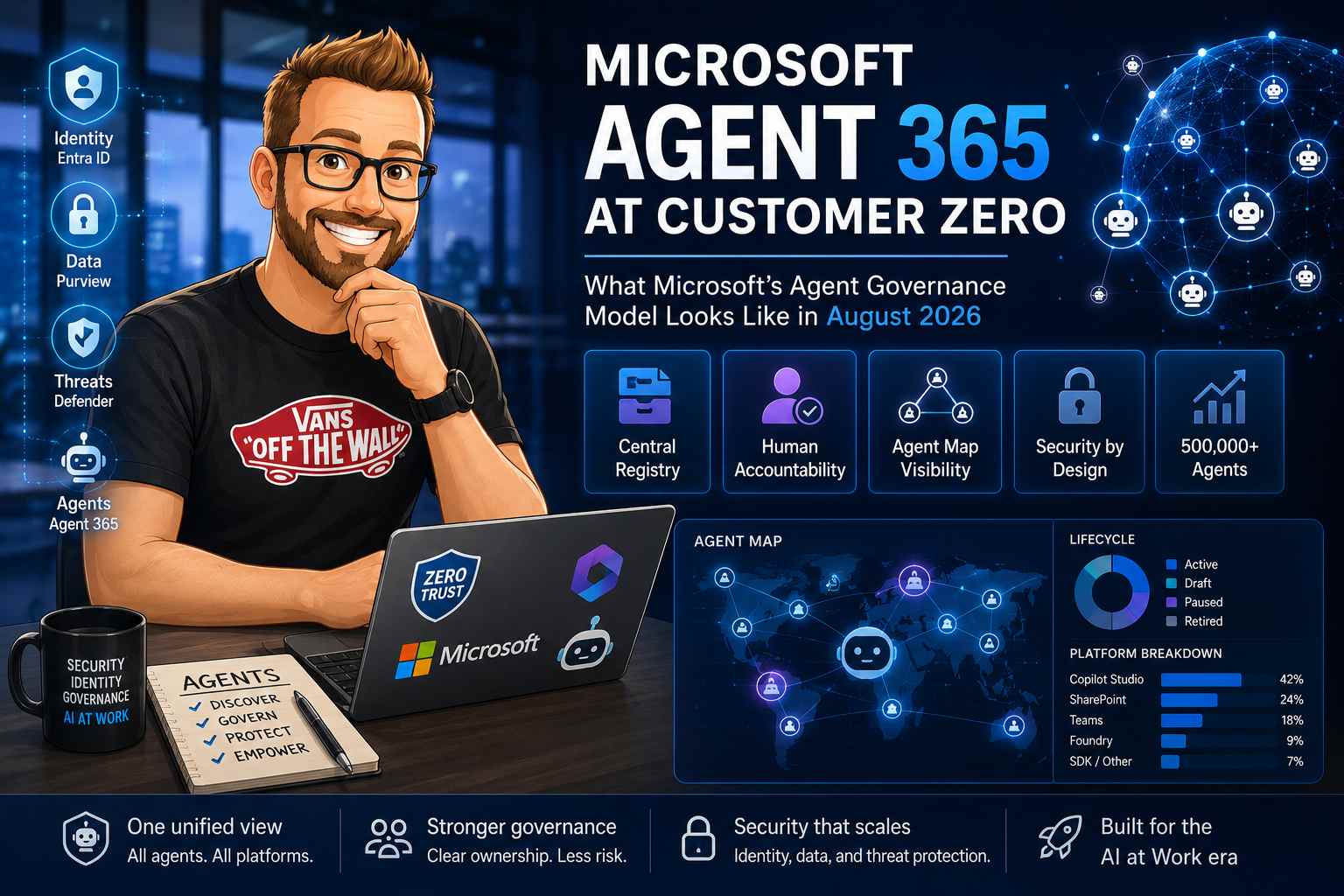
My earlier posts on Microsoft Entra Agent ID, Agent 365 licensing and governance, and Defender for AI agents described separate pieces of Microsoft's agent story. Microsoft's August 6 Customer Zero report ties those pieces together in a much more useful way.
Microsoft Digital says it now has visibility into more than 500,000 agents. The important part is not the headline number. It is the operating model behind it: a central registry, shared metadata, clear human accountability, Agent Map visualisation, and existing identity, data, and threat controls working around the agent estate.
That is the current picture as of August 26, 2026. Agent 365 is generally available for the commercial segment, but several advanced controls remain license-dependent, preview, or still being developed. Treating every item as finished product capability would give you the wrong implementation plan.
The short version
Agent 365 is a coordination and control plane for agents. It does not replace Copilot Studio, Microsoft Foundry, Entra, Purview, Defender, or your existing approval process. It creates a shared view across those systems and gives different teams enough context to act on the same agent.
| Layer | Microsoft product | What it contributes |
|---|---|---|
| Agent oversight | Microsoft 365 admin center and Agent 365 | Registry, inventory, lifecycle state, ownership, usage views, basic governance actions, and Agent Map. |
| Agent identity | Microsoft Entra Agent ID | Blueprints, agent identities, optional agent users, sponsors, permissions, Conditional Access, and lifecycle accountability. |
| Data protection | Microsoft Purview | Sensitivity labels, DLP, retention, eDiscovery, Insider Risk Management, Communication Compliance, and compliance assessments. |
| Threat protection | Microsoft Defender | Agent discovery, posture findings, runtime blocking for supported tool calls, detection, investigation, and hunting. |
| Agent construction and runtime | Copilot Studio, Microsoft Foundry, Microsoft 365 Copilot, SDKs, and customer infrastructure | The places where agents are built, published, hosted, connected to tools, and used. |
What Microsoft built for its own environment
Microsoft describes the internal problem plainly. Agents are created through Microsoft 365 Copilot Agent Builder, SharePoint, Teams, Copilot Studio, Microsoft Foundry, and the Agents Toolkit SDK. Each surface has its own inventory, runtime, and administration habits. A platform-specific list cannot answer tenant-wide questions such as who owns an agent, whether it is still used, what data it reaches, or which agents need attention first.
Agent 365 brings those records into a common registry. Microsoft Digital uses the registry to track agent name, type, ID, owner, creation platform, lifecycle state, user scope, platform metadata, and activity. This supports very practical tasks:
- Find agents without an owner before they become a compliance problem.
- Separate a short-lived experiment from a business-critical digital worker.
- Compare adoption across platforms and business areas.
- Scope or exclude agents for a user group, region, or regulatory boundary.
- Export inventory data for security, compliance, and business reviews.
For first-party platforms, Agent 365 can ingest metadata automatically. Third-party agents can be registered through registry synchronisation or integrated in code with the Agent 365 SDK. That distinction matters: the registry can provide visibility without every agent being rebuilt on a Microsoft runtime.
Why the registry comes before automation
It is tempting to start with an approval workflow. Microsoft’s own experience points in a different direction. You first need a reliable answer to “what exists?” before an automated rule can decide what should happen.
Without a registry, lifecycle automation has incomplete input. It cannot reliably identify ownerless agents, compare duplicate agents, find a dormant agent with sensitive permissions, or know whether an agent was created in Copilot Studio, Foundry, SharePoint, or elsewhere.
Practical rule: inventory is not a spreadsheet exercise. It is the input to ownership, access review, risk triage, publishing, and retirement.
The registry is also where Microsoft's convergence decision becomes visible. The old Entra Agent Registry experience is being consolidated into Agent 365, while Entra remains the identity foundation. The two products have different jobs: Agent 365 answers what agents exist and how they are managed; Entra answers which identity an agent has and what that identity may access.
Agent Map turns inventory into a triage tool
A list is useful until the number of agents, connectors, users, and dependencies becomes difficult to scan. Microsoft’s Agent Map adds a visual view grouped by the platform where agents were created. Administrators can filter by status, publisher type, platform, channel, data source, or usage, then inspect ownership, configuration, activity, and relationships.
The operational value is prioritisation. Microsoft Digital describes using the map to identify ownerless agents, duplicate naming patterns, rapidly growing agents, and high-impact agents. The example of Cowork is telling: the team could inspect activity and locations for 58,000 active users in minutes rather than manually reviewing individual records.
Agent Map is not a replacement for telemetry or a full dependency graph. It is a way to decide where an administrator should look next. Microsoft also separates this from Viva Insights. Viva Insights adds organisational context for adoption leaders and change managers; Agent 365 provides the management view for inventory, publishing, ownership, lifecycle, and governance.
The operating model is a team, not a super-admin
The strongest lesson in the Customer Zero report is organisational. Microsoft did not create one new role that absorbs every existing administrator. Instead, Agent 365 provides common context between several roles.
| Team or role | Primary responsibility | Useful handoff |
|---|---|---|
| AI administrators | Tenant-wide agent inventory, usage, lifecycle coordination, and platform handoffs. | Escalate identity, data, and threat findings with the same agent metadata. |
| Agent Identity administrators | Agent identity provisioning, sponsor and owner accountability, access, and deprovisioning. | Use the registry to connect an identity finding to the actual agent and business owner. |
| Platform administrators | Manage agents in Copilot Studio, SharePoint, Foundry, Teams, or another builder surface. | Apply platform-specific changes while Agent 365 retains the tenant-wide record. |
| Security teams | Investigate suspicious behaviour, posture issues, prompt injection, tool misuse, and runtime threats. | Send remediation actions to the platform or identity owner, with Defender evidence. |
| Data, privacy, and compliance teams | Define data handling, DLP, retention, eDiscovery, and regulatory expectations. | Turn policy requirements into review criteria and Purview controls. |
This is why I would not describe Agent 365 as a single pane of glass in the usual marketing sense. The value is not that one administrator does everything. The value is that multiple administrators can see the same agent, the same owner, and the same risk context before they act.
Where Entra Agent ID fits now
My earlier Agent ID post described the object model: an agent identity blueprint can create many agent identities, and an optional agent user can provide Microsoft 365 resources such as a mailbox. The current Microsoft guidance adds a clearer governance story.
- Give each agent instance its own identity instead of sharing one identity across unrelated agents.
- Assign a human sponsor and owner when the agent is created.
- Use blueprints to apply a consistent identity and security posture to a class of agents.
- Use access packages for scoped, time-bound, approval-based access.
- Use Conditional Access and Identity Protection to evaluate agent context and risk.
- Use Lifecycle Workflows to notify people and transfer sponsorship when a sponsor leaves.
The sponsor requirement is a useful correction to the idea that an autonomous agent can be fully ownerless. The software may act independently, but a human still needs to be accountable for purpose, access reviews, and retirement. Microsoft’s documentation says sponsorship can transfer to the sponsor’s manager, which keeps a human decision-maker attached to the identity lifecycle.
Agent ID also clarifies two execution patterns. An interactive agent can carry both user and agent context when acting on behalf of a person. An autonomous agent authenticates independently through its blueprint. Those are different risk and approval cases, so they should not be forced into one generic permission model.
Agent 365 does not replace Defender or Purview
Microsoft’s security design is deliberately distributed. Agent 365 surfaces context, while the security teams continue using Defender, Purview, and Entra for the controls they already own.
Microsoft Defender covers agent discovery, posture management, threat detection,
investigation, and runtime protection for supported scenarios. Current documentation describes
real-time evaluation of tool invocations and responses when Agent 365 agents use Work IQ MCP and
customer MCP tools onboarded to Agent 365. The default rule audits activity; custom rules can block
matching actions before execution. Defender records audited and blocked activity in the
BehaviorInfo table for hunting and automation.
Microsoft Purview addresses the data side. Agents can inherit sensitivity labels, be included in DLP policies, and contribute to audit, eDiscovery, retention, Insider Risk Management, and Communication Compliance workflows. The risky AI usage policy template can help identify behaviours such as prompt injection or access to protected material, but it still needs to be configured for the organisation’s risk model.
Microsoft Entra controls identity and access. Agent 365 can show the relevant signal, but the actual permission boundary still belongs in the identity and governance layer. This is a useful separation: an inventory record does not itself create least privilege.
Do not confuse visibility with enforcement. Agent Map can show a risky relationship. Defender can detect or block supported runtime activity. Purview can apply data policy. Entra can limit identity access. Your design needs all four questions answered: what exists, who owns it, what may it access, and what happens when it behaves badly.
What is available, licensed, or still moving
Agent 365 became generally available for the commercial segment on May 1, 2026. The service description is the better source for feature boundaries because “Agent 365” now covers several Microsoft 365, Entra, Purview, and Defender capabilities with different prerequisites.
| Capability | Current position | Planning implication |
|---|---|---|
| Agent registry and basic governance actions | Available in the Microsoft 365 admin center, subject to the documented subscription boundary. | Start with inventory, owner assignment, publishing, blocking, and lifecycle state. |
| Agent Map and advanced observability | License-dependent; Agent Map usage filtering has documented limits for some telemetry scenarios. | Confirm which users need the license and what telemetry volume you actually require. |
| Policy templates, tool controls, access packages, and lifecycle automation | Available according to the Microsoft 365 and Agent 365 feature matrix, with plan-specific differences. | Map each control to the team and license that owns it before promising an end-to-end workflow. |
| Defender runtime protection and threat detection | Several capabilities remain in public preview and require observability onboarding. | Use preview features for controlled learning, with a fallback response process. |
| Multi-tenant agent management | Public preview announced August 10, 2026 for partners and administrators governing multiple tenants. | Useful for CSP and systems integrator operations, but keep actions scoped by GDAP and tenant role. |
For licensing, the current Learn overview points to per-user licensing and the Microsoft service description for the feature matrix. My earlier post recorded the standalone Agent 365 price as $15 per user per month, but prices, bundles, and qualifying plans can change. Verify the current Microsoft Agent 365 plans page and the service description before making a purchase decision.
What Microsoft has not solved for you
Microsoft is candid that its own operating model is still evolving. Agent 365 does not automatically decide your risk tolerance, define the approvers for a sensitive workflow, or make a platform-specific publishing process disappear. Some lifecycle coverage, risk signals, and enterprise-scale automation are still being improved.
There are also limits to the product boundary:
- A registry entry is not proof that an agent is well designed or least privilege.
- An Agent 365 license does not grant every E5 security or compliance capability to every user.
- Runtime protection depends on the agent platform, emitted observability data, connected tools, and the policy being evaluated.
- Third-party agents need a supported integration path if you want more than basic registration.
- Preview features can change, so do not make an irreversible architecture depend on an undocumented API.
Microsoft’s phrase “self-service with guardrails” is useful here. It means employees can create agents, but the organisation still has to decide which data, tools, identities, and publishing paths are acceptable. The guardrails need owners and an operating rhythm, not just a policy document.
A practical rollout sequence
If I were starting an Agent 365 programme now, I would use the following order:
- Inventory the estate. Open the Agent 365 overview and registry. Export what is available, reconcile it with platform inventories, and record gaps instead of pretending the first count is complete.
- Assign accountability. Require an owner and, for Agent ID identities, a sponsor. Define what happens when the owner leaves, the agent becomes inactive, or the business process changes.
- Classify agent types. Separate user-delegated agents, autonomous agents, experiments, shared assistants, and business-critical digital workers. Their access and review requirements are different.
- Build identity blueprints and access packages. Put common controls in the blueprint. Use time-bound, approval-based access for sensitive resources and avoid shared identities between unrelated agents.
- Connect data and threat controls. Apply Purview policies to the data flows that matter. Enable Defender observability and test detection and blocking with non-destructive scenarios.
- Create a weekly review rhythm. Review ownerless, unused, rapidly growing, over-permissioned, and high-impact agents. Assign each finding to the team that can actually remediate it.
- Automate only after the signals are trusted. Start with notifications and reports. Move to blocking, deprovisioning, or bulk actions after you understand false positives and the business impact of a bad decision.
This sequence resembles Microsoft’s Customer Zero learning: visibility first, then shared practice, then action. The order is more important than having every control on day one.
The bottom line
Microsoft has built a credible management layer for an enterprise where agents are no longer confined to one product. Agent 365 gives administrators a common registry and visual overview. Entra Agent ID gives agents an identity and a lifecycle. Purview handles data risk and compliance. Defender adds posture and threat protection. Microsoft 365 admin center becomes the place where these views meet for AI administrators.
The most valuable part of Microsoft’s own environment is not a single portal feature. It is the weekly coordination between AI administration, identity, security, compliance, platform teams, and business owners. The technology makes that conversation possible with shared records. It does not remove the need for the conversation.
That is the updated recommendation I would give today: register everything you can, put a named human behind every meaningful agent, separate delegated and autonomous access, connect the existing security controls, and make review a routine operating process. Agent sprawl becomes manageable when the organisation can see it, explain it, and act on it.
Official Microsoft references
- Implementing Agent 365 at Microsoft, the August 6, 2026 Customer Zero report.
- Overview of Microsoft Agent 365.
- Agent registry in the Microsoft 365 admin center.
- What is Microsoft Entra Agent ID?.
- Microsoft Purview data security and compliance for Agent 365.
- Detect and investigate threats to AI agents with Microsoft Defender.
- August 2026 multi-tenant agent management announcement.