


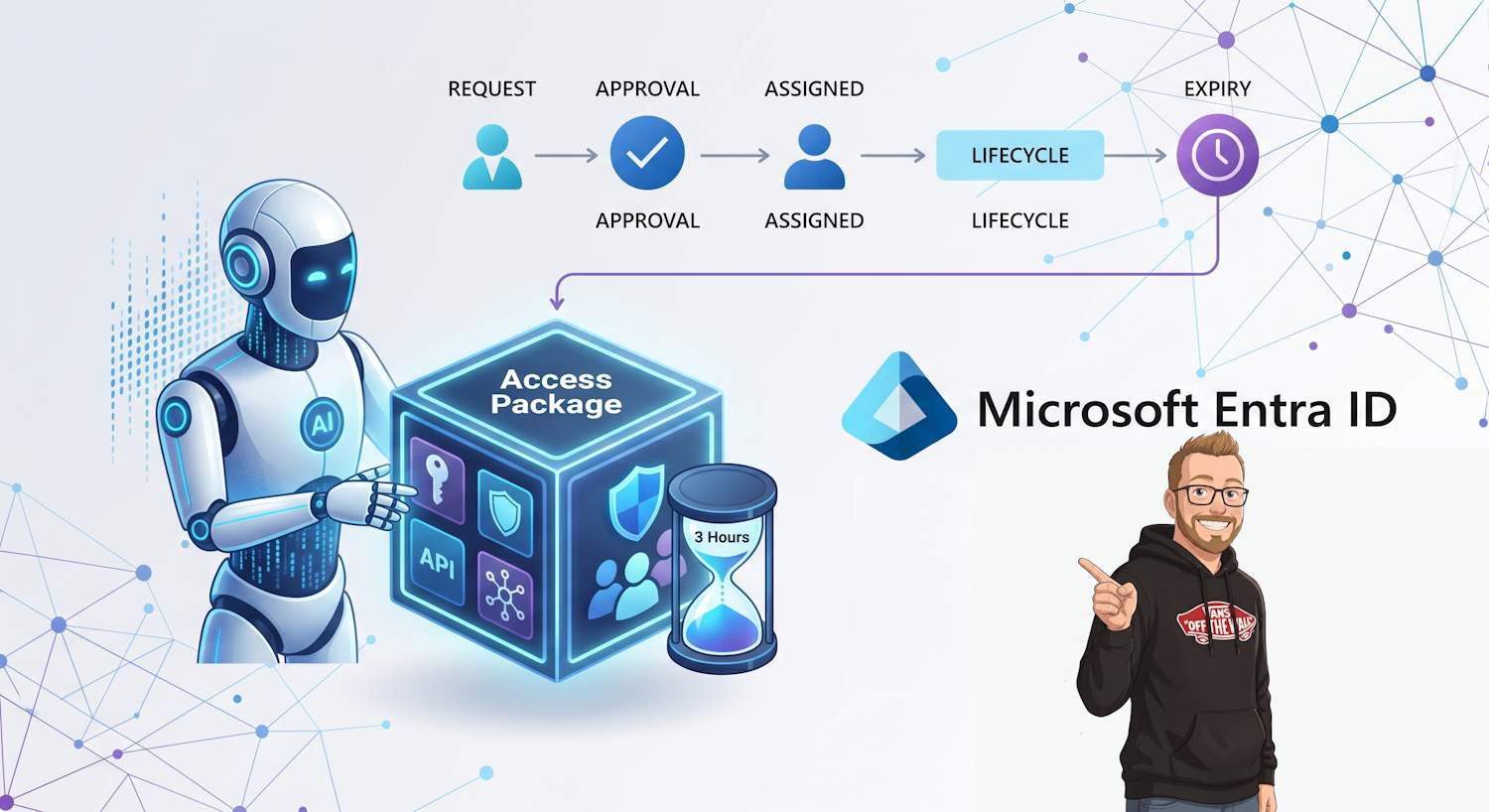
When people ask how to give an AI agent access in Microsoft Entra, the hard part is not the first permission grant. The hard part is the lifecycle: approvals, expiry, extension, auditability, and revocation without leaving behind stale roles or broad standing access.
For Agent IDs, the clean way to solve that is Entitlement Management access packages. You can model access as a time-bound assignment, route requests through approval stages, and let sponsors handle renewals when an agent still has a valid business purpose.
Core model: agent identities can request access packages directly, a sponsor can request on behalf of an owned/sponsored agent, and administrators can assign access directly. All three paths land in the same assignment and lifecycle controls.
Series note: This is Part 1 of the Agent ID governance series. Part 2 covers how to combine access packages with Privileged Identity Management (PIM) for privileged boundaries: Part 2: Agent ID + PIM Design Patterns.
Why Access Packages Are the Right Primitive for Agent IDs
Agent IDs are not long-lived human users, and they are not always static application identities. They often need access that is narrow in scope and bounded in time. Access packages give you that shape: one governed object holding resource roles, policy, approvals, and expiration settings.
For agent identities, Microsoft documents three resource-role families that matter most:
- Security group membership
- OAuth API permissions (including Graph application permissions)
- Microsoft Entra directory roles allowed for agents
If the package includes OAuth API permissions or Entra roles, your catalog is treated as privileged. That is expected behavior and should be part of your design review.
Prerequisites and Boundaries
Before assigning anything, validate these boundaries from the Entra docs:
- You are actually using Agent IDs (or service principals where applicable) for authorization.
- Your catalog exists and can hold the target resources.
- You do not reuse packages containing unsupported role types for this scenario (for example, application roles, SAP roles, SharePoint Online site roles in this specific flow).
For policy scope, use For users, service principals, and agent identities in your directory and then select All agents in the assignment policy when your target is Agent ID.
Build the Access Package for Agent Access
At implementation level, the package design is where most mistakes happen. Keep one package per access intent, not one mega-package for every API and role your platform might ever use.
- Create a package in the correct catalog.
- Add resource roles needed for one discrete agent capability.
- Set request policy and approvers.
- Set assignment duration and extension behavior.
- Validate approval and expiration notifications for sponsors.
Technically this gives you a reusable, auditable unit for assignment and revocation.
Three Assignment Pathways
1. Agent Self-Request (Programmatic)
When an agent needs access for a bounded operation, it can request an assignment via Graph. This is the path for short-lived permissions when your policy permits self-request.
What the agent needs to do itself:
- Load the target accessPackageId and assignmentPolicyId from trusted configuration (not hardcoded in prompts or user input).
- Resolve its own Entra object ID to use as targetId.
- Acquire a Microsoft Graph token using its configured identity flow.
- Submit an
accessPackageAssignmentRequestwithrequestType=UserAdd. - Track request state and only continue privileged operations after approval and assignment is active.
- Fallback to sponsor/admin path when policy blocks self-request.
POST https://graph.microsoft.com/beta/identityGovernance/entitlementManagement/accessPackageAssignmentRequests
Content-Type: application/json

{
  "requestType": "UserAdd",
  "accessPackageAssignment": {
    "targetId": "<agentObjectId>",
    "assignmentPolicyId": "<policyId>",
    "accessPackageId": "<packageId>"
  }
}
Once submitted, the request follows the package approval chain. If approved, assignment starts and expiration tracking begins immediately.
In practice, treat this as asynchronous: submit request, poll request status, then execute the task only when assignment is effective.
GET https://graph.microsoft.com/beta/identityGovernance/entitlementManagement/accessPackageAssignmentRequests/{requestId}
Authorization: Bearer <token>
Simple Node.js version (no SDK, just fetch):
const token = process.env.GRAPH_TOKEN;
const base = "https://graph.microsoft.com/beta";

const body = {
    requestType: "UserAdd",
    accessPackageAssignment: {
        targetId: process.env.AGENT_OBJECT_ID,
        assignmentPolicyId: process.env.ASSIGNMENT_POLICY_ID,
        accessPackageId: process.env.ACCESS_PACKAGE_ID
    }
};

const createRes = await fetch(`${base}/identityGovernance/entitlementManagement/accessPackageAssignmentRequests`, {
    method: "POST",
    headers: { "Authorization": `Bearer ${token}`, "Content-Type": "application/json" },
    body: JSON.stringify(body)
});

const request = await createRes.json();
const requestId = request.id;

for (let i = 0; i < 20; i++) {
    const statusRes = await fetch(`${base}/identityGovernance/entitlementManagement/accessPackageAssignmentRequests/${requestId}`, {
        headers: { "Authorization": `Bearer ${token}` }
    });
    const status = await statusRes.json();

    if (status.requestState === "Delivered") {
        console.log("Access active. Run privileged task now.");
        break;
    }
    if (["Denied", "Canceled", "Failed"].includes(status.requestState)) {
        throw new Error(`Access request not approved: ${status.requestState}`);
    }
    await new Promise(r => setTimeout(r, 5000));
}
2. Sponsor Request on Behalf of Agent
Sponsors and owners can request packages for their agents through the My Access portal. This gives a human checkpoint before privileged capabilities are activated.
Operationally this is useful when agents should not self-request elevated access, but still need fast enablement in response to production workflow demand.
3. Direct Admin Assignment
Administrators can directly assign the agent identity (or the agent user account where used) to the package. Use this path for bootstrap and break-glass scenarios, not as your default for routine elevation.
Pattern: Short-Lived Permissions for Agents
For least privilege, the package should encode duration explicitly. A common pattern is:
- Duration: short assignment window (for example hours or a small number of days).
- Approval: one or two stage based on criticality.
- Extension: allowed only with sponsor request and reapproval.
- Expiry action: automatic access removal when not extended.
When expiry approaches, sponsors receive notification and can either request extension or let access expire. If there is no action, rights are removed by policy lifecycle.
Short-Lived Access Implementation Checklist
- Create one access package per privileged capability, not one shared package for all operations.
- Policy scope: select users, service principals, and agent identities in your directory; then target all agents for Agent ID flows.
- Set assignment expiration in Lifecycle for each policy.
- Hours: supported (Number of hours).
- Days: supported (Number of days) with documented range 0 to 3660.
- Microsoft guidance specifies entering a number of hours but doesn't publish an explicit max in the referenced UI guidance.
- Enable extension only when needed and require approval for extension on elevated packages.
- Require at least one sponsor on agent identities so extension and accountability workflows have a human owner.
- Agent runtime flow: request access package assignment, wait for approved state, execute task, then remove assignment (or let policy expiry remove it).
- Add monitoring for repeated denied requests, unusual extension patterns, and stale elevated assignments.
Sponsor-Centric Governance Model
Agent ID governance is intentionally human-accountable. The sponsor is not just metadata. In this model, sponsor actions control whether access persists across cycles.
That gives you a practical control loop:
access requested -> approved -> granted with expiry
       -> sponsor notified before expiry
       -> extension requested (or not)
       -> approval cycle (or auto-expire)
       -> assignment removed if no extension
This is the part that turns access from static grants into managed entitlements.
Graph Operations You Actually Need
If you automate assignment workflows, these are the operations to implement first:
- Create access package assignment requests (`UserAdd` for request path).
- Read assignment request state for pipeline feedback (`Submitted`, `Accepted`, and completion state).
- Submit removal requests (`AdminRemove`) for cleanup and incident response workflows.
A minimal direct-request flow in agent code looks like this:
1) Read package/policy IDs from secure config
2) POST UserAdd accessPackageAssignmentRequest
3) Store requestId for correlation and audit
4) Poll request status until approved/denied/expired
5) If approved, run scoped task
6) If denied or timed out, route to sponsor/admin escalation
7) Optionally POST AdminRemove for deterministic cleanup
POST https://graph.microsoft.com/beta/identityGovernance/entitlementManagement/accessPackageAssignmentRequests
Content-Type: application/json
{
"requestType": "AdminRemove",
"accessPackageAssignment": {
"id": "<existingAssignmentId>"
}
}Even when you rely mainly on policy expiry, explicit removal requests are useful for incident handling and deterministic teardown in CI/CD-style agent deployment pipelines.
Design Guidance for Real Environments
- Do not put unrelated permissions in one package. Model one access intent per package.
- Keep privileged packages separate from baseline runtime packages.
- Require sponsor-backed extension for elevated packages.
- Keep assignment duration small by default and extend only when justified.
- Use direct admin assignment sparingly and log those decisions for review.
Practical split: baseline package for normal agent runtime calls, privileged package for escalation operations, and short duration on privileged package with mandatory approval.