


Introduction to Part 2
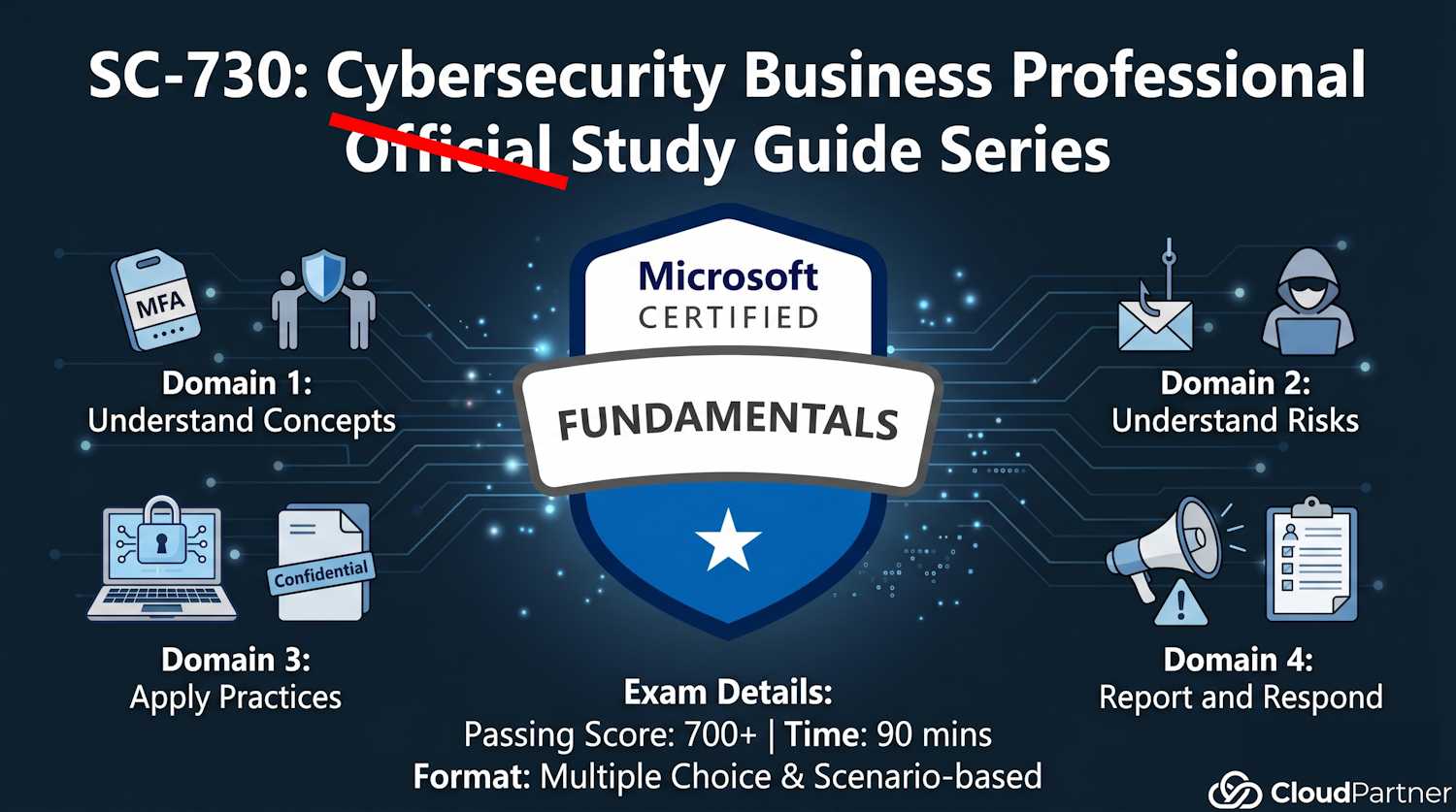
This is the largest exam domain (30–35%), split into two pages. Part 2a covers common risks and social engineering tactics—the psychological exploits that attack your judgment rather than system vulnerabilities. Part 2b covers threat detection and email safety verification.
Why this matters: Most attacks don't exploit code vulnerabilities. They exploit you. Phishing and social engineering are the top initial access vectors for ransomware, data theft, and account compromise.
Risks of Public Wi-Fi Networks
Why Public Wi-Fi Is Dangerous
Public Wi-Fi (coffee shops, airports, hotels) is convenient but extremely unsecured. Here's what happens:
- No encryption: Traffic is broadcast in plaintext (unencrypted). Anyone with a laptop and packet sniffer can read your data in real-time.
- Man-in-the-middle (MITM) attacks: Attacker sits between you and the router. You think you're talking to Google. You're actually talking to attacker. They relay your traffic, logging everything: passwords, emails, secrets.
- Fake hotspots (Evil Twin): Attacker creates "Free Airport Wi-Fi" or "CoffeeShop Guest"—naming it to match expected networks. You connect thinking it's legitimate. It's actually attacker's device.
- Malware injection: Attacker intercepts your traffic and injects malware into download streams. You download "windows_update.exe" from Microsoft—but it's actually malware.
- Session hijacking: Attacker steals your session cookie (proof of login) and logs in as you, even without your password.
Real example: A business traveler accesses corporate email on airport Wi-Fi without VPN. Attacker captures session cookie, logs into her email later, sends fake "CEO" request for wire transfer to attacker's account. Company loses $50K.
Protection: Virtual Private Networks (VPNs)
A VPN encrypts ALL your traffic and routes it through a secure server, protecting you from eavesdropping on public networks:
- Encryption guarantee: All data from device to VPN server is encrypted. Attacker on the same Wi-Fi network sees only encrypted gibberish.
- Location masking: Websites see the VPN server's IP address, not your real location. This provides both privacy and security.
- Best practices for choosing VPN:
- Corporate VPN: Use your employer's VPN when traveling for work. It's secure and free.
- Reputable commercial VPNs: Mullvad, ProtonVPN, or Wireguard. These have strong privacy policies and regular security audits.
- Avoid free VPNs: Many monetize by selling user data to advertisers, defeating the entire purpose of the VPN.
- Auto-connect on public Wi-Fi: Configure your VPN client to automatically connect when joining untrusted networks.
Psychological Social Engineering Techniques
Social engineering exploits human psychology, not software vulnerabilities. These are psychological tricks to manipulate you into revealing secrets or taking harmful actions.
Phishing: The Bait-and-Switch
Definition: Fake emails pretending to be from trusted sources (bank, IT, colleague) to trick you into clicking malicious links or entering credentials on fake sites.
How it works:
- You receive email: "Your Microsoft account will be locked. Click here to verify." → Link goes to fake login page looking like Microsoft
- You enter password thinking you're logging into Microsoft → Password goes to attacker
- Attacker now has your password. Can log into your real account, steal data, send emails as you, access sensitive files
Types of phishing:
- Generic phishing: Mass-sent to thousands ("Dear Customer"). Low precision but volume makes up for it.
- Spear phishing: Targeted at specific person. Uses their name, company, details to seem legitimate. Higher success rate.
- Whaling: Targets executives (CEO, CFO, board members). "CEO fraud" is a specific whaling attack.
- Clone phishing: Attacker clones legitimate email (like from CEO approving PO) and sends to you asking to "re-send" or "update" information.
Example spear phishing: Email appears from your manager: "Please submit Q2 expense report to Finance by EOD today." But sender is "managr@company-finance.biz" (misspelled domain). You click and enter credentials. Attacker has them now.
Pretexting: Building False Trust
Definition: Creating a false scenario (pretext) to manipulate someone into revealing information or taking an action.
How it works:
- Attacker calls you: "Hi, this is Jennifer from IT support. We're doing a security audit. I need to verify your password to test account access. Can you give it to me?"
- You think: "IT is calling. They need this for security." You give password.
- Attacker now has password. Pretexting worked.
Key tactic: Authority. Attacker impersonates someone with authority (IT, manager, security, government agency). Creates urgency ("We need this NOW") or legitimacy ("It's for compliance").
Real-world example: Attacker calls employee: "Hi, this is from Corporate. We're updating our VPN system. I need your credentials to migrate your account." Employee gives them. Attacker gains VPN access.
Baiting: The Tempting Trap
Definition: Offering something enticing to trick someone into taking a harmful action (clicking, downloading, plugging in device).
Physical baiting:
- USB stick labeled "Executive Salaries" left in parking lot
- Employee finds it, plugs it into work computer → Malware installs
- Attacker now has network access via infected computer
Digital baiting:
- "Free movie download here!" → Actually malware
- "You've won $1000! Claim prize." → Click link → Phishing site or malware
- "Download free antivirus" → Actually competitor malware
Psychological lever: Greed or curiosity. "Executive Salaries"—who wouldn't want to see that? Baiting exploits natural human curiosity or desire for something free.
The Psychology Behind Social Engineering
All social engineering tactics exploit these psychological triggers:
| Trigger | How It Works | Example |
|---|---|---|
| Urgency | Time pressure makes people act without thinking. "ACT NOW or account locked" | "Your account will be suspended if you don't verify NOW" (phishing email). You click panicked. |
| Authority | People obey authority figures. "I'm from IT/Government/Boss" | Attacker impersonates CEO: "Wire $50K to vendor account NOW." Employee complies without verification. |
| Greed/Self-Interest | Promise of benefit. "Free gift", "Won prize", "Discount" | "You've won! Claim iPhone." Click link → Malware. Attacker exploited desire for free stuff. |
| Curiosity | Intrigue makes people investigate. "Executive Salaries", "Confidential", "You won't believe" | USB stick labeled "Confidential Q3 Results" found in parking lot. Employee plugs it in, curious. |
| Fear | Threats trigger panic. "Your account was hacked", "Legal action", "Payment failed" | "We detected unauthorized access. Verify password NOW" (phishing). Fear makes you act. |
| Trust/Reciprocity | If someone is nice/helpful, you reciprocate. Feel obligated to help them back. | Attacker befriends you over weeks, builds trust, then: "Can you give me access to X system? I forgot password." You help because they've been nice. |
Key insight: Recognize these psychological triggers as RED FLAGS. When you feel urgency, authority pressure, fear, or greed in a request → PAUSE. Verify independently. Don't act on emotions.
Apply Access Controls
Identifying Appropriate Controls to Limit Access
Organizations use access controls to ensure people access only what they need for their job (principle of least privilege):
- Role-based access (RBAC): Permissions tied to job title. Marketer → can access marketing files. Finance → can access financial data. Cross-access is denied.
- Multi-factor authentication (MFA): Second verification factor (SMS, app, hardware key) needed to access sensitive systems.
- Conditional access policies: Access granted only if conditions met: location (must be in office), device compliance (must have security software), risk level (not flagged as risky).
- Physical access controls: Badge readers, locked doors, security guards preventing unauthorized entry to server rooms or sensitive areas.
- Data encryption: Even if file is stolen, unreadable without decryption key.
- Session timeouts: Auto-logout after inactivity (prevents someone using your unattended computer).
- Audit logging: Recording all access. If breach occurs, logs show exactly who accessed what and when (accountability + forensics).
- Approval workflows: Sensitive actions (deleting data, creating admin accounts, elevating permissions) require manager approval before execution.
AI Tools and the Risks They Introduce
AI assistants — Microsoft 365 Copilot, ChatGPT, GitHub Copilot, and others — are now part of everyday work. They're useful, but they also open up a new category of risk that didn't exist five years ago.
Prompt Injection: When Your AI Gets Hijacked
AI tools process natural language instructions. The problem: they can't reliably tell the difference between your instructions and instructions embedded in content they're reading on your behalf.
A real example: in May 2025, a vulnerability called EchoLeak showed that a crafted email sent to someone could silently trigger Microsoft 365 Copilot to read and forward that person's confidential emails and files — with no click required from the victim. The attacker just sent an email. Copilot did the rest.
This is called indirect prompt injection: malicious instructions hidden inside a document, email, or web page that an AI agent reads, causing it to perform actions the user never intended. For a business user, the practical takeaway is this: treat AI tool outputs with the same skepticism you'd apply to any other automated system. If a Copilot summary suggests an urgent action — especially something involving money, credentials, or sending files — verify it independently before acting.
Over-Trusting AI Recommendations
AI tools are confident by design. They explain their reasoning, cite sources, and produce polished output. That confidence is exactly what makes them dangerous when they're wrong or have been manipulated.
The pattern looks like this: an AI assistant suggests an action (approve a payment, update a configuration, send a file). The explanation sounds reasonable. The user approves without checking independently. The action causes real harm.
Security researchers call this automation bias — the tendency to trust automated outputs more than you should because they look authoritative. Good security habit: for any AI-suggested action that is irreversible or involves money, credentials, or sensitive data, require a second confirmation step from a source other than the AI itself.
What You Shouldn't Feed Into AI Tools
When you paste text into an AI chat tool, that data leaves your organisation and gets processed on the provider's infrastructure. Depending on your account settings, it may also be used to improve the model. Most enterprise agreements prevent training use, but the data still travels outside your network boundary.
Data that should never go into public or unmanaged AI tools:
- Customer names, addresses, or contact details
- Financial figures, salary data, or budget projections
- Passwords, API keys, or access credentials
- Medical or health information
- Confidential contracts, legal documents, or NDAs
- Internal strategic plans or unreleased product information
The rule of thumb: if you wouldn't paste it into a public forum, don't paste it into an AI tool you don't fully control. Use your organisation's managed AI tools (like Microsoft 365 Copilot with your enterprise licence) for anything sensitive, not consumer-grade alternatives.
Key Takeaways from Part 2a
Public Wi-Fi is dangerous. Never access sensitive accounts without VPN. Better: don't access sensitive accounts on public Wi-Fi at all.
Social engineering exploits psychology, not technology. Recognize urgency, authority, fear, and greed as red flags.
Phishing, pretexting, and baiting are the top three social engineering tactics you'll encounter.
Access controls ensure people access only what they need. Support them, don't bypass them.
AI tools can be manipulated by content they read on your behalf. Verify any AI-suggested action that involves money, credentials, or sending files before you act on it.
Never paste customer data, credentials, financial figures, or confidential documents into unmanaged AI tools. Use your organisation's managed AI services instead.
Ready for Part 2b?
Now that you understand common risks and tactics, Part 2b teaches you how to DETECT malware, insider threats, and suspicious communications before they cause damage.