


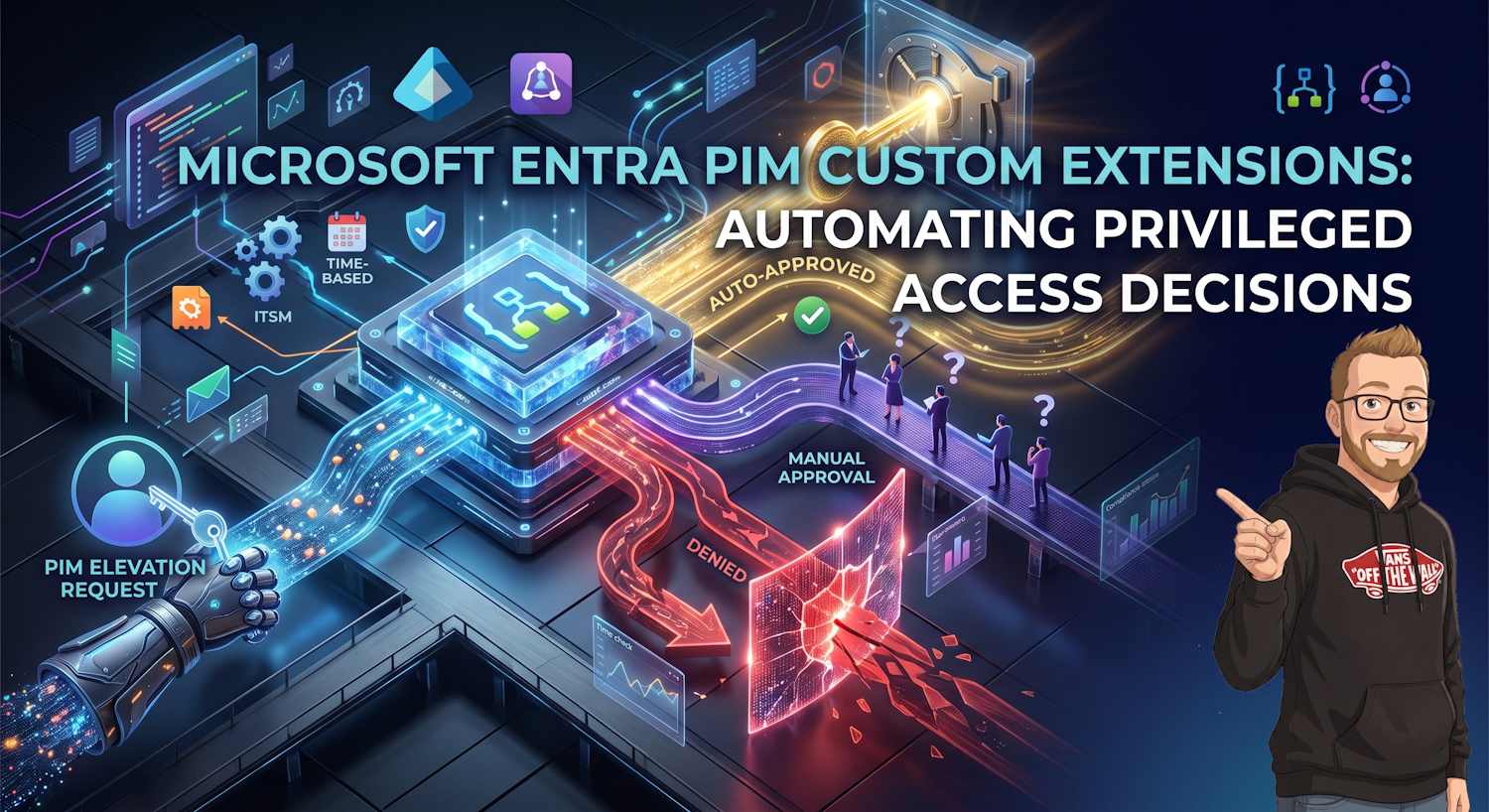
The Problem: Manual Approval Bottlenecks Don't Scale
You've deployed Privileged Identity Management (PIM) to your organization. Admins now request elevation to privileged roles, but not every elevation is equal. Some requests should auto-approve based on context; others need a manager's eyes. Some should trigger an access review. Some should deny based on compliance policy.
The traditional PIM flow is binary: human approves or denies. But what if you had programmatic logic gates that evaluated context before the human decision even lands? That's where custom extensions come in.
What Are PIM Custom Extensions?
Custom Extensions (also called custom access package assignment policies or custom approval workflow extensions) are Logic App integrations that inject your own business logic into the PIM elevation workflow. They run before or after the approval decision, allowing you to:
- Pre-qualify requests: Reject invalid elevation attempts before wasting approver time
- Auto-approve low-risk requests: Fast-track compliance-cleared accesses
- Async validations: Check external systems (ticketing, CMDBs, incident management)
- Conditional logic: Approve based on time-of-day, geolocation, or project status
- Post-approval hooks: Trigger automated provisioning, logging, or policy enforcement
How PIM Custom Extensions Work: The Flow
Real-World Use Patterns
Pattern 1: Time-Based Auto-Approval
Your policy: Standard admins can elevate to Editor role 9-5 weekdays without approval, but out-of-hours elevations need a manager sign-off.
Custom extension evaluates `DateTime.UtcNow` and returns either:
Approved: true(auto-approve during business hours)Approved: null(escalate to manager if outside SLA)
Pattern 2: External System Validation
Your policy: Only approve role elevation if the user has an open ticket in ServiceNow for this access request.
Custom extension calls ServiceNow API:
{
  "requestor": "user@contoso.com",
  "role": "Exchange Admin",
  "ticket_lookup": "INC123456"
}
// API Response
{
  "ticket_found": true,
  "ticket_status": "Open",
  "business_justification": "Email migration for Finance team",
  "approved": true
}
Pattern 3: Compliance-Based Rejection
Your policy: If user has an open password policy violation or failed MFA check in past 30 days, auto-deny elevation.
Custom extension queries Azure AD audit logs or your compliance database and returns `Approved: false` with denial reason sent to requester.
Building Custom Extensions: Implementation Path
Technical Requirements & Permissions
To set up PIM Custom Extensions, you need:
| Component | Requirements | Licensing |
|---|---|---|
| PIM License | Microsoft Entra ID P2 or Microsoft 365 E5 | Required |
| Logic App | Standard plan (consumption-based available) | ~$0.50-1.20 per request |
| Azure Monitor | Optional but recommended for audit | Pay-as-you-go |
| Managed Identity | System-assigned on Logic App (RBAC) | No cost |
RBAC Permissions Required
To configure PIM Custom Extensions, your admin account needs:
- Privileged Identity Management administrator: configure PIM policies and extensions
- Security administrator: or higher (Global Admin if delegated admin role is insufficient)
- Logic App Contributor: create or modify the Logic App workflow
- Managed Identity Operator: assign identity permissions for external API calls
Security note: If your Logic App calls external APIs (ServiceNow, ITSM, etc.), use managed identity and RBAC. Never embed API keys or connection strings in the workflow logic. Rotate credentials every 90 days if they're used for sensitive systems.
Custom Extension Response Schema
Your Logic App must return this JSON payload to PIM:
{
  "approved": true,                              // boolean: true/false/null
  "reason": "Pre-approved: within business SLA", // string: why this decision
  "addAccessReview": false,                      // boolean: require access review?
  "notifyManager": false,                        // boolean: notify approver despite decision?
  "customProperties": {
    "ticketId": "INC123456",
    "complianceCheck": "PASSED",
    "riskScore": 12                              // 0-100 scale
  }
}
Audit Trail & Compliance Logging
All PIM Custom Extension decisions are logged to:
- Microsoft Entra Audit Logs: elevation requests, approvals, denials
- PIM Activity Logs: role activation history and extension decision
- Azure Monitor: structured telemetry (if configured)
- Logic App Run History: detailed execution trace of your validation logic
This is critical for compliance: SOX, HIPAA, PCI-DSS audits all require evidence that elevation decisions were validated against business policy.
PIM Custom Extensions vs. Access Packages
| Aspect | PIM Custom Extensions | Access Packages |
|---|---|---|
| Use Case | Privileged role elevation with context-aware logic | Long-term resource access (apps, groups, groups) |
| Duration | Hours to days (temporary elevation) | Days to months (recurring access) |
| Extension Support | Built-in Logic App integration | Yes, via catalog approval flows |
| Complexity | Medium (business logic gate) | Low to Medium |
| Audit Trail | Per-request decision log + justification | Quarterly reviews + attestation |
Gotchas & Lessons Learned
Gotcha 1: Timeouts on External API Calls
If your Logic App calls an external API (ServiceNow, CMDB, etc.) and it takes >30 seconds, PIM times out and escalates to manual approval. Always use async patterns or set up a queue-based validation.
Gotcha 2: Managed Identity Permissions Drift
After 6 months, you add a new external system (e.g., new ITSM tool). Your Logic App's managed identity doesn't have RBAC permissions yet. Result: Validations start failing silently. Audit your identity permissions quarterly.
Gotcha 3: Extension Decisions Aren't Immutable
If you modify your Logic App logic mid-approval, it affects pending requests. Best practice: Version your Logic App and use separate workflows for different policy versions.
Gotcha 4: No Built-In Rate Limiting
PIM doesn't rate-limit elevation requests at the platform level. Your custom extension must enforce rate limits (1 elevation per user per day for high-risk roles). Otherwise, a compromised account can repeatedly request elevation.
Related Reading
To deepen your PIM knowledge, check out:
- Microsoft Entra Agent ID + PIM: Design Patterns for Privileged Access: how to combine Agent ID with PIM for agentic elevation patterns
- Why Global Administrator Lost Agent + User Lifecycle Permissions: permission model deep dive
- Microsoft Learn: Custom Extensions for PIM
- Microsoft Learn: Azure Logic Apps Documentation