


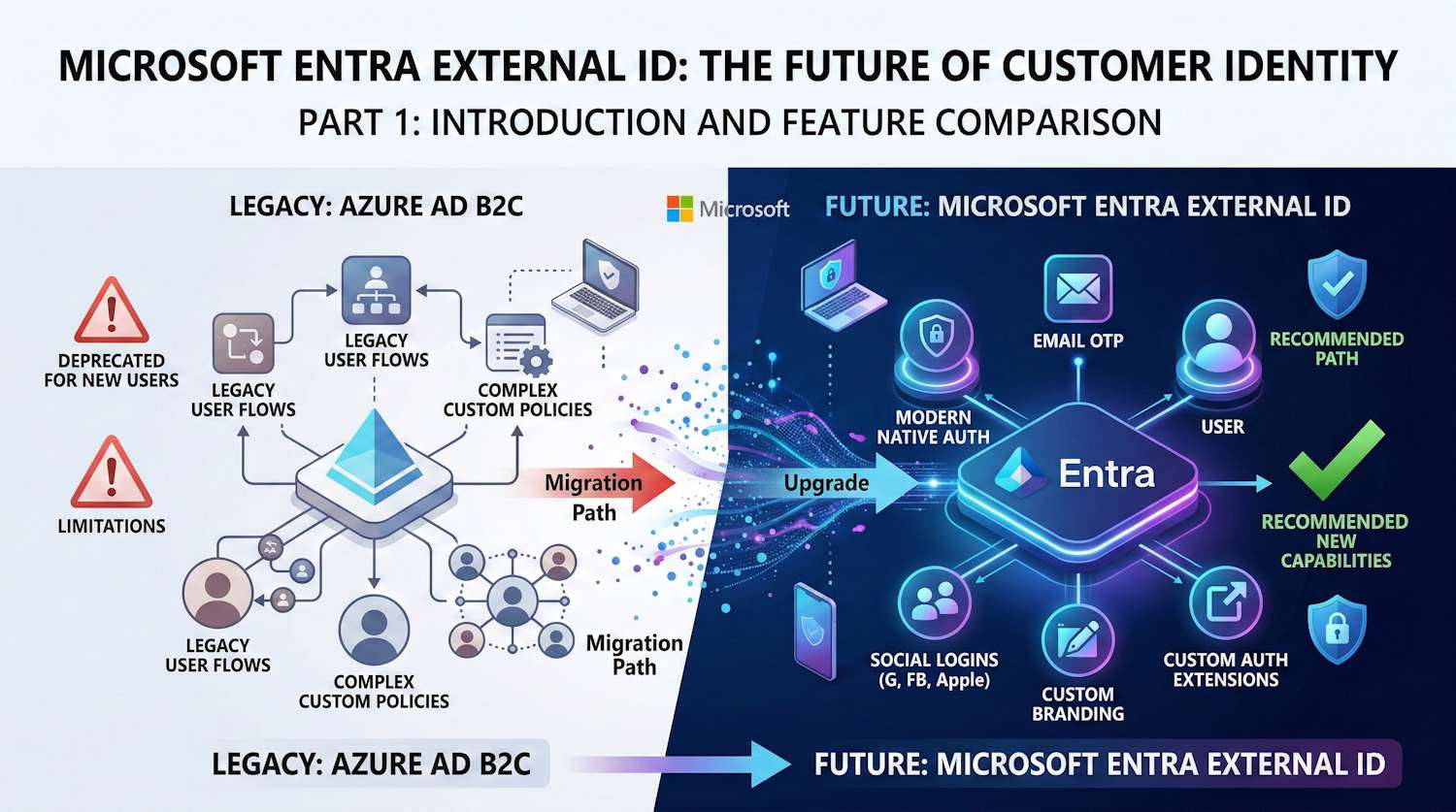
Microsoft Entra External ID: The Future of Customer Identity
Part 1: Introduction and Feature Comparison
If you're on Azure AD B2C today — or just starting to evaluate Microsoft's CIAM options — this is a good time to get familiar with External ID. Since May 2025, B2C has been off the table for new customers. Microsoft's replacement is External ID, and this series covers what it actually offers today, where the gaps are compared to B2C, and when it makes sense to move.
Important Notice: As of May 1, 2025, Azure AD B2C is no longer available for purchase by new customers. Existing customers can continue using B2C, but Microsoft recommends migrating to External ID for new projects.
What is Microsoft Entra External ID?
External ID is Microsoft's unified platform for managing external identities - both consumer customers and business partners. It consolidates B2B collaboration and B2C consumer scenarios under a single umbrella with a modern architecture.

External ID vs Azure AD B2C: Feature Parity
What's Available in External ID
| Feature | Status | Notes |
|---|---|---|
| Email + Password sign-up | GA | Primary authentication method |
| Email OTP (Passwordless) | GA | One-time passcode via email |
| Social Identity Providers | GA | Google, Facebook, Apple, Microsoft Account |
| Custom Branding | GA | Full company branding support |
| Custom Domains | GA | Use your own domain for sign-in |
| Sensitivity Labels | GA | Data classification support |
| Native Authentication | GA | Full control over mobile UI |
| Custom Authentication Extensions | GA | Add external claims, validate attributes |
| JIT Password Migration | Preview | Transparent password migration from B2C |
| SAML/WS-Fed Federation | GA | Enterprise identity federation |
| OpenID Connect | GA | Standard OIDC flows |
| OAuth 2.0 | GA | Authorization code, implicit, client credentials |
Where B2C Still Has the Edge
| Feature | B2C | External ID | Notes |
|---|---|---|---|
| ID Protection | Yes | No | Risk-based Conditional Access not available |
| ID Governance | Yes | No | Access reviews, entitlements not available |
| Custom Policies (IEF) | Yes | No | Use Custom Auth Extensions instead |
| ROPC Flow | Yes | No | Use Native Authentication for mobile |
| Custom Banned Passwords | Yes | Yes | Same as workforce — custom banned password lists are supported |
| User Flows (legacy) | Yes | No | New user flow model |
| Self-Service Password Reset | Email/Phone/MFA | Email OTP only | Limited SSPR options |
| Groups Support | Full | Limited | Being phased in |
Key Architecture Differences
B2C Architecture
┌─────────────────────────────────────────────┐
│ Azure AD B2C Tenant                         │
├─────────────────────────────────────────────┤
│ Custom Policies (Identity Experience)       │
│ ├── SignUpOrSignIn.xml                      │
│ ├── ProfileEdit.xml                         │
│ ├── PasswordReset.xml                       │
│ └── Custom journey definitions              │
├─────────────────────────────────────────────┤
│ User Flows (built-in policies)              │
└─────────────────────────────────────────────┘
External ID Architecture
┌─────────────────────────────────────────────┐
│ Microsoft Entra External Tenant             │
├─────────────────────────────────────────────┤
│ User Flows (new model)                      │
│ ├── Sign-up and sign-in                     │
│ ├── Self-service password reset             │
│ └── Profile editing                         │
├─────────────────────────────────────────────┤
│ Custom Authentication Extensions            │
│ ├── OnAttributeCollectionStart              │
│ ├── OnAttributeCollectionSubmit             │
│ ├── TokenIssuanceStart                      │
│ ├── OnOtpSend (custom email)                │
│ └── OnPasswordSubmit (JIT migration)        │
├─────────────────────────────────────────────┤
│ Native Authentication (mobile)              │
└─────────────────────────────────────────────┘
Authentication Methods Comparison
Primary Authentication
| Method | B2C | External ID |
|---|---|---|
| Email + Password | Yes | Yes |
| Email OTP | Yes | Yes |
| Phone/SMS | Yes | Yes (MFA only) |
| Username / Alias + Password | Yes | Preview |
| Social (Google, FB, Apple) | Yes | Yes |
| SAML Federation | Yes | Yes |
| OIDC Federation | Yes | Yes |
Multi-Factor Authentication
| Method | B2C | External ID |
|---|---|---|
| Email OTP | Yes | Yes |
| SMS OTP | Yes | Yes |
| Authenticator App | Yes | No (coming) |
| FIDO2 | Yes | No (coming) |
URL and Endpoint Changes
B2C Endpoints
Login: https://yourtenant.b2clogin.com
Graph: https://graph.microsoft.com (B2C tenant)
Issuer: https://yourtenant.b2clogin.com/{tenant-id}/v2.0
External ID Endpoints
Login: https://yourtenant.ciamlogin.com
Custom: https://login.yourdomain.com (custom URL domain)
Graph: https://graph.microsoft.com (External ID tenant)
Issuer: https://yourtenant.ciamlogin.com/{tenant-id}/v2.0
Note: External ID uses
.ciamlogin.cominstead of.b2clogin.com. Applications must be updated to use the new authority URL.
When to Choose External ID
When External ID Makes Sense
- New projects - B2C is no longer available for new customers
- Modern mobile apps - Native Authentication provides better UX
- Simple consumer scenarios - Email/social sign-up flows
- Need custom branding - Full UI customization
- API-first architecture - Custom Auth Extensions via webhooks
When B2C Still Makes Sense
- Complex identity journeys - Custom policies (IEF) not yet replaceable
- Risk-based authentication - ID Protection not in External ID
- Identity governance requirements - Access reviews, entitlements
- Existing investments - Heavy custom policy development
Migration Considerations
If you're planning to migrate from B2C to External ID, Microsoft provides official tooling through the B2C to External ID Migration Kit. This toolkit supports:
- Bulk user export from B2C
- Bulk user import to External ID
- Just-In-Time password migration during first sign-in
- Attribute mapping and transformation
We'll cover the migration process in detail in Part 2 of this series.
What's Next
- Part 2: Migrating from B2C to External ID - Step-by-step migration using Microsoft's toolkit
- Part 3: Future of External ID - Roadmap, best practices, and recommendations
Resources
- Microsoft Learn: External ID Overview
- Feature Comparison: Workforce vs External Tenants
- B2C to External ID Migration Tool
- JIT Password Migration Guide