


Series Navigation
📍 You are here: Part 1 - Defender for Cloud in Unified Security Portal
This is the first post in a 2-part series on modern cloud security operations:
- Part 1: Defender for Cloud in Unified Security Portal (This post) - Portal migration, unified experience, and complete feature set
- Part 2: GitHub Advanced Security Native Integration - Code-to-runtime security with DevSecOps automation
The Unified Security Portal: One Dashboard, Complete Visibility
Microsoft is consolidating its security offerings into the unified Microsoft Defender security portal, bringing together threat detection, investigation, and posture management across all your environments. Defender for Cloud is now available in preview in this unified experience, which means your cloud infrastructure, endpoints, identities, and even GitHub organizations can be monitored from a single control center.
This isn't just a cosmetic change or a rebrand. It's a fundamental shift in how security operations work—moving from siloed tools to a unified operations center where every security signal across your entire digital estate flows into one place.
What You Get in the Unified Portal
In the unified security portal at security.microsoft.com, you now see:
Cloud Security Operations
| Feature | Description |
|---|---|
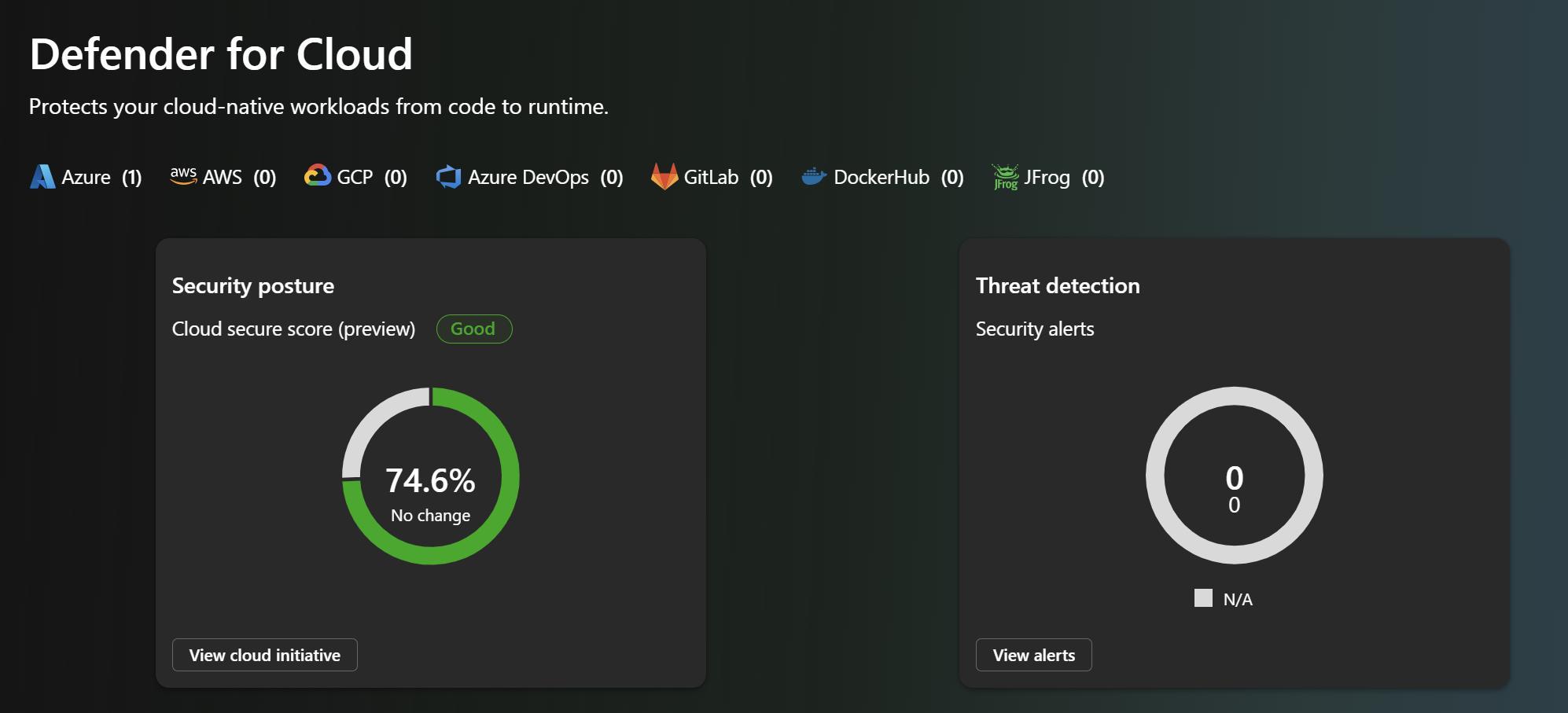
| Cloud Overview Dashboard | Centralized view of your cloud security posture, highlighting top improvements and security trends |
| Cloud Asset Inventory | Complete inventory of all your cloud and code assets across Azure, AWS, GCP—plus GitHub repositories |
| Incidents and Alerts | Unified incident management across cloud, endpoint, identity, and now code-level threats |
| Advanced Hunting | Correlate security data across all your environments to identify sophisticated attack patterns |
Posture Management Unified Experience
| Feature | Description |
|---|---|
| Cloud Secure Score | Risk-based scoring that actually reflects your exploitable exposure, not just theoretical vulnerability counts |
| Recommendations | Prioritized remediation guidance integrated with Microsoft Security Exposure Management |
| Attack Paths | Visual representation of how attackers could move through your infrastructure, highlighting the path of least resistance |
| Cloud Vulnerabilities | Vulnerability data correlated with runtime context—so you see what's actually exploitable |
Configuration & Control
| Feature | Description |
|---|---|
| Cloud Scopes & RBAC | Organize Azure subscriptions, AWS accounts, GCP projects, and now GitHub organizations into logical business units with granular access control |
| Response Actions | Automated response capabilities that can trigger across cloud, endpoint, and now code-level detections |
The Transition: Azure Portal to Unified Portal
Microsoft is in a transition period—and that's important to understand:
Where you are now (Preview Phase):
- Cloud resources are added and initially configured in Azure portal (traditional Defender for Cloud)
- You can view all security data—posture, runtime threats, vulnerabilities—in the unified security portal
- This gives you the best of both: configuration power in Azure, operational insights in the unified portal
Where this is headed:
- Eventually, you'll be able to configure everything directly in security.microsoft.com
- Cloud resource management will move from Azure portal to unified portal
- All remediation, escalation, and response workflows will be available in one place
- Microsoft is committed to feature parity—if it works in Azure portal today, it'll work in the unified portal tomorrow
Feature Parity: The Direction of Travel
Here's the key thing to understand: Microsoft is moving aggressively toward feature parity. Some capabilities exist only in Azure portal today (like custom recommendations and governance workflows), but that's temporary. The unified portal is the future.
As you implement Defender for Cloud, understand that:
- Initial setup still happens in Azure portal
- Daily operations shift to security.microsoft.com
- Configuration management will gradually move to the unified portal over the coming months
- Your learning investment is protected—concepts learned in Azure portal directly transfer to unified portal as features migrate
This transition isn't about abandoning Azure portal; it's about giving you options and gradually consolidating everything into one professional security operations center.
Feature Comparison: Azure Portal vs. Unified Portal
Here's a snapshot of where things stand today. Note that this comparison evolves—capabilities marked as "Azure portal only" are often coming to the unified portal soon:
| Capability | Azure Portal | Unified Portal |
|---|---|---|
| Security Recommendations | ✅ Yes | ✅ Yes (Integrated into Exposure Management) |
| Asset Inventory | ✅ Yes | ✅ Yes |
| Secure Score | ✅ Yes | ✅ Yes (New risk-based scoring) |
| Attack Path Analysis | ✅ Yes | ✅ Yes (Integrated into Exposure Management) |
| Cloud Vulnerabilities | ✅ Yes | ✅ Yes |
| Incident & Alerts | ✅ Yes | ✅ Yes |
| Advanced Hunting | ✅ Yes | ✅ Yes |
| Data Visualization with Workbooks | ✅ Yes | ⏳ Coming |
| Data Exporting | ✅ Yes | ⏳ Coming |
| Workflow Automation | ✅ Yes | ⏳ Coming |
| Quick Fixes & Remediation | ✅ Yes | ⏳ Coming |
| Risk Hunting with Explorer | ✅ Yes | ⏳ Coming |
| ServiceNow Integration | ✅ Yes | ⏳ Coming |
| Governance & Scale | ✅ Yes | ⏳ Coming |
| Cloud Scopes & RBAC | ✅ Yes | ✅ Yes |
| Agentless VM Scanning | ✅ Yes | ✅ Yes |
| Container Code-to-Cloud Mapping | ✅ Yes | ✅ Yes |
| IaC Code-to-Cloud Mapping | ✅ Yes | ✅ Yes |
| Data Security Posture Management | ✅ Yes | ✅ Yes |
| API Security Posture | ✅ Yes | ✅ Yes |
What You Can Actually Do with Defender for Cloud (Complete Feature Set)
If you're wondering whether Defender for Cloud is mature enough for your organization, here's the complete feature set available to you right now:
Cloud Security Operations
| Feature | What It Does |
|---|---|
| Cloud Overview Dashboard | Your security control center showing key metrics, top improvement actions, and trend analysis across your entire cloud footprint |
| Cloud Asset Inventory | Complete visibility into every asset across Azure, AWS, GCP, and GitHub—organized by workload, criticality, and coverage level |
Posture Management
| Feature | What It Does |
|---|---|
| Cloud Secure Score | Risk-based scoring that weighs exploitability and threat level, not just vulnerability counts |
| Recommendations | Prioritized, practical security improvements with guidance and (in many cases) one-click remediation |
| Attack Paths | Visual representation of how an attacker could traverse your infrastructure—showing your most dangerous exposure |
| Cloud Vulnerabilities | Unified view of all vulnerabilities with context about actual exploitability in your environment |
Threat Detection & Response
| Feature | What It Does |
|---|---|
| Incidents and Alerts | Correlated security events that tell a story of what's happening across your infrastructure |
| Response Actions | Automated playbooks and manual actions to contain and remediate threats in real-time |
| Advanced Hunting | Query-based investigation to hunt for sophisticated threats and validate incident response |
Configuration & Control
| Feature | What It Does |
|---|---|
| Cloud Scopes & RBAC | Organize resources by business unit with granular role-based access control—so people see only what they need |
This complete feature set is available both in Azure portal and gradually rolling into security.microsoft.com.
Getting Started with the Unified Portal
Ready to start using Defender for Cloud in the unified portal? Here's what you need:
Prerequisites
On the Azure side:
- An Azure subscription with workloads that Defender for Cloud should monitor
- Defender for Cloud enabled (you probably already have this, but confirm)
- Appropriate permissions (typically Security Administrator or Security Reader)
For multi-cloud:
- AWS accounts or GCP projects connected via Defender for Cloud connectors
- Appropriate cloud permissions for resource monitoring
Accessing the Unified Portal
Step 1: Navigate to security.microsoft.com
Head to security.microsoft.com and sign in with your Azure AD credentials.
Step 2: Find Defender for Cloud
Look for "Cloud Security" in the navigation menu. This is your entry point to all Defender for Cloud capabilities.
Step 3: Explore Your Dashboard
The Cloud Overview Dashboard shows your current posture, top recommendations, and security trends. This is your starting point for daily operations.
Step 4: Review Asset Inventory
Check the Cloud Asset Inventory to see all your monitored resources across Azure, AWS, GCP, and GitHub.
Step 5: Configure Scopes & RBAC
Organize your subscriptions and projects into business-aligned scopes with appropriate role-based access control.
Best Practices for the Unified Portal
1. Start with the Dashboard
Use the Cloud Overview Dashboard as your daily starting point. It surfaces what matters most based on risk scoring and threat intelligence.
2. Organize by Business Context
Create Cloud Scopes that align with your organization structure—by business unit, application, or environment (dev/test/prod).
3. Use Attack Path Analysis
Regularly review Attack Paths to understand your most critical exposures. These visual representations show you where attackers are most likely to succeed.
4. Automate Response Actions
Configure automated response for common scenarios—like isolating compromised VMs or revoking suspicious credentials.
5. Use Advanced Hunting for Investigation
When incidents occur, use Advanced Hunting to correlate signals across cloud, endpoint, and identity to understand the full scope.
6. Monitor Feature Parity Progress
Keep an eye on Microsoft's announcements about new capabilities migrating to the unified portal. Adjust your workflows as features become available.
Integration with the Microsoft Security Platform
The unified portal isn't just about Defender for Cloud—it's about bringing together your entire Microsoft security stack:
Defender for Endpoint: See endpoint threats alongside cloud threats
Defender for Identity: Correlate identity attacks with cloud resource access
Defender for Office 365: Understand email-based attacks in the context of cloud breaches
Microsoft Sentinel: Full SIEM capabilities with cloud security data
Microsoft Purview: Data protection and compliance integrated with cloud posture
This integration means:
- Cross-domain correlation: Identity compromise + cloud access = instant alert
- Unified incident response: One incident can span endpoint, identity, and cloud
- Full-picture security posture: See your entire security environment in one place
Understanding the Unified Portal Architecture
Here's how the unified portal works behind the scenes:
Azure Subscriptions
    ↓
AWS Accounts
    ↓
GCP Projects
    ↓
GitHub Organizations
    ↓
Defender for Cloud (Data Collection)
    ↓
Unified Security Portal (security.microsoft.com)
    ↓
Security Operations Team
Data Flow:
1. Defender for Cloud agents and connectors collect security data from all cloud environments
2. Data is processed and correlated with threat intelligence and behavioral analytics
3. Unified portal receives enriched security data with risk scoring and context
4. Security teams investigate and respond from a single interface
5. Response actions are executed back to the source environments
Real-World Scenarios
Scenario 1: Multi-Cloud Enterprise
Challenge: Security team manages Azure, AWS, and GCP environments with different tools
Solution:
- Connect all cloud accounts to Defender for Cloud
- Use unified portal for centralized visibility
- Create Cloud Scopes by application or business unit
- Result: Single dashboard replacing three separate consoles
Scenario 2: Hybrid Organization
Challenge: Mix of on-premises datacenter and public cloud workloads
Solution:
- Use Azure Arc to extend Defender for Cloud to on-premises
- Monitor hybrid workloads from unified portal
- Correlate threats across cloud and on-premises
- Result: Unified security operations regardless of workload location
Scenario 3: Compliance-Driven Organization
Challenge: Multiple compliance frameworks (PCI-DSS, HIPAA, SOC 2) across different environments
Solution:
- Use Defender for Cloud recommendations mapped to compliance standards
- Track compliance posture in unified portal
- Export compliance reports for audits
- Result: Simplified compliance management across all clouds
Addressing Common Questions
"Will the Azure portal experience be deprecated?"
No immediate deprecation is planned. Microsoft is committed to maintaining both experiences during the transition. However, new features are increasingly released to the unified portal first.
"What about API access and automation?"
Defender for Cloud APIs work identically regardless of which portal you use. Your existing automation and integrations continue working without changes.
"How does this affect costs?"
The portal transition doesn't change Defender for Cloud pricing. Costs are based on protected resources, not which portal you use.
"What about third-party SIEM integration?"
Defender for Cloud continues exporting data to Microsoft Sentinel and third-party SIEMs. The unified portal doesn't change data export capabilities.
Looking Ahead: The Future of Cloud Security Operations
The unified portal represents Microsoft's vision for modern security operations:
Short-term (3-6 months):
- More features migrate from Azure portal to unified portal
- Enhanced cross-product correlation (cloud + endpoint + identity)
- Improved AI-powered recommendations
Medium-term (6-12 months):
- Feature parity achieved between Azure portal and unified portal
- New AI capabilities exclusive to unified portal
- Enhanced automation and orchestration
Long-term (12+ months):
- Unified portal becomes the primary experience
- Azure portal maintains configuration and advanced management
- Full security operations lifecycle in one interface
Next Steps
Ready to start using Defender for Cloud in the unified portal?
1. Access security.microsoft.com and explore the Cloud Security section
2. Review your Cloud Overview Dashboard to understand current posture
3. Organize resources into Cloud Scopes aligned with your business structure
4. Configure response actions for common security scenarios
5. Train your team on the unified portal interface and workflows
For more advanced scenarios, check out Part 2 of this series where we cover the GitHub Advanced Security integration and how code-to-runtime security transforms DevSecOps.
The unified security portal is live. Start exploring today, understand the feature set, and prepare your organization for the future of cloud security operations.

Resources
- Microsoft Ignite 2025 Book of News: Official announcement
- Defender for Cloud in Defender Portal: How to access in security.microsoft.com
- Azure Portal vs Defender Portal Comparison: Feature parity tracking
- Defender for Cloud Documentation: Complete reference guide
Continue to Part 2: GitHub Advanced Security Native Integration - Learn how code-to-runtime security with DevSecOps automation completes the unified security experience.