Introduction
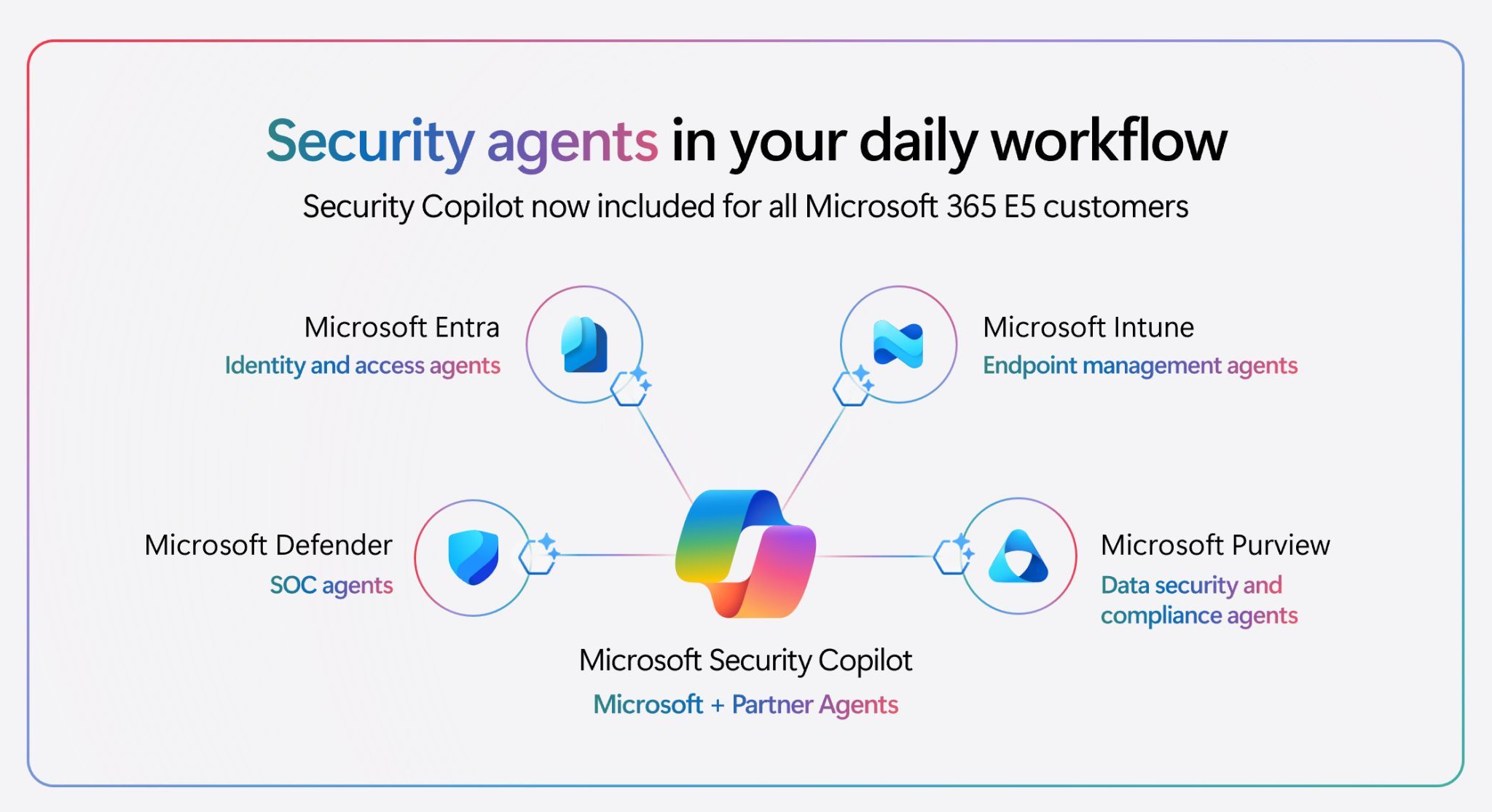
Microsoft announced that Security Copilot is now included with Microsoft 365 E5 licenses, and the rollout started November 18, 2025. But this isn't your typical "new feature included" announcement. For Nordic organizations evaluating their Security Copilot capacity, the math reveals some important realities about what this inclusion actually means in practice.
This post breaks down the SCU (Security Compute Unit) allocation model, the real-world capacity implications, and what this means for Nordic SMBs and enterprises across Sweden, Norway, Denmark, and Finland.
The Math: How Many SCUs Do You Actually Get?
Here's the formula that matters:
400 SCUs per 1,000 E5 licenses per month = 0.4 SCUs per license per month
That means:
- 1,000 licenses = 400 SCUs/month
- 250 licenses = 100 SCUs/month
- 50 licenses = 20 SCUs/month
This is the standardized allocation with no hourly provisioning costs. Compare that to the old model where organizations had to provision SCUs by the hour at fixed rates.
Nordic Organizations in Practice
The Nordic region has a unique organizational profile: we're dominated by SMBs with fewer than 250 employees, with pockets of mid-sized enterprises and some larger regional players. Here's what typical monthly SCU allocations look like across the Nordics:
✅ Small consulting firm (50 employees)
- E5 licenses: 50
- Monthly SCU allocation: 20 SCUs
- Usage capacity: ~200 prompts or 40 incident summarizations (based on Microsoft's estimate of 1 SCU ≈ 10 prompts/day)
✅ Growing tech startup (150 employees)
- E5 licenses: 150
- Monthly SCU allocation: 60 SCUs
- Usage capacity: ~600 prompts or 120 incident summarizations
✅ Mid-sized company (200 employees)
- E5 licenses: 200
- Monthly SCU allocation: 80 SCUs
- Usage capacity: ~800 prompts or 160 incident summarizations
✅ Regional enterprise (750 employees)
- E5 licenses: 750
- Monthly SCU allocation: 300 SCUs
- Usage capacity: ~3,000 prompts or 600 incident summarizations
These examples span Norwegian companies in Bergen and Oslo, Swedish firms in Stockholm and Gothenburg, Danish organizations in Copenhagen, and Finnish enterprises in Helsinki. The Nordic market includes all these organizational sizes and profiles.
The Catch: It Sounds Reasonable Until You Use It
On paper, 1 SCU ≈ 10 prompts per day looks like reasonable capacity. But there's a significant gap between theory and real-world usage patterns for organizations actively using Security Copilot.
The reality check:
- Organizations running Security Copilot agents 24/7 (like threat hunting agents or phishing triage agents running continuously) will burn through allocation quickly
- A single complex investigation can consume 3-4 SCUs alone
- Running multiple agents in parallel across Defender, Sentinel, Entra, and Intune multiplies consumption exponentially
- Daily threat intelligence briefings for the entire SOC team add up rapidly
- Organizations treating Security Copilot as a core SOC tool rather than an occasional assistant will see dramatically different consumption patterns than baseline calculations suggest
For Nordic SMBs actively using Security Copilot as part of their daily security operations, the included allocation often feels tight rather than generous.
The Ignite 2025 Announcements: Agentic AI for Every Defender
At Microsoft Ignite 2025, Microsoft announced a dozen new agentic AI capabilities built directly into the SOC workflow. Understanding these helps explain why SCU consumption matters:
Predict and Prevent Phase
Threat Intelligence Briefing Agent
- Now fully embedded in Microsoft Defender portal
- Automatically synthesizes global Microsoft threat intelligence with organization-specific context
- Delivers daily tailored briefings in minutes
- Eliminates hours of manual threat intelligence gathering
Dynamic Threat Detection Agent
- Continuously analyzes incidents and telemetry across the security stack
- Searches for coverage gaps and correlates signals that traditional rules miss
- Creates adaptive alerts on-the-fly without static predefined logic
- Example: Surfaced an AWS attack by correlating EntraID federation signals with Sentinel telemetry before the intruder even authenticated
Detect and Disrupt Phase
Phishing Triage Agent (General Availability announced at Ignite)
- Autonomously handles user-submitted phishing reports at scale
- Classifies incoming alerts and resolves false positives
- Only escalates malicious cases requiring human expertise
- Results: 6.5x more malicious alerts identified, 77% accuracy improvement, analysts spend 53% more time on real threats
- Real customer example: St. Luke's University Health Network saves nearly 200 hours per month with this agent
Triage and Investigate Phase
Threat Hunting Agent
- Natural language investigation with contextual insights
- Analysts can ask questions in plain English instead of mastering complex query languages
- Enables comprehensive threat hunting accessible to entire SOC regardless of experience level
- Builds on existing NL2KQL capability with contextual exploration and pattern pivot
New Embedded Capabilities
Analyst Notes
- Automatically reconstructs investigation sessions from incident opening to closing
- Converts analyst activity into clear, structured documentation
- Preserves actual investigation path with better accuracy than manual notes
- Creates living record for easier handoffs, faster onboarding, and deeper team understanding
Standard Operating Procedures (SOPs) for Guided Response
- Organizations upload internal procedures so Security Copilot aligns recommendations with established workflows
- Ensures contextually relevant and trusted recommendations
- One-click actions across triage, containment, investigation, and remediation
Auto-Generated Incident Summaries
- New configuration options: always auto-generate, manual trigger only, or based on incident severity
- Reduces manual documentation burden
- Provides consistent incident summaries across the SOC
All of these agents and capabilities consume SCUs. The more you use these powerful agentic capabilities, the faster your monthly allocation depletes.
Important SCU Allocation Details
Before deploying Security Copilot, understand these critical points:
✅ SCUs reset monthly and don't roll over
- Unused allocation is lost at month-end
- No carrying forward to future months
- No way to "bank" seasonal capacity
✅ SCUs are shared across all workspaces in your tenant
- You cannot allocate specific SCUs to specific Sentinel workspaces
- All workspaces in your tenant share the same monthly pool
- This matters for Nordic organizations with multiple regional tenants or subsidiary divisions
✅ Minimum licensing calculation
- You need 2.5 E5 licenses to get just 1 SCU per month
- This is the baseline mathematical reality
- Small organizations with fewer than 250 licenses see 0.4 SCUs per license
✅ No setup or manual provisioning required
- Security Copilot is automatically provisioned for all eligible E5 tenants
- No Azure setup or consent flows needed
- You'll see in-product banners and guided onboarding
Usage Beyond Allocation: Pay-As-You-Go Coming
Microsoft announced that usage beyond the allocated SCUs will be throttled. A future capability (30-day advance notice will be provided) will offer pay-as-you-go billing at $6 per SCU.
This means:
- Exceeding your allocation will eventually require purchasing additional SCUs
- For organizations requiring consistent high usage, the cost implications need to be calculated
- A Nordic SMB burning through 100 SCUs might face $600 in overage costs (100 × $6)
What This Means for Nordic Organizations
For small consulting firms and SMBs (50-150 employees):
- 20-60 SCUs/month is the baseline allocation
- If using Security Copilot as a core SOC tool with agents running continuously, plan for potential overage costs
- Pilot programs with key use cases (phishing triage, threat hunting) can help determine actual consumption before scaling
For mid-sized companies (200-400 employees):
- 80-160 SCUs/month provides reasonable capacity for typical scenarios
- Active threat hunting and continuous agent operation may require closer monitoring
- Consider internal policies about agent deployment to manage consumption
For larger enterprises (500+ employees):
- 200+ SCUs/month accommodates most scenarios
- The new agentic capabilities make it economical to run multiple agents
- Focus on optimization through SOPs, guided response, and analyst notes to maximize value per SCU
Calculating Your Actual Capacity
It's simple:
Your E5 license count × 0.4 = Your monthly SCU allocation
Examples:
- 50 licenses × 0.4 = 20 SCUs
- 150 licenses × 0.4 = 60 SCUs
- 500 licenses × 0.4 = 200 SCUs
- 1,000 licenses × 0.4 = 400 SCUs
Implementation Strategy: Getting Started
For Nordic organizations preparing to deploy Security Copilot:
1. Assess Current Usage Patterns
- Which security teams will use Security Copilot?
- What are the priority use cases? (incident response, threat hunting, phishing triage, etc.)
- How many concurrent users do you expect?
2. Define Your Use Cases
- Start with high-impact scenarios (phishing triage agent, threat intelligence briefing)
- Pilot with a subset of your SOC team before broad rollout
- Measure SCU consumption during pilot phase to extrapolate to full deployment
3. Plan Agent Deployment
- Decide which agents to enable immediately (phishing triage, threat hunting)
- Create operational procedures for agent usage
- Train your security team on the new capabilities
4. Monitor Consumption
- Use the in-product usage dashboard in the Security Copilot portal
- Track consumption patterns by agent type
- Identify optimization opportunities
5. Optimize for Your Environment
- Upload your organization's SOPs for guided response alignment
- Configure incident summary generation appropriately
- Set policies for analyst notes generation
Key Takeaways
- ✅ Security Copilot is included in Microsoft 365 E5 at 400 SCUs per 1,000 licenses
- ✅ That translates to 0.4 SCUs per license per month
- ✅ Most Nordic SMBs receive 20-100 SCUs monthly
- ✅ The new agentic AI capabilities are powerful but consume SCUs rapidly
- ✅ SCU allocation resets monthly with no rollover
- ✅ Future overage charges are $6 per SCU
- ✅ SCUs are shared across all workspaces in your tenant
- ✅ For organizations actively using Security Copilot throughout the day, the allocation may feel tight
- ✅ Running agents 24/7 or complex investigations requires careful capacity planning
- ✅ No provisioning or setup is required—it's automatic for all E5 customers
Related Resources
- Microsoft Learn: Security Copilot Inclusion in Microsoft 365 E5
- Microsoft Tech Community: Security Copilot for SOC – Bringing Agentic AI to Every Defender
- Monitor Security Compute Units Usage
- Security Copilot Adoption Hub
- Microsoft Security Copilot Pricing