The Moment Everything Changes: When AI Agents Meet Your Data Lake
In Part 1, we built the infrastructure: a cost-effective, multi-tiered data lake. Now let's connect AI agents to tap into its real power.
Old way: Complex KQL query takes 2 hours to build → Manual review of 1,000+ results → 4-6 hours to get insights
New way: Ask ChatGPT/Claude a question → AI queries data lake, analyzes patterns → 2 minutes to practical findings
Complete Breakdown: What Works & What Doesn't
✅ ChatGPT Integration (WORKS PERFECTLY)
- Native Sentinel connector built-in by Microsoft
- Non-technical stakeholders can use immediately
- Organization-wide easy access
- Handles OAuth correctly with explicit tenant ID
- Setup time: 30 minutes
- Best for: Interactive use, executives, SOC teams
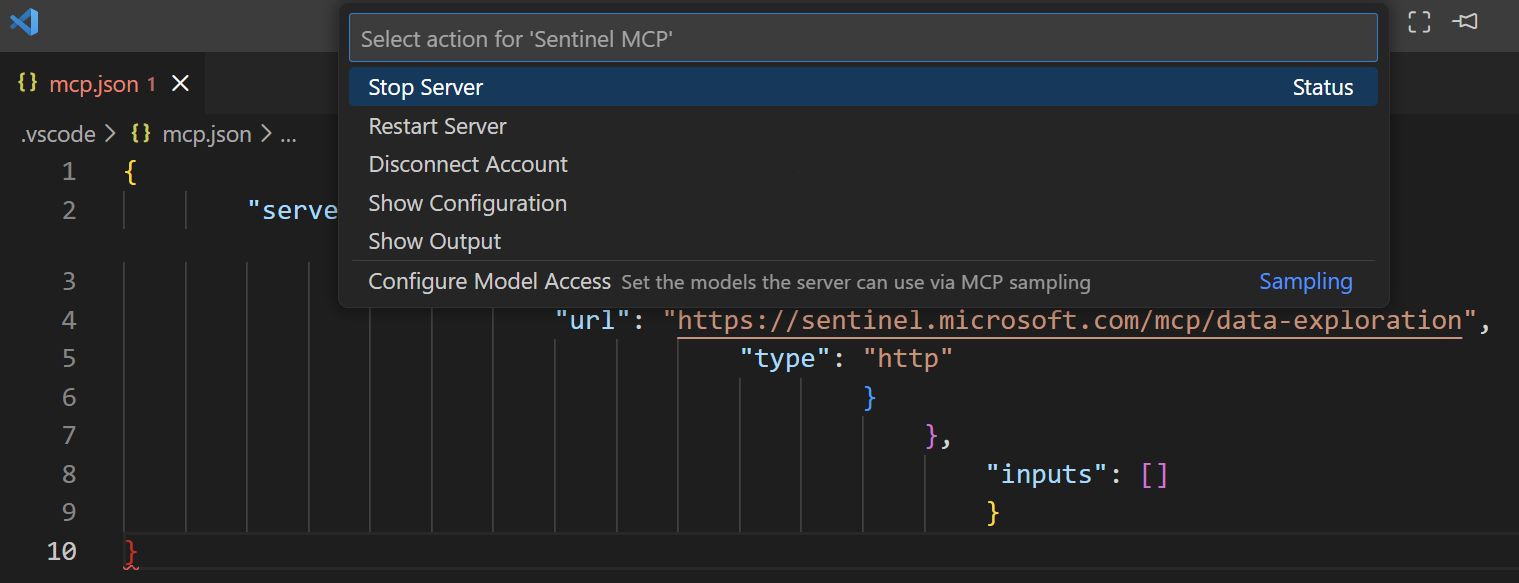
✅ VS Code + GitHub Copilot (WORKS PERFECTLY)
- Official MCP integration support
- Proper OAuth handling
- Microsoft officially supports
- Setup time: 45 minutes
- Best for: Developers, analysts in VS Code
✅ Microsoft Security Copilot (WORKS PERFECTLY)
- Native integration
- Built specifically for this purpose
- No additional setup required
- Best for: Enterprise security teams
✅ Copilot Studio (WORKS PERFECTLY)
- Visual workflow builder
- Native Sentinel MCP support
- No coding required
- Custom incident response automation
- Best for: Custom workflows, process automation
⚠️ Claude API (POTENTIAL - requires custom middleware & validation)
- Not yet production-validated for Sentinel MCP
- You would handle OAuth authentication with Entra ID (correct tenant ID)
- Your code would query Sentinel MCP endpoints
- Claude API analyzes the results
- Setup time: 2-4 hours (coding required)
- Risk: Unknown endpoint behaviors, auth requirements, rate limits
- Recommendation: Start with Pattern A platforms (ChatGPT, VS Code, Copilot Studio) or use Copilot Studio for automation
❌ Claude Desktop (DOES NOT WORK)
Problem: OAuth tenant ID incompatibility with Entra ID
- Claude Desktop sends:
https://login.microsoftonline.com/common/oauth2/v2.0/authorize - Entra ID requires:
https://login.microsoftonline.com/{TENANT_ID}/oauth2/v2.0/authorize - Result: HTTP 404 - Authentication fails
- Cause: Claude Desktop's generic OAuth discovery doesn't include explicit tenant ID logic
❌ Claude Code CLI (DOES NOT WORK)
- Cannot handle Microsoft Entra OAuth authentication flow
- Endpoint returns 401/403 without valid Entra ID tokens
- CLI expects unauthenticated endpoints or pre-configured auth
- Not officially supported by Microsoft
❌ Anthropic Console Workbench (CANNOT WORK)
- Designed for testing Claude API responses, not MCP integration
- No MCP server configuration options
- No OAuth authentication flow support
- Wrong tool for the job
Real-World Threat Hunting Scenarios
Behavioral Baseline Analysis
Question: "Create a behavioral baseline for finance system users. Show me accounts deviating significantly in the last 7 days."
Result: Identifies compromised finance admin account - 45 minutes saved vs. manual analysis
Attack Path Investigation
Question: "If this service account was compromised, what could an attacker reach? Show me the blast radius."
Result: Visual graph showing 15-system attack path with 3 critical systems highlighted
Threat Intelligence Correlation
Question: "Correlate our events with known [threat actor] indicators. What have we detected?"
Result: 3 affected systems with attack timeline and recommended immediate actions
Integration Patterns Explained
Pattern A: Direct MCP Connection (Most Platforms)
Client → Sentinel MCP Server (handles OAuth internally)
Works with: ChatGPT, VS Code + Copilot, Security Copilot, Copilot Studio
The platform handles authentication directly. No custom code needed. Easiest approach.
Pattern B: Middleware Integration (Claude API)
Your Code (OAuth) → Sentinel MCP Server → Claude API (analysis)
Your custom middleware handles Entra ID authentication with proper tenant ID logic, queries Sentinel MCP endpoints, then sends results to Claude API for analysis and decision-making.
Pattern C: Theoretical Direct API Integration (Not Yet Validated)
💡 Potential Future Architecture:
For organizations needing SOAR integration without middleware:
- Custom Python/Node script authenticates directly to Sentinel with proper OAuth (explicit tenant ID)
- Script queries Sentinel MCP endpoints directly (bypassing official clients)
- Retrieved security data sent to Claude API for threat analysis
- Analysis results trigger automated response workflows in SOAR platform
Could enable:
- Scheduled automated threat hunts
- Real-time incident enrichment
- Executive reporting automation
- Compliance checking automation
⚠️ Important caveat: This pattern is theoretical and requires validation before production use. Unknown factors include:
- Can Sentinel MCP endpoints be called directly, or do they require official MCP client libraries?
- What authentication methods work outside supported platforms?
- What are the API rate limits?
- Are there undocumented endpoint behaviors?
If your organization needs this pattern, start with Pattern B (middleware) which is proven to work, then evolve to direct API calls once you understand the endpoint behavior.
Security Considerations
What AI agents access:
- Entra ID authentication logs
- Email audit logs
- Network traffic analysis
- Endpoint telemetry
- Application access logs
How to protect it:
- Entra RBAC - Least privilege for MCP service principal
- Conditional Access - Restrict where MCP queries run from
- Audit Logging - Every AI query logged
- Session Management - Regular token refresh
Summary
- ✅ ChatGPT works perfectly - Native connector, easiest path
- ✅ VS Code + Copilot works perfectly - Official MCP support
- ✅ Security Copilot works perfectly - Built for this
- ✅ Copilot Studio works perfectly - Visual workflows, proven automation
- ⚠️ Claude API potential but unvalidated - Requires custom middleware, unknown unknowns
- ❌ Claude Desktop does NOT work - OAuth tenant ID bug (HTTP 404)
- ❌ Claude Code CLI does NOT work - Cannot handle Entra OAuth
- ❌ Anthropic Workbench does NOT work - Wrong tool type
- ✅ Setup times: ChatGPT 30min, VS Code 45min, Copilot Studio 1-2hrs
- ✅ ROI immediate - Threat hunting from hours to minutes
Recommended Path Forward
For immediate threat hunting (recommended):
- Start with ChatGPT (30 minutes) - No setup, just connect Sentinel MCP. Fastest ROI.
- Evaluate VS Code + Copilot (45 minutes) - If you want IDE integration for threat hunting workflows.
- Consider Copilot Studio (1-2 hours) - If you need to automate threat hunts or build team workflows.
Do NOT use: Claude Desktop, Claude Code CLI, or Anthropic Workbench - these are not supported.
Advanced path (future): If you want Claude API direct integration, start by reading this guide's debugging section and understand the validation risks before investing engineering time.
Your security team will transform from query-builders to strategic threat hunters.