As organizations continue their cloud transformation journey, securing identities and access management is more critical than ever. Microsoft Entra ID provides powerful tools for authentication, access control, and monitoring to safeguard cloud resources.
This post covers the core capabilities of Entra ID, best practices for securing identity, and advanced security configurations—including automation via PowerShell. Implementing these strategies will help organizations reduce risks, improve compliance, and strengthen their cloud security posture.
Why Identity Security Matters
Identity-based attacks are on the rise, and compromised credentials remain a leading cause of security breaches. Protecting user identities, enforcing strong authentication, and continuously monitoring access are essential steps in preventing unauthorized access and data breaches.
Microsoft Entra ID provides a robust identity security framework with capabilities such as:
✅ Passwordless authentication
By leveraging these features, organizations can significantly reduce the attack surface and enforce a Zero Trust security model.
Key Security Features of Microsoft Entra ID
Authentication Methods Method Description Link Passwordless Authentication Uses biometrics, security keys, or authentication apps to reduce password-based risks. Learn more Multi-Factor Authentication (MFA) Adds an extra verification step, such as an app notification or SMS code, to enhance security. Learn more Windows Hello for Business Provides passwordless authentication through PINs, facial recognition, or fingerprint scanning. Learn more FIDO2 Security Keys Enables phishing-resistant authentication using physical security keys. Learn more
Access Controls Control Description Link Conditional Access Policies Enforces access rules based on risk levels, location, and device compliance. Learn more Role-Based Access Control (RBAC) Assigns permissions based on roles, adhering to the principle of least privilege. Learn more Privileged Identity Management (PIM) Temporarily grants elevated permissions to minimize exposure. Learn more Just-in-Time (JIT) Access Provides time-bound privileged access to critical resources. Learn more
Identity Protection & Risk Management Feature Description Link Risk-Based Conditional Access Detects anomalous sign-ins and enforces security actions. Learn more Identity Protection Policies Automates threat detection and response for user identities. Learn more Continuous Access Evaluation Revokes access in real time when risks are detected. Learn more
Monitoring & Threat Detection Feature Description Link Audit Logs Tracks sign-ins, access attempts, and admin actions. Learn more Risk Detection Reports Highlights suspicious login attempts and potential account compromises. Learn more Alerting Mechanisms Sends notifications for security events like failed authentication attempts. Learn more
Security Configuration Best Practices
Beyond default Entra ID configurations, applying advanced security settings strengthens defenses. Below are the recommended best practices for securing Entra ID.
Authentication & Sign-in Security Setting Recommendation Link Enable MFA for all users Enforce MFA for administrators and high-risk accounts. Learn more Block legacy authentication Disable older authentication methods like basic auth to prevent password-based attacks. Learn more Enforce passwordless authentication Implement FIDO2 keys, Windows Hello, or Authenticator apps. Learn more
Conditional Access Policies Policy Best Practice Link Location-based access control Restrict access from high-risk regions. Learn more Device compliance enforcement Allow access only from managed, compliant devices. Learn more Block outdated operating systems Prevent access from unsupported OS versions. Learn more
Privileged Access Management Control Implementation Link Enable Privileged Identity Management (PIM) Require admin roles to be assigned temporarily. Learn more Enforce Just-in-Time (JIT) Access Grant privileged access only when needed. Learn more Monitor admin role assignments Regularly audit privileged accounts for anomalies. Learn more
Auditing & Monitoring Feature Best Practice Link Enable sign-in risk policies Automatically detect suspicious login behaviors. Learn more Log all admin activities Store logs for at least 90 days for audit trails. Learn more Set up security alerts Get notified on high-risk activities. Learn more
By implementing these security features and best practices, you can significantly strengthen your organization's defenses and minimize security risks. Use the links provided for more in-depth guidance on each feature and configuration step.
Advanced Security based on MITRE
See here for MITRE framework
Matrix - Enterprise | MITRE ATT&CK® Below are the tactics and techniques representing the MITRE ATT&CK® Matrix for Enterprise. The Matrix contains information for the following platforms: Windows, macOS, Linux, PRE, Office Suite, Identity Provider, SaaS, IaaS, Network, Containers.
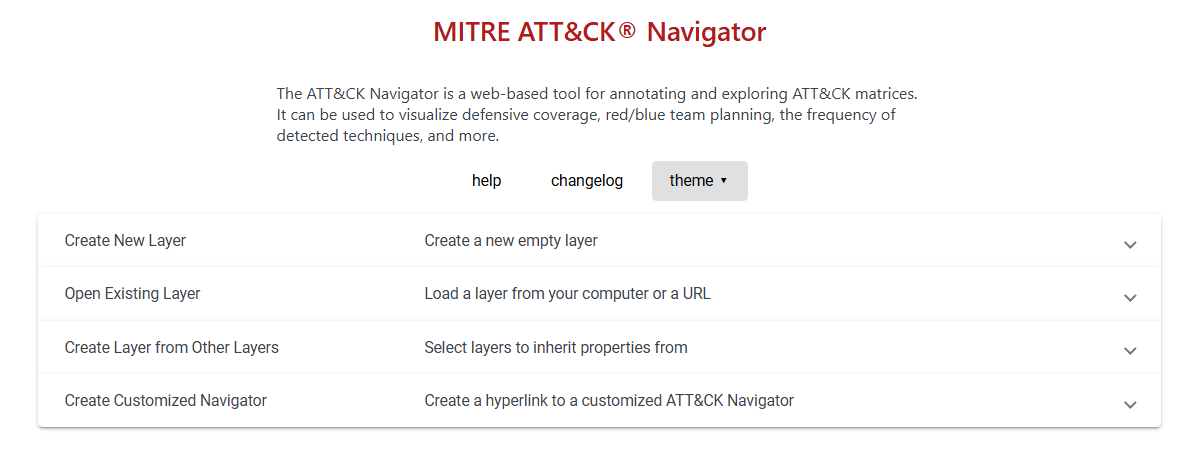
And here for the interactive navigator
Here's an expanded version of the best practices table with tactics, techniques, and procedures (TTPs) for securing Microsoft Entra ID and their associated mitigations:
Securing Highly Privileged Roles
Role Description TTPs Mitigations Global Administrator Full access to all administrative features and configurations in Entra ID. T1071 : Application Layer Protocol, T1190 : Exploit Public-Facing ApplicationUse Just-in-Time (JIT) access through PIM, limit role assignments, use MFA. Privileged Role Administrator Manages role assignments, including the ability to elevate roles. T1486 : Data Encrypted for ImpactEnforce role-based access controls (RBAC), use conditional access policies for role assignment approval. User Administrator Manages user accounts and permissions. T1071 : Application Layer Protocol, T1499 : Endpoint Denial of ServiceUse strong, complex passwords and MFA, enforce password policies.
Best Practices for Secure Entra ID Configuration
1. Legacy Authentication Reduction Policy Action TTPs Mitigations Block Legacy Authentication Implement Conditional Access policy to block legacy authentication methods T1071 : Application Layer Protocol, T1190 : Exploit Public-Facing ApplicationEnable logging for legacy authentication attempts, review logs regularly, enforce MFA across the board.
2. Risk-Based Policies Policy Action TTPs Mitigations Risk Detection Policies Use Entra ID Protection to analyze risk levels T1071 : Application Layer Protocol, T1059 : Command and Scripting InterpreterSet policies to trigger MFA for high-risk sign-ins, integrate with SIEM to monitor for anomalous behavior. Risk-Based Conditional Access Apply conditional access to mitigate risks based on detected threats T1190 : Exploit Public-Facing Application, T1071 : Application Layer ProtocolImplement risk-based access control, and enforce MFA or block access based on risk evaluation.
3. Enforcing Strong Authentication Policy Action TTPs Mitigations Phishing-Resistant MFA Implement MFA methods that resist phishing attempts T1071 : Application Layer Protocol, T1566 : PhishingEnforce phishing-resistant MFA methods like FIDO2 and Windows Hello, and block legacy MFA protocols. MFA Without Specific Method Enforce MFA but do not restrict to specific methods T1071 : Application Layer Protocol, T1566 : PhishingUtilize adaptive authentication, limit MFA fallback to trusted devices.
4. Centralized Log Collection Policy Action TTPs Mitigations Security Log Collection Centralize logs for auditing and analysis T1071 : Application Layer Protocol, T1057 : Process DiscoverySet up centralized SIEM integration, ensure full audit trails for privileged activities, and regularly review logs. Send Logs to SIEM Use an external system for log aggregation T1071 : Application Layer Protocol, T1049 : System Network Connections DiscoveryEnable real-time alerts for suspicious activity, correlate events to detect patterns of compromise.
5. Application Registration and Consent Policy Action TTPs Mitigations Restrict Application Registration Limit non-privileged users from registering applications T1071 : Application Layer Protocol, T1135 : Network Share DiscoveryConfigure app consent settings, ensure proper governance and review processes for new application approvals. Admin Consent Workflow Enforce administrators to review and approve app registrations T1071 : Application Layer Protocol, T1190 : Exploit Public-Facing ApplicationRequire multi-step approval for app registration and automate approvals where possible.
Conditional Access Policies Policy Type Description TTPs Mitigations Block Legacy Authentication Prevent legacy authentication methods from being used T1071 : Application Layer Protocol, T1190 : Exploit Public-Facing ApplicationBlock legacy authentication methods via Conditional Access, ensure MFA is enabled for all users. Multi-Factor Authentication Enforce MFA for all users, especially for high-risk activities T1071 : Application Layer Protocol, T1566 : PhishingUse stronger MFA methods such as FIDO2 or hardware tokens, apply adaptive MFA based on risk assessments. Risk-Based Access Use Entra ID Protection to trigger Conditional Access based on risk level T1190 : Exploit Public-Facing Application, T1071 : Application Layer ProtocolImplement dynamic access policies, integrate real-time risk detection, and block access in high-risk situations.
Privileged Access Management (PAM) Policy Action TTPs Mitigations Limit Global Admins Limit the number of Global Administrators to fewer than 5 to reduce risks T1071 : Application Layer Protocol, T1486 : Data Encrypted for ImpactUse JIT access for admins, apply strong role-based access controls, and ensure MFA is enabled for all admins. Use PIM for Role Assignments Use PIM to request and approve elevated roles T1071 : Application Layer Protocol, T1190 : Exploit Public-Facing ApplicationRequire approval workflows for admin roles and elevate roles for specific tasks only. Configure Alerts for Roles Set security alerts for role assignments T1071 : Application Layer Protocol, T1082 : System Information DiscoveryEnable alerts for high-privilege role changes, and apply real-time monitoring for any unauthorized role assignments.
Resources These resources offer detailed steps and best practices for securing privileged roles and enhancing the management of identities within Entra ID.
Resource Description Link Configuring Security Alerts in PIM Guide on how to configure security alerts for monitoring privileged role activations in Entra ID. Configure Security Alerts in PIM Approval Workflow for PIM Steps for setting up an approval workflow to control role elevation in Entra ID. PIM Approval Workflow PIM for Groups Learn how to manage privileged identity for groups in Entra ID. PIM for Groups Adding Roles to Users in PIM Steps to assign roles to users using PIM. Add Roles to Users in PIM Implementing Privileged Access Management Best practices for implementing PAM to secure identities and access in Azure. Implement Privileged Access Management Limiting Global Administrators Best practices for limiting the number of Global Administrators to under five. Limit Global Administrators
By mapping TTPs to the table, we create a clear connection between the threats and their mitigations, making it easier to see how each configuration setting helps reduce the risk of an attack.