


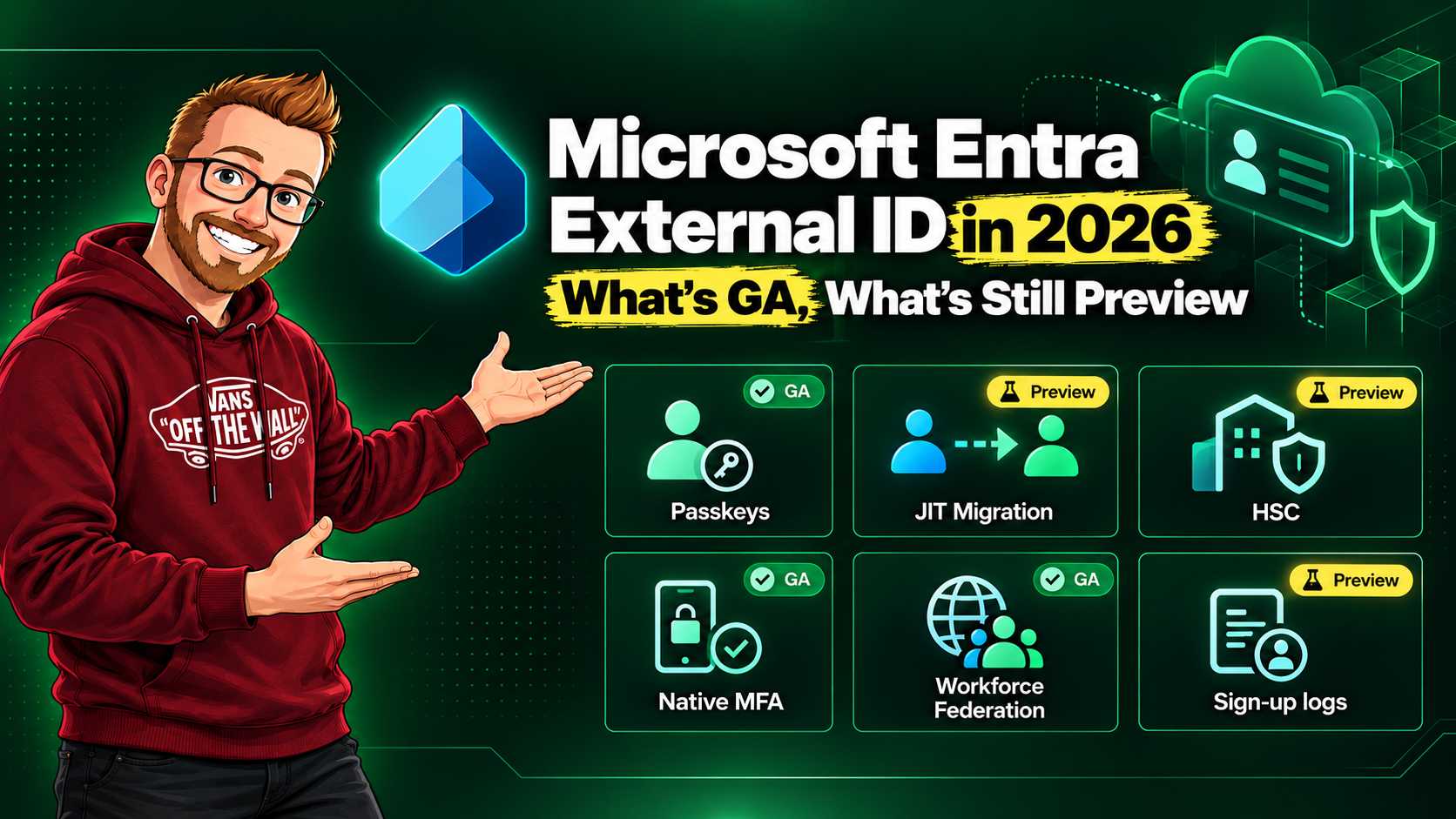
When I published the three-part External ID introduction, migration guide, and roadmap and best-practices post, several capabilities were still described as preview or future work. That snapshot has moved on. Passkeys are now available for customer tenants, password migration has reached general availability, and Microsoft has added a migration route for very large B2C directories. At the same time, new federation and sign-up telemetry are still explicitly marked preview.
This is a status update, not a claim that External ID has become a drop-in replacement for every Azure AD B2C design. The identity model remains different, and the right migration path still depends on your scale, authentication methods, and custom-policy investment.
At a glance: current status
| Capability | Status on 5 Oct 2026 | What changed |
|---|---|---|
| Passkeys in external tenants | GA | Customers can use passkeys for passwordless sign-in or as MFA. |
| Just-in-time password migration | GA | Validate an existing password at first sign-in through your custom authentication extension. |
| High Scale Compatibility (HSC) mode | GA | Very large B2C tenants can preserve their existing directory and run B2C and External ID apps side by side during a phased move. |
| Email and SMS OTP MFA in Native Authentication | GA | Email and SMS are available as second factors, with Conditional Access controlling when the challenge appears. |
| Optional email for external IdP sign-up | GA | Federated users can finish registration when their identity provider does not provide an email claim. |
| Username/alias sign-in for accounts with an assigned username | GA | Local email-and-password users can also sign in using an enabled username identifier. |
| Collect or prefill username during self-service sign-up | Public preview | The current feature-specific Learn article labels user-flow collection and prefill/assignment as preview. |
| Workforce Entra federation into External ID | Public preview | Let users authenticate with their existing work or school tenant in a customer-facing application. |
| External tenant sign-up logs and Azure Monitor export | Public preview | See successful and failed registrations; export external tenant activity for deeper analysis. |
Passkeys are now part of the customer sign-in story
Passkeys reached general availability for Microsoft Entra External ID in late May 2026. A customer can use a passkey to sign in without a password, or use it as a phishing-resistant MFA method. That closes one of the visible gaps in the first post, where FIDO2 was listed as a future capability.
There are a few design constraints to plan around. In an external tenant, passkeys are available to local email-and-password or username-and-password accounts. Users must complete MFA before registering a passkey, and the tenant needs a custom URL domain because WebAuthn binds a credential to its relying-party domain. Microsoft’s current documentation also says external tenants can’t yet require passkeys through Conditional Access authentication strengths. You can offer passkeys, and require MFA, but don’t assume a Conditional Access policy can force every user onto a passkey.
One more important boundary: passkeys are a standard-mode External ID capability. Microsoft’s HSC comparison currently lists passkeys as unavailable in HSC mode. If you are considering HSC for a B2C migration, treat that as a real product decision, not a small deployment detail.
Migration has two supported paths now
JIT password migration: now GA, still your integration to operate
The March series described JIT migration as a preview and focused on Microsoft’s sample migration kit. Microsoft marked the External ID JIT password migration feature generally available in June. The user experience remains the same: migrate account data, let the customer sign in with their existing password, validate it against the old identity system once, and store it in External ID for subsequent sign-ins.
GA does not mean Microsoft hosts the legacy connector for you. You still configure the OnPasswordSubmit custom authentication extension and run a protected HTTPS endpoint that can validate credentials against the legacy provider. Keep the old identity system reachable for the coexistence window, time-box that window, and test throttling, password policy mismatches, lockouts, and extension failures. The migration-kit sample remains useful as an implementation reference; it should not be mistaken for a turnkey managed migration service.
HSC mode: a specific option for very large B2C directories
High Scale Compatibility mode is now GA. It enables eligible Azure AD B2C customers to use B2C and External ID endpoints side by side in the existing tenant while keeping users and credentials in place. Teams can move applications in phases instead of moving an entire high-scale directory and every app in one cutover.
HSC is for scale problems, not the default migration path. Microsoft’s current migration guidance points to roughly five million or more directory objects as the eligibility threshold and recommends the standard approach for most tenants. HSC has functional trade-offs: the current comparison lists no social identity providers, no passkeys, no age gating, no admin portal experience, and limited Conditional Access. Some Graph capabilities, including advanced queries, delta queries, and outbound SCIM provisioning, are not supported in HSC mode. HSC also requires new, single-tenant app registrations for External ID; it doesn’t automatically convert or move your applications.
Native Authentication has GA MFA support
Email and SMS one-time passcodes as second-factor MFA for Native Authentication became GA in March 2026. The challenge can stay inside the app’s native experience, while Conditional Access determines whether MFA is required. This is second-factor support: the documented first factors are email OTP and email plus password.
This makes the older roadmap statement that SMS or authenticator options were “coming” out of date. It does not make Native Authentication interchangeable with browser-delegated sign-in. The current identity-provider guidance says social and federated providers—including Google, Apple, Facebook, and custom OIDC—use browser-delegated authentication; Native Authentication supports local account methods. Choose the flow based on the identity providers your product actually needs.
A new federation preview connects workforce identities to customer apps
Microsoft added a public preview for using a Microsoft Entra workforce tenant as an OpenID Connect identity provider for an External ID customer tenant. This allows a user with an organization’s work or school account to sign in to a customer-facing app using their home tenant, while the app relies on the External ID tenant for its customer identity experience.
This is useful for business customer or partner scenarios where people already have corporate Entra accounts. It can avoid issuing a second credential, but it is a preview and it is not the same thing as adding the user as a B2B guest to your workforce tenant. The setup uses OIDC federation. Current External ID guidance also limits federated identity providers to browser-delegated authentication, so don’t design a Native Authentication-only app around this preview without validating the supported flow.
Federated sign-up no longer has to collect an email address
As of the August 2026 release notes, making email optional for external identity-provider sign-up is GA. This helps when a partner OIDC provider does not send an email claim or when a social user chooses not to share one. The setting belongs to the user flow, and therefore affects every app associated with that flow. If the email claim is absent, map and collect another stable profile value—such as a display name—so users can recognize their account later.
What is still in public preview?
Workforce Entra ID federation
The direct workforce-to-customer federation path is explicitly public preview in Microsoft’s release notes. Keep the integration behind a controlled rollout, validate account linking and issuer behavior with representative home tenants, and review the preview terms before making it a hard dependency.
Sign-up logs and Azure Monitor export
External ID sign-up logs can show successful and failed self-service registrations and where users abandon the flow. Sign-up logs and Azure Monitor export for external tenants are still labeled preview in Microsoft’s feature comparison. They are especially useful now that the Application User Activity dashboards and the reports/userInsights/* beta endpoints retired on 31 August 2026. Microsoft recommends moving activity analysis to Azure Monitor with Log Analytics or to Microsoft Graph sign-in and audit log APIs. Treat external-tenant diagnostic export as preview where the docs say so, and validate retention and alerting before relying on it for a compliance control.
Username sign-in is GA; collecting it during sign-up is preview
Microsoft lists username/alias sign-in as GA for local email-and-password accounts when a username has been assigned and enabled as a sign-in identifier. Administrators can create or update accounts with a username through the Entra admin center or Microsoft Graph. The feature-specific Learn guide separately labels collecting a username in a self-service user flow, and prefilling or assigning it during sign-up, as preview. Treat those as separate capabilities: assigned-alias sign-in is GA, while user-flow username collection and prefill remain preview in the current implementation guidance.
Branding themes: distinguish External ID from the broader tenant feature
Per-app branding themes and live preview for External ID are listed as GA in Microsoft’s External ID release notes. A separate Microsoft Entra announcement describes app-based themes for Entra tenants generally as public preview. Those labels cover different product scopes; for customer sign-in, use the External ID-specific GA documentation rather than carrying over the broader tenant preview label.
What this changes in the three-part series
- Part 1 is still useful for the tenant model and architecture. Its “FIDO2 coming soon” status is superseded: customer passkeys are GA, with the standard-mode and Conditional Access limitations above.
- Part 2 remains a practical explanation of bulk migration and JIT. Update the status from preview to GA, and use the current Microsoft Learn migration guide for the supported production steps and limits.
- Part 3 should now be read alongside the HSC decision guide and current feature matrix. GA in standard External ID does not guarantee support in HSC mode.
- The later GA and preview posts in this series cover November 2025 through February 2026. This article picks up the material changes after that snapshot and corrects statuses where Microsoft has since shipped features.
What I would check before changing a design
- Choose standard migration or HSC mode before selecting app architecture. Only consider HSC around the documented high-scale threshold, and compare its limitations against every authentication and directory feature you use.
- For standard migration, decide whether to move passwords directly, use JIT, or require a password reset. If you choose JIT, test the custom endpoint and define a finite coexistence period.
- If you want customer passkeys, plan a custom URL domain, account eligibility, MFA registration, recovery, and the fact that Conditional Access can’t currently require passkeys through an authentication strength.
- For Native Authentication, confirm that local email methods meet the product requirement. Use browser-delegated authentication for social or federated providers unless the supported approach changes.
- For preview features, keep the capability optional, monitor changes to the API and support status, and have a fallback that does not depend on the preview.
- Move reporting away from User Insights. Build the replacement on Azure Monitor/Log Analytics or Graph sign-in and audit logs, while treating preview-only export and sign-up logs according to their current support status.
Where External ID stands now
The biggest shift is that several gaps from the original series have closed: customer passkeys, JIT password migration, a large-tenant B2C coexistence option, and MFA for Native Authentication are no longer just roadmap items. Microsoft has also opened a new federation path from workforce Entra identities into customer apps.
The practical caveat is that “GA” needs a mode and a flow attached to it. HSC mode has a different feature set from standard External ID. Native Authentication supports a narrower set of identity providers than browser-delegated sign-in. And preview still matters for workforce federation and parts of customer-tenant telemetry. Check the capability matrix for your exact deployment mode, then validate the user journey in a test tenant before committing your production migration plan.
Microsoft sources
- Microsoft Entra releases and announcements — release status for HSC, JIT migration, workforce federation, branding, and alias sign-in.
- Sign in with passkeys in Microsoft Entra External ID and MFA in external tenants.
- Plan your migration from Azure AD B2C to External ID and External ID service limits and capability support by scale and deployment mode.
- Just-in-time password migration to Microsoft Entra External ID.
- GA: Email and SMS OTP as second-factor MFA for Native Authentication.
- Add Microsoft Entra ID as an OIDC identity provider (preview).
- Make email optional for external identity-provider sign-up.
- What’s New in Microsoft Entra: August 2026 — GA announcement for optional email in federated External ID sign-up.
- External ID sign-up logs (preview) and Migrate from User Insights.
- Identity providers for external tenants and Sign in with an alias or username.