


I have written about Conditional Access as both a sign-in decision engine and a set of practical policies you need to keep understandable. Microsoft has now introduced a new way to group that work: Conditional Access policy plans, currently in public preview. Microsoft's preview announcement adds useful details about templates, sign-in logs, and migrating existing policies.
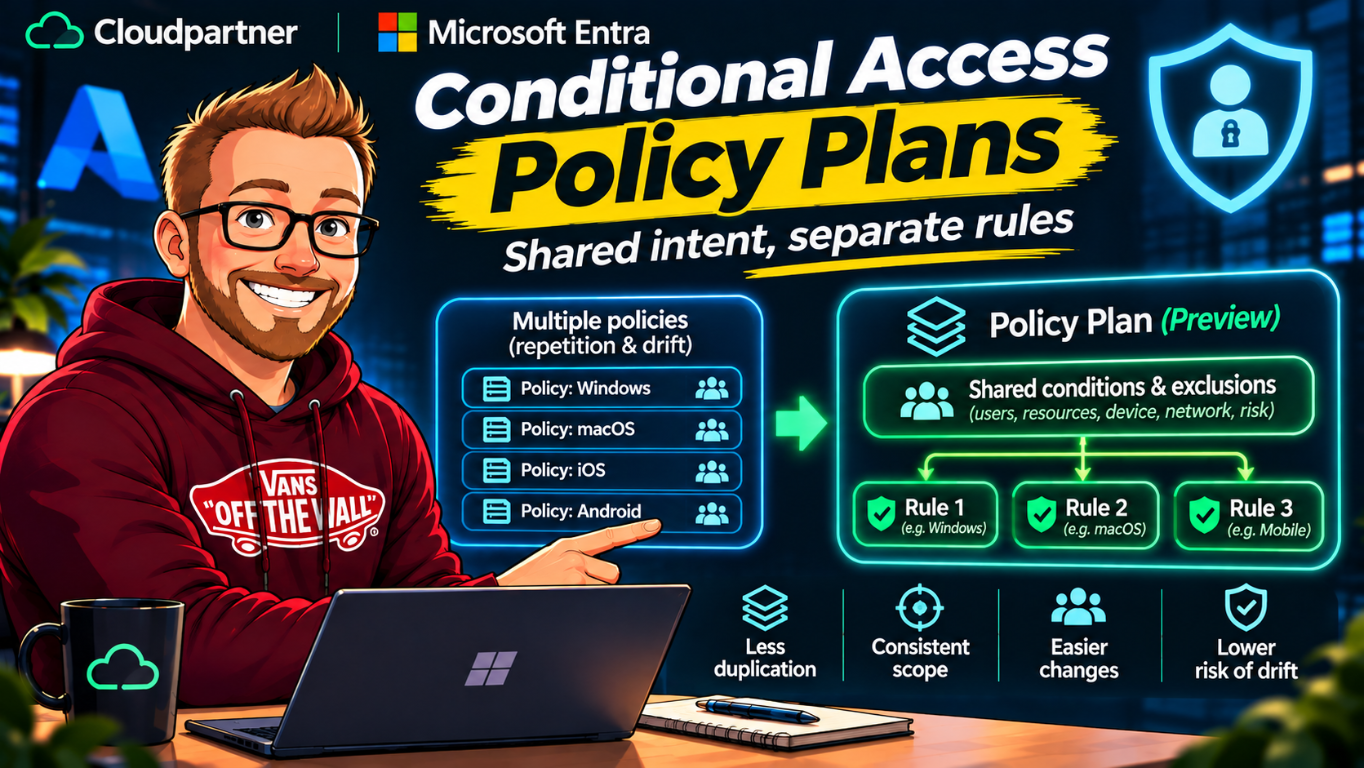
The problem they're aimed at is familiar. You create separate policies for different devices, applications, network locations, and risk conditions. Over time, the same user targeting and emergency access exclusions are copied into many policies. When the shared scope changes, every copy needs to be updated. Miss one and the policies no longer express the same intent.
A policy plan gives related rules shared conditions and exclusions. That can reduce repeated configuration, but it does not turn Conditional Access into one giant policy or replace the existing policy model. The rules still make separate access decisions. The important part is understanding what gets inherited and what remains specific to each rule.
Microsoft Learn's policy-plan article was last updated October 26, 2026. I'm using the current preview documentation here, so check the live article before you implement a design.
When policies repeat the same decisions
Suppose your organization has policies for Windows, macOS, iOS, and Android. Each applies to the same workforce and excludes the same emergency access accounts. If you add a new break-glass account or change which group is covered, you need to remember every policy that copied those conditions.
The same repetition appears in network access. A Global Secure Access deployment can have many network-scoped rules. The destinations differ, but the rules may use the same users, applications, and emergency access exclusions. Policy plans let you define that common scope once and keep each rule focused on its own enforcement scenario.
I've written about the practical side of Conditional Access in A Closer Look at Conditional Access Policies, including how conditions and grants are evaluated. My older post How many Conditional Access policies can you create? looked at policy count and administration. The number of policies is only part of the workload; duplicated intent is what makes a large policy set difficult to change safely.
A plan is a shared layer, not a single policy
A policy plan has three parts: details, shared conditions, and rules.
- Plan details give the plan a name, description, optional tags, and individual or group owners. The owners help explain the plan's purpose and accountability. They do not automatically get permission to edit it, and those details do not change runtime enforcement.
- Shared conditions define optional targeting that applies broadly across the plan. Microsoft lists identities, resources, user actions, authentication context, risk levels, device platforms, network locations, and client app types among the available conditions.
- Rules describe individual enforcement scenarios. Each rule adds the assignments and conditions specific to that scenario, along with grant and session controls. A plan must contain at least one rule.
Think of a plan as a way to express shared access intent once and then split the actual decisions into rules. A plan might hold common emergency access exclusions and a defined user scope. One rule can require a compliant device for a particular resource; another can require a different control for a separate scenario.
You can create a plan from scratch or start with a template in the Microsoft Entra admin center under Entra ID > Conditional Access > Policy plans (preview). Templates can create the plan, shared conditions, and rules together. The rules start Off, so review their assignments and controls before enabling enforcement.
One easy-to-miss detail: select All resources at the rule level if that's the assignment you need. Microsoft says this choice isn't available in shared conditions.
| Area | Standalone policy | Policy plan and rules |
|---|---|---|
| Shared targeting | Configured in each policy that needs it. | Optional conditions can be defined once and inherited by the plan's rules. |
| Enforcement | Each policy is evaluated as its own decision. | Each rule is still evaluated as an independent decision. |
| Existing policies | Continue to evaluate as before. | Are evaluated alongside plan rules; neither model takes precedence over the other. |
Understand what rules inherit
Shared conditions are additive. If a plan targets group A, every rule inherits that targeting. A rule can't narrow the plan's targeting to group B, though it can add its own exclusions. That means the plan-level scope needs to be chosen carefully. If two scenarios need different included populations, check whether they belong in separate plans rather than assuming a rule can narrow a broad plan condition.
Exclusions accumulate as well. If the plan excludes emergency access groups A and B, and one rule excludes group C, that rule's effective exclusions include A, B, and C. A rule cannot override or remove the plan-level exclusions. This gives you a consistent baseline across the rules, provided the shared exclusion is correct.
There are also restrictions on what belongs in shared conditions. Microsoft documents that the plan-level identity assignment cannot mix identity types. You can't set a shared condition that targets users and agents together. To cover both, leave identity targeting to the rules and create one rule for users and another for agents. The plan can still share other compatible conditions and exclusions.
Finally, some assignments are only available on a rule. As noted above, All resources must be selected within the rule. Don't assume every setting from an existing policy can be lifted into the shared layer.
Design check: before you make a condition shared, ask whether every rule should inherit it and whether any rule needs a narrower population. Shared configuration reduces duplication, but a mistaken shared scope affects every rule in the plan.
Using plans for agent access
Policy plans also address a newer targeting challenge: protecting agent activity consistently. An agent can act with its own permissions or operate on behalf of a user using that user's permissions. Microsoft's documentation gives high agent risk as an example of a shared condition that can apply across separate rules for those scenarios.
That fits the distinction I described in Conditional Access for AI Agents: Custom Security Attributes in Microsoft Entra. Agent identity, the user's identity in an on-behalf-of flow, and the resource receiving a token are related but not interchangeable. Policy plans don't remove the need to identify which identity a rule should target.
For example, one rule in a plan could target an agent identity with a risk condition and a resource-specific control. Another rule could target the user identity in an on-behalf-of scenario. The two rules may share suitable plan-level conditions, but the identity assignment belongs at rule level when the identity types differ.
This doesn't mean a policy plan controls every part of an agent's behavior. Conditional Access evaluates access during token issuance. It doesn't by itself decide which tools an agent may call after access is granted, inspect every prompt, or protect traffic that doesn't go through the Microsoft Entra token pipeline. Keep application authorization, least privilege, runtime safeguards, and network protections in the design too.
What happens to existing policies
Plans are an addition to Conditional Access, not a replacement. Existing policies continue working as they do now. During sign-in evaluation, Entra evaluates applicable existing policies and policy-plan rules. Every applicable policy and every applicable rule must be satisfied for access to be granted. There's no precedence where a plan overrides an older policy; the decisions accumulate independently.
Each rule is evaluated like a standalone policy, and each appears separately in sign-in logs. That matters for troubleshooting. A plan provides shared configuration, but you still need to understand which specific rule applied and what it required for a given sign-in.
The sign-in log's Conditional Access details show the applicable rules alongside existing policies. You can trace the decision to the rule that applied, then use the plan to see its shared conditions and related rules. This gives reviewers and incident responders a more direct route from an access result to the plan's documented purpose and owner.
This is similar to earlier Conditional Access tools that helped admins work from templates, but policy plans are a different model. My older post on Conditional Access templates is a historical look at that earlier workflow, not an instruction to treat templates and plans as the same feature. The plan model is built around shared conditions and independent rules.
A measured migration path
Microsoft provides a migration experience for bringing existing policies into a plan. The admin center can map selected policies into shared conditions and rules, and the preview lets you review the proposed mapping before creating the plan. The original policies remain unchanged and continue to enforce access; the new plan rules start Off. You can inspect the new rules in report-only mode and review policy impact metrics before deciding whether to enable them and retire the original policies.
I would choose a small group of policies that already share a clear purpose and repeated targeting. Before consolidating them, confirm that their include and exclude assignments really match. Policies with slightly different emergency access exclusions or different user populations may look similar in a list while expressing different intent.
- Inventory related policies and record their users, groups, identity types, resources, conditions, grants, and session controls.
- Identify the exact common scope and exclusions. Confirm emergency access accounts are represented correctly before making exclusions shared.
- Check for differences that must stay rule-specific, such as a resource assignment or a distinct identity type.
- Use the migration preview to inspect how the policies map to shared conditions and individual rules.
- Create a test plan, validate the resulting rules and sign-in logs, and compare behavior with the original policies.
- Keep the original policy evaluation in mind during any transition. Existing policies and plan rules accumulate, so duplicated requirements can remain in force until you deliberately manage them.
To create, modify, or delete a plan, Microsoft documents the Conditional Access Administrator role. The preview announcement says customers with Microsoft Entra ID P1 or P2 can access the feature in the admin center, while the Learn page points administrators to the Conditional Access licensing requirements. Verify your tenant's licensing and role assignments before rollout. Review your organization's change process as well. A shared condition can affect several rules with one edit, so changes to plan-level assignments deserve a clear owner, review, and test.
Preview limits and operational checks
Policy plans are in preview and may not have all the capabilities of a generally available feature. Microsoft also documents a specific preview limitation for user-targeted plans that use Location as a condition: Entra issues one-hour access tokens without an instant IP enforcement check. If your design depends on location-based access, read the current named-location limitation before using a plan for that scenario.
Conditional Access licensing requirements still apply. The plan page directs administrators to the Conditional Access license requirements documentation; it doesn't describe policy plans as a separate replacement for those licenses. Confirm the requirements for your tenant and the identities you're protecting.
For day-to-day operations, keep these points visible to the team:
- A plan's owners field helps document accountability but doesn't grant edit rights.
- A broad shared assignment is inherited by every rule and can't be narrowed at the rule level.
- Rules remain separate enforcement decisions, so inspect their sign-in log results individually.
- Existing policies still apply alongside plan rules until you intentionally change them.
- Preview limitations can change. Recheck the Microsoft Learn page before relying on a behavior in production.
Policy plans can help make a growing Conditional Access estate easier to reason about. The safest starting point is a small set of policies with genuinely shared intent, followed by careful review of inherited scope and rule-level decisions.
References and related posts
- Microsoft Entra blog: Scale access controls with Conditional Access policy plans
- Microsoft Learn: What are Conditional Access policy plans?
- Microsoft Learn: Migrate Conditional Access policies to a policy plan
- Microsoft Learn: What is Conditional Access?
- Microsoft Learn: Conditional Access for agents
- A Closer Look at Conditional Access Policies
- How many Conditional Access policies can you create?
- Conditional Access for AI Agents: Custom Security Attributes in Microsoft Entra
- Conditional Access templates and other tips