


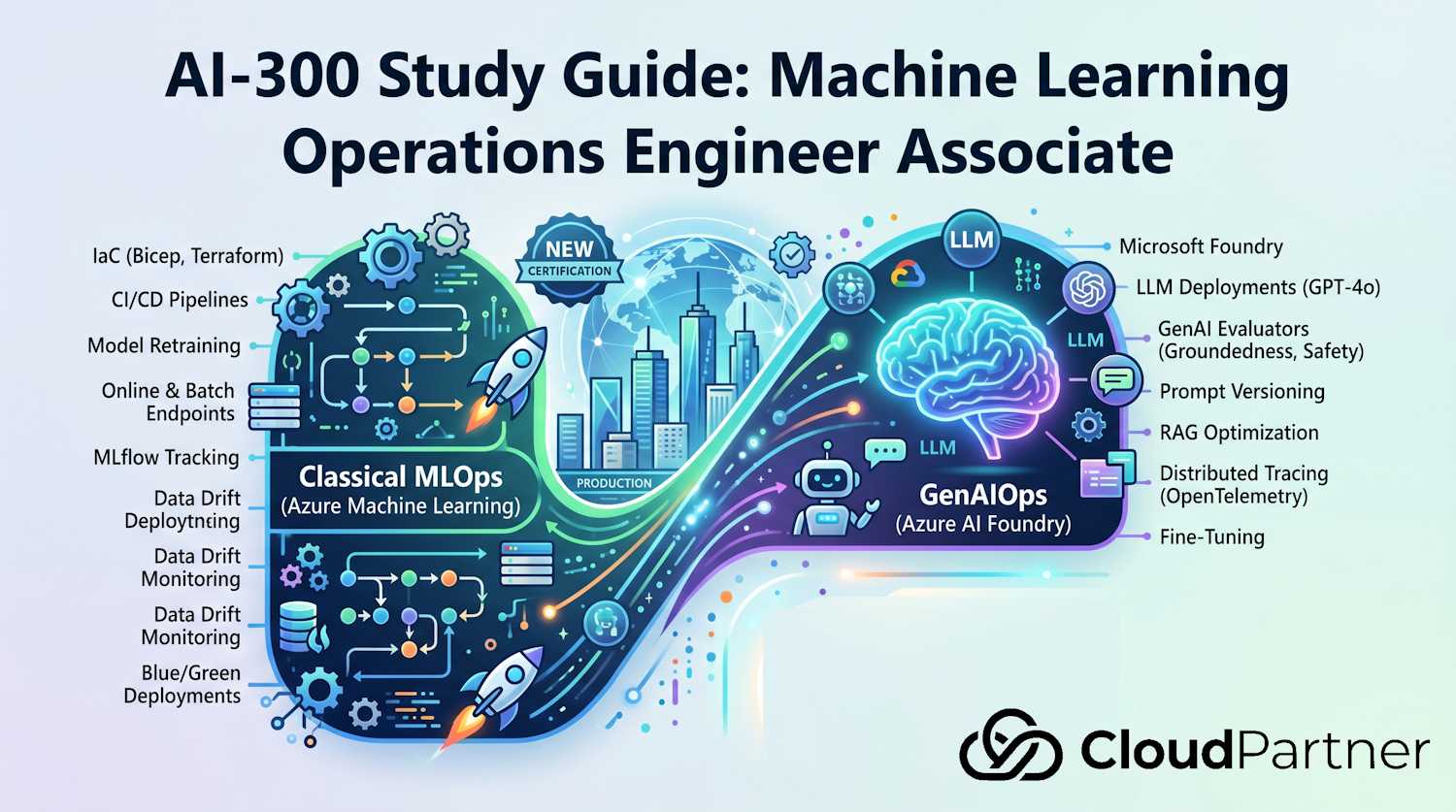
Domain 2 of 5 — 25–30% of the AI-300 exam (the largest domain). This domain covers the complete ML model lifecycle: pipeline orchestration, MLflow model registry, real-time and batch inference endpoints, model monitoring, and deployment strategies.
Exam Objectives
The official skill outline for this domain covers five areas:
Implement pipeline orchestration
- Build Azure ML pipeline components using the command component pattern
- Define pipeline jobs using YAML and the Python SDK v2
- Submit and monitor pipeline runs; trigger from GitHub Actions or Azure DevOps
- Configure hyperparameter sweep jobs with search space and early termination
Manage the MLflow model registry
- Define model signatures (input/output schema)
- Register models from training runs; manage model versions
- Track model lineage: run → data asset → model version
- Use tags and labels to manage model promotion lifecycle
Deploy and manage inference endpoints
- Create managed online endpoints for real-time inference
- Configure deployments: instance type, replica count, scale settings
- Implement blue/green traffic splitting on online endpoints
- Create batch endpoints for large-scale asynchronous scoring
- Invoke batch endpoints from SDK, CLI, and pipeline steps
Configure model monitoring
- Set up data drift monitoring with reference and target datasets
- Configure prediction drift and data quality signals
- Integrate monitoring alerts with Azure Monitor
- Trigger automated retraining based on monitoring signals
Implement deployment strategies
- Blue/green deployment with traffic shifting
- Canary releases with gradual traffic promotion
- Champion/Challenger A/B testing with production traffic splitting
The ML Lifecycle
The ML model lifecycle is not a straight line — it is a continuous loop. A model is trained, registered, deployed, monitored, and then retrained when quality degrades. Understanding each transition point and which Azure ML component handles it is the core competency tested in this domain.
Pipeline Orchestration
Azure ML pipelines are composed of components — reusable, versioned building blocks that each take inputs, run a command, and produce outputs. A component is defined by a YAML spec that declares its inputs, outputs, environment, and the command to execute. Multiple components are wired together in a pipeline job YAML.
Command Components
A command component is the most common type. It runs a Python (or other language) script in a specified environment on a specified compute. Inputs and outputs are declared with typed schemas so Azure ML can validate them at pipeline submission time and wire outputs of one component to inputs of the next.
# component: prep_data.yml
$schema: https://azuremlschemas.azureedge.net/latest/commandComponent.schema.json
name: prep_data
version: 1
display_name: Prepare Training Data
type: command
inputs:
  raw_data:
    type: uri_folder
  test_split_ratio:
    type: number
    default: 0.2
outputs:
  train_data:
    type: uri_folder
  test_data:
    type: uri_folder
environment: azureml:custom-training-env:1
command: >-
  python prep_data.py
  --raw-data ${{inputs.raw_data}}
  --train-data ${{outputs.train_data}}
  --test-data ${{outputs.test_data}}
  --test-split ${{inputs.test_split_ratio}}
Pipeline Job YAML
A pipeline job wires components together. The jobs section lists each step,
referencing components by name. You pass outputs of one job as inputs to the next using
the ${{parent.jobs.step_name.outputs.output_name}} expression.
# pipeline: train-pipeline.yml
$schema: https://azuremlschemas.azureedge.net/latest/pipelineJob.schema.json
type: pipeline
display_name: Training Pipeline
experiment_name: fraud-detection
compute: azureml:cpu-cluster

inputs:
  raw_data:
    type: uri_folder
    path: azureml:fraud-raw-data:3

jobs:
  prep:
    type: command
    component: azureml:prep_data:1
    inputs:
      raw_data: ${{parent.inputs.raw_data}}
      test_split_ratio: 0.2
    outputs:
      train_data:
        mode: rw_mount
      test_data:
        mode: rw_mount

  train:
    type: command
    component: azureml:train_model:1
    inputs:
      train_data: ${{parent.jobs.prep.outputs.train_data}}
    outputs:
      model_dir:
        mode: rw_mount
Hyperparameter Sweep Jobs
A sweep job wraps a command job and runs it multiple times with different hyperparameter values. You define a search space (the range of values for each parameter), a sampling method (random, grid, or Bayesian), and an early termination policy to stop poorly performing trials early.
$schema: https://azuremlschemas.azureedge.net/latest/sweepJob.schema.json
type: sweep
trial:
  type: command
  command: python train.py --lr ${{search_space.learning_rate}} --depth ${{search_space.max_depth}}
  environment: azureml:custom-training-env:1
  compute: azureml:cpu-cluster
search_space:
  learning_rate:
    type: loguniform
    min_value: -4     # 10^-4
    max_value: -1     # 10^-1
  max_depth:
    type: choice
    values: [3, 5, 7, 10]
sampling_algorithm: random
objective:
  goal: maximize
  primary_metric: val_accuracy
limits:
  max_total_trials: 20
  max_concurrent_trials: 4
  timeout: 3600
early_termination:
  type: bandit
  slack_factor: 0.1
  evaluation_interval: 5
The Bandit early termination policy stops trials whose primary metric
falls more than slack_factor below the best trial at that evaluation
interval. This significantly reduces wasted compute on poor hyperparameter combinations.
MLflow Model Registry
Model Signatures
A model signature defines the expected input and output schema for a
model — column names, data types, and optional constraints. Azure ML stores the
signature in the model artifact's MLmodel file and uses it to validate
inputs at inference time. Including a signature is a best practice because it makes
deployment self-documenting and enables automatic input validation.
import mlflow
import mlflow.sklearn
from mlflow.models.signature import infer_signature
import pandas as pd

# Infer signature from training data and predictions
signature = infer_signature(X_train, model.predict(X_train))

# Log model with signature
mlflow.sklearn.log_model(
    sk_model=model,
    artifact_path="model",
    signature=signature,
    registered_model_name="fraud-classifier",
    input_example=X_train.iloc[:5]  # sample rows for documentation
)
Model Lineage
Azure ML automatically captures lineage: which training run produced the model, which data asset version was used as input, which compute ran the job, and what environment was used. This lineage is visible in the Azure ML Studio model registry UI and queryable via the SDK. It is critical for audit and reproducibility — if a production model needs to be retrained, lineage tells you exactly what to reproduce.
from azure.ai.ml import MLClient
from azure.identity import DefaultAzureCredential

ml_client = MLClient(DefaultAzureCredential(), subscription_id, resource_group, workspace_name)

# Get a specific model version and inspect its lineage
model = ml_client.models.get("fraud-classifier", version="5")
print(model.properties)   # contains run_id, experiment_name, data asset references
Exam tip: Azure ML's MLflow registry does not support the traditional MLflow stage lifecycle (Staging, Production, Archived) as of November 2024. Instead, use model tags (key-value metadata) and model labels/aliases to track which version is in production. Exam scenarios using the word "stages" in the context of Azure ML model registry are asking about tags and labels.
Production Model Lifecycle
Registration creates a versioned model asset with lineage to the run, code, environment, and data. For MLflow models, preserve the signature so deployment tooling knows the expected input columns and output shape. When online features are required, package the feature retrieval specification with the model artifact so training and serving retrieve features consistently rather than reimplementing lookup logic in the endpoint.
Promote immutable versions through environments instead of overwriting a production artifact. Archiving a model removes it from normal active selection without destroying lineage; it is different from deleting the asset. Keep the previous known-good model, deployment configuration, and environment available until rollback and retention windows expire.
Choosing Managed Inference
Use a managed online endpoint when a caller needs a prediction synchronously, such as during an application request. It provides a stable HTTPS endpoint, authentication, autoscaling, traffic splitting, and deployment revisions. Use a batch endpoint when inputs are files or large datasets, predictions can complete asynchronously, and throughput matters more than per-request latency. Batch jobs parallelize work across compute and write results to storage; clients submit a job and monitor its status instead of holding an HTTP request open.
Managed online endpoints reduce infrastructure operations. Kubernetes online endpoints are appropriate when an organization must serve on an attached Kubernetes cluster for specialized networking, hardware, or platform-control requirements. Local deployment is for development validation, not production availability. Test the exact model, scoring code, and environment locally where possible, then use endpoint logs, deployment events, probes, and invocation tests to diagnose image, dependency, authentication, quota, and schema failures.
Online Endpoints (Real-Time Inference)
An online endpoint hosts one or more model deployments and exposes an HTTPS scoring URI. Clients send requests synchronously and receive predictions in the response body. Online endpoints support autoscaling and traffic splitting between deployments.
Endpoint Types Comparison
| Endpoint Type | Compute | Pattern | Auth |
|---|---|---|---|
| Managed online endpoint | Azure-managed VMs | Real-time, synchronous | Key or Entra ID token |
| Kubernetes online endpoint | Attached AKS / Arc K8s | Real-time, synchronous | Key or Entra ID token |
| Batch endpoint | Compute cluster | Asynchronous, large-scale | Entra ID token |
Deployment Configuration
Each deployment specifies the model, the scoring environment, the instance type, and
scaling settings. The liveness_probe and readiness_probe
settings control when the deployment is considered healthy and ready to serve traffic.
# deployment: blue-deployment.yml
$schema: https://azuremlschemas.azureedge.net/latest/managedOnlineDeployment.schema.json
name: blue
endpoint_name: fraud-endpoint
model: azureml:fraud-classifier:5
environment: azureml:inference-env:1
instance_type: Standard_DS3_v2
instance_count: 2
scale_settings:
  type: default          # manual scaling
liveness_probe:
  initial_delay: 10
  period: 30
  failure_threshold: 3
readiness_probe:
  initial_delay: 10
  period: 10
  failure_threshold: 5
request_settings:
  request_timeout_ms: 5000
  max_concurrent_requests_per_instance: 4
Blue/Green Traffic Splitting
An endpoint can have multiple deployments simultaneously. The endpoint's
traffic map controls what percentage of requests each deployment receives.
Shifting traffic is a zero-downtime operation — the endpoint stays live while you adjust
the split. The canonical blue/green pattern keeps the previous deployment at low traffic
until the new one is validated, then switches 100% traffic.
# Create the endpoint
az ml online-endpoint create --file endpoint.yml \
  --workspace-name my-workspace --resource-group rg-ml

# Deploy the blue (current production) deployment
az ml online-deployment create --file blue-deployment.yml \
  --workspace-name my-workspace --resource-group rg-ml --all-traffic

# Deploy the green (new candidate) deployment with 10% traffic
az ml online-deployment create --file green-deployment.yml \
  --workspace-name my-workspace --resource-group rg-ml

az ml online-endpoint update --name fraud-endpoint \
  --traffic "blue=90 green=10" \
  --workspace-name my-workspace --resource-group rg-ml

# After validation, promote green to 100%
az ml online-endpoint update --name fraud-endpoint \
  --traffic "blue=0 green=100" \
  --workspace-name my-workspace --resource-group rg-ml
Exam tip: Online endpoint invocation requires the scoring URI and either a primary/secondary key or an Entra ID bearer token (depending on the endpoint auth mode). If the auth mode is
key, pass the key asAuthorization: Bearer <key>. If the auth mode isaml_token, obtain a short-lived token from the Azure ML token service. Key mode is simpler but does not support fine-grained RBAC; token mode supports Entra ID conditional access.
Batch Endpoints
A batch endpoint accepts a data path as input, distributes the scoring workload across a compute cluster, and writes predictions to output storage. Unlike online endpoints, batch invocations are asynchronous — you submit a job, the endpoint returns a job ID, and you poll for completion. Results are never returned inline; they are always written to Azure storage.
Batch Deployment Settings
# batch-deployment.yml
$schema: https://azuremlschemas.azureedge.net/latest/modelBatchDeployment.schema.json
name: default-deployment
endpoint_name: fraud-batch-endpoint
model: azureml:fraud-classifier:5
environment: azureml:inference-env:1
compute: azureml:cpu-cluster
resources:
  instance_count: 3
settings:
  mini_batch_size: 100          # records per mini-batch
  output_action: append_row     # append predictions to single output file
  output_file_name: predictions.csv
  max_concurrency_per_instance: 2
  error_threshold: 5            # allow up to 5 failed mini-batches
  retry_settings:
    max_retries: 3
    timeout: 300
Invoking a Batch Endpoint
# Invoke batch endpoint from CLI — returns a batch job name
az ml batch-endpoint invoke \
  --name fraud-batch-endpoint \
  --input azureml:fraud-raw-data:3 \
  --workspace-name my-workspace \
  --resource-group rg-ml

# Or invoke from the Python SDK
from azure.ai.ml import MLClient, Input
from azure.ai.ml.constants import AssetTypes

job = ml_client.batch_endpoints.invoke(
    endpoint_name="fraud-batch-endpoint",
    input=Input(type=AssetTypes.URI_FOLDER, path="azureml:fraud-raw-data:3")
)
ml_client.jobs.stream(job.name)  # stream logs until complete
Exam tip: Batch endpoints always write outputs to storage — they never return predictions inline in the HTTP response. The invoke call returns a batch job reference, not predictions. This is the most commonly tested distinction between online and batch endpoints.
From Monitoring Signal to Retraining
Monitoring should lead to an action. Establish a baseline and thresholds for data drift, data quality, prediction distribution, model performance, feature attribution, latency, and errors. A drift alert does not automatically prove that accuracy fell; it identifies a change that needs evaluation. Retrain only when policy conditions are met, then compare the challenger against the current champion before shifting traffic.
A safe automation separates detection, training, validation, and promotion. Monitoring or a schedule triggers a pipeline; the pipeline rebuilds data, trains, evaluates responsible-AI and performance gates, registers a new version, and deploys it with canary or blue-green traffic. Promotion and rollback remain explicit decisions based on measured thresholds.
Model Monitoring
Azure ML model monitoring compares statistics from production inference data against a baseline (usually the training dataset). Monitoring runs on a schedule and emits signals when distributions deviate beyond configured thresholds.
Monitoring Signal Types
| Signal Type | What It Detects | Requires Actuals |
|---|---|---|
| Data drift | Feature distribution shift — production inputs diverging from training baseline | No |
| Prediction drift | Output distribution shift — model predictions changing over time | No |
| Data quality | Null rates, out-of-range values, schema violations in production inputs | No |
| Model quality (performance) | Degradation in accuracy, F1, AUC — comparing predictions to labeled ground-truth actuals | Yes — labeled production data |
Data drift is the most commonly tested signal. It compares the statistical distribution of each feature column in production inference data against the reference dataset (training data snapshot). Azure ML computes a statistical distance for each feature: normalized Wasserstein distance (earth mover's distance) for numerical features and Jensen-Shannon divergence for categorical features. Features where the distance exceeds the configured threshold are flagged as drifted.
Setting Up Monitoring
from azure.ai.ml import MLClient
from azure.ai.ml.entities import (
    MonitorSchedule, CronTrigger, MonitorDefinition, MonitoringTarget,
    DataDriftSignal, DataQualitySignal, AlertNotification
)

monitor = MonitorSchedule(
    name="fraud-model-monitor",
    trigger=CronTrigger(expression="0 6 * * *"),   # daily at 06:00 UTC
    create_monitor=MonitorDefinition(
        monitoring_target=MonitoringTarget(
            ml_task="classification",
            endpoint_deployment_id="azureml:fraud-endpoint:blue"
        ),
        monitoring_signals={
            "data_drift": DataDriftSignal(
                reference_data=Input(
                    type=AssetTypes.URI_FOLDER,
                    path="azureml:fraud-training-data:3"
                ),
                features=["amount", "merchant_category", "hour_of_day"],
                alert_enabled=True,
                alert_notification=AlertNotification(emails=["mlops-team@contoso.com"])
            ),
            "data_quality": DataQualitySignal(alert_enabled=True)
        }
    )
)
ml_client.schedules.begin_create_or_update(monitor)
Azure Monitor Integration
Monitoring signals feed into Azure Monitor as custom metrics. You can create metric alerts in Azure Monitor that fire when drift scores exceed thresholds. Those alerts can trigger an Event Grid event or call a Logic App, which in turn submits a new Azure ML pipeline job to retrain the model. This creates the full automated retraining loop without any manual intervention.
Exam tip: For automated retraining triggered by drift, the canonical integration chain is: Azure ML monitoring signal exceeds threshold → Azure Monitor metric alert fires → Event Grid or Logic App action → Azure ML pipeline job submitted. Know this chain — exam scenarios ask which Azure service handles each link.
Deployment Strategies
Azure ML supports several deployment strategies for managing how new model versions are introduced to production traffic. Each strategy balances risk, speed, and observability differently.
Blue/Green Deployment
Maintain two deployments — blue (current production) and green (new candidate). Direct a small percentage of traffic to green while monitoring metrics. Once green is validated, shift all traffic to it. Blue remains on standby for instant rollback. This is the lowest-risk strategy because rollback is instantaneous — just shift traffic back to blue.
Canary Release
Canary is an incremental variant of blue/green. The new deployment starts at a very small traffic percentage (e.g., 5%), is monitored for a defined period, then traffic is gradually increased — 5% → 20% → 50% → 100% — with monitoring gates at each step. If a gate fails, traffic rolls back to the previous level. Canary minimizes blast radius at the cost of a slower promotion cycle.
Champion/Challenger (A/B Testing)
Champion/Challenger runs two model versions simultaneously in production with a deliberate traffic split — typically 70/30 or 80/20. The purpose is not staged rollout but rather empirical comparison: you collect real production outcomes for both versions and compare their business metrics. After a statistically significant comparison period, the winning model becomes the new champion. This pattern is appropriate when offline evaluation metrics are insufficient to determine which model is better for the business.
| Strategy | Traffic Split | Primary Goal | Rollback Speed |
|---|---|---|---|
| Blue/Green | Binary (e.g., 90/10 then 0/100) | Safe cutover with instant rollback | Instant (traffic shift) |
| Canary | Gradual (5→20→50→100%) | Minimize blast radius during rollout | Fast (reduce traffic) |
| Champion/Challenger | Sustained split (e.g., 70/30) | A/B comparison with production data | Manual (decision required) |
Automated Machine Learning (AutoML)
AutoML sweeps multiple algorithms, feature engineering approaches, and hyperparameters automatically, then returns a ranked leaderboard of model pipelines. For the exam, you need to know the supported task types, how to configure a job, and how to retrieve and deploy the winning model.
Supported Task Types
AutoML supports: classification, regression,
time series forecasting, NLP text classification, and
computer vision (image classification, object detection, instance
segmentation). Each task type has a different primary metric — for classification it is
typically AUC_weighted or accuracy; for regression it is
normalized_root_mean_squared_error.
Python SDK: Submitting an AutoML Classification Job
from azure.ai.ml import MLClient, automl, Input
from azure.ai.ml.constants import AssetTypes
from azure.identity import DefaultAzureCredential

ml_client = MLClient(
    credential=DefaultAzureCredential(),
    subscription_id="<sub-id>",
    resource_group_name="my-rg",
    workspace_name="my-workspace"
)

# Reference a registered data asset
training_data = Input(
    type=AssetTypes.MLTABLE,
    path="azureml:churn-training:1"  # registered MLTable asset, version 1
)

# Configure the AutoML classification job
classification_job = automl.classification(
    compute="cpu-cluster",
    experiment_name="automl-churn",
    training_data=training_data,
    target_column_name="churned",
    primary_metric="AUC_weighted",
    n_cross_validations=5
)

# Set runtime limits
classification_job.set_limits(
    timeout_minutes=60,
    trial_timeout_minutes=15,
    max_trials=20,
    enable_early_termination=True
)

# Block certain algorithms (optional)
classification_job.set_training(blocked_training_algorithms=["LogisticRegression"])

# Submit
job = ml_client.jobs.create_or_update(classification_job)
ml_client.jobs.stream(job.name)  # wait for completion

# Retrieve the best model
best_run = ml_client.jobs.get(job.name)
print(best_run.properties["best_child_run_id"])
Featurization: AutoML automatically applies imputation, encoding, and normalization based on column types. You can override featurization per column using
set_featurization()— for example, setting a date column to be treated as a categorical feature rather than being decomposed into datetime components.
Distributed Training for Large Models
When a model or dataset is too large for a single GPU node, distributed training splits
the work across multiple nodes or GPUs. Azure ML supports distributed training natively
through CommandJob with a distribution configuration. The exam tests both
data parallelism and the configuration syntax for multi-node PyTorch jobs.
Data Parallelism vs. Model Parallelism
| Strategy | How it works | When to use |
|---|---|---|
| Data parallelism | Each GPU gets a copy of the full model and a shard of the mini-batch; gradients are averaged across GPUs after each step | Model fits on a single GPU; you want to speed up training with more data throughput |
| Model parallelism | Model layers are split across GPUs; each GPU holds a subset of the model weights | Model does not fit on a single GPU (large LLMs, billion-parameter models) |
Python SDK: Multi-Node PyTorch Distributed Job
from azure.ai.ml import MLClient, command
from azure.ai.ml.entities import PyTorchDistribution
from azure.identity import DefaultAzureCredential

ml_client = MLClient(
    credential=DefaultAzureCredential(),
    subscription_id="<sub-id>",
    resource_group_name="my-rg",
    workspace_name="my-workspace"
)

job = command(
    code="./src",
    command="python train_distributed.py --epochs 20 --batch-size 256",
    environment="azureml:AzureML-pytorch-2.2-gpu@latest",
    compute="gpu-cluster-a100",
    instance_count=4,   # 4 nodes
    distribution=PyTorchDistribution(
        process_count_per_instance=4  # 4 GPUs per node → 16 total processes
    ),
    experiment_name="distributed-resnet-training"
)

returned_job = ml_client.jobs.create_or_update(job)
In the training script, initialise the process group using
torch.distributed.init_process_group("nccl") and wrap your model with
torch.nn.parallel.DistributedDataParallel. Azure ML sets the environment
variables MASTER_ADDR, MASTER_PORT, RANK, and
WORLD_SIZE automatically on each node.
Checkpointing for Fault Tolerance
Multi-node training jobs can fail mid-run if a node is pre-empted (common on spot clusters). Save checkpoints to the Azure ML output directory at regular intervals so the job can resume from the last checkpoint rather than starting from scratch.
import os, torch

# Azure ML mounts the output directory at the path in AML_OUTPUT_path
checkpoint_dir = os.environ.get("AZUREML_MODEL_DIR", "./outputs")

def save_checkpoint(model, optimizer, epoch, loss):
    checkpoint = {
        "epoch": epoch,
        "model_state": model.state_dict(),
        "optimizer_state": optimizer.state_dict(),
        "loss": loss
    }
    torch.save(checkpoint, os.path.join(checkpoint_dir, f"checkpoint_epoch_{epoch}.pt"))

# During training loop
for epoch in range(start_epoch, num_epochs):
    train_one_epoch(model, dataloader, optimizer)
    if epoch % 5 == 0:
        save_checkpoint(model, optimizer, epoch, current_loss)
Responsible AI Model Evaluation
The AI-300 study guide specifically covers evaluating models for fairness, error patterns, and interpretability using the Responsible AI dashboard in Azure ML. This goes beyond standard accuracy metrics — you are checking whether the model performs consistently across different demographic or operational subgroups.
Responsible AI Dashboard Components
| Component | What it shows | What to act on |
|---|---|---|
| Fairness | Performance metrics broken down by sensitive feature (age, gender, region) | Disparate impact — if one subgroup has significantly worse accuracy or false positive rate |
| Error analysis | Decision tree and heatmap showing which data cohorts have the highest error rate | Cohorts with high error → investigate data quality or feature coverage for that segment |
| Model interpretability | Global feature importance (SHAP summary) and local explanations (per prediction) | Unexpected features driving predictions (e.g., postal code as a proxy for race) |
| Data explorer | Distribution of features and labels across cohorts | Class imbalance, missing data patterns, distribution shift between train and test sets |
Adding RAI Analysis to a Training Pipeline
The Responsible AI dashboard is generated by running an evaluation pipeline job after model training. Use the Azure ML SDK v2 RAI components to wire the trained model into the analysis pipeline.
from azure.ai.ml import MLClient, dsl, Input
from azure.ai.ml.entities import PipelineJob
from azure.identity import DefaultAzureCredential

# Load built-in RAI components from the registry
ml_client = MLClient(
    credential=DefaultAzureCredential(),
    subscription_id="<sub-id>",
    resource_group_name="my-rg",
    workspace_name="my-workspace"
)

rai_components = ml_client.components

# Reference the registered model and test dataset
model_id = "azureml:fraud-classifier:3"
test_data = Input(type="mltable", path="azureml:churn-test:1")

# Build the RAI insights pipeline (simplified)
# In practice, use the rai_insights_constructor and rai_gather_insights components
# from the curated azureml registry
rai_job = ml_client.jobs.create_or_update(
    rai_pipeline_definition(
        target_column="churned",
        model_id=model_id,
        test_dataset=test_data,
        sensitive_features=["age_group", "region"]
    )
)
# View the dashboard in Azure ML Studio under the job's Responsible AI tab
Exam note: The AI-300 exam distinguishes model evaluation (accuracy metrics on test data) from responsible AI evaluation (fairness, interpretability, error analysis across cohorts). Know that the Responsible AI dashboard requires running a separate pipeline job after training — it is not automatically generated from a standard training run.
Exam Tips & Key Takeaways
Critical concepts to master for Domain 2:
- Pipeline component YAML — know the schema:
inputs,outputs,environment,command. Wiring outputs to inputs uses the${{parent.jobs.step.outputs.name}}syntax - Sweep jobs — know the sampling methods (random, grid, Bayesian) and
early termination policies (Bandit, Median stopping, Truncation selection); know
that
slack_factorin Bandit policy is relative to the best trial - Model lineage — Azure ML automatically links model versions to the training run, data asset version, and environment; this is captured without extra code when using Azure ML jobs
- MLflow stages in Azure ML — stages are not supported; use tags and labels instead
- Batch vs online endpoints — batch endpoints always write to storage and return a job reference, never inline predictions; online endpoints return predictions synchronously in the HTTP response body
- Monitoring signals without actuals — data drift, prediction drift, and data quality signals work without labeled production data; model quality (accuracy) monitoring requires actuals to be uploaded separately
- Automated retraining chain — Azure ML monitoring → Azure Monitor alert → Event Grid / Logic App → Azure ML pipeline job submission
- Blue/green vs canary vs champion/challenger — blue/green is for safe cutover; canary is for gradual rollout with gated steps; champion/challenger is for sustained A/B comparison
Pro tip: Domain 2 is the largest exam domain. Exam scenarios often start with "a data scientist registered a model — now what?" and walk through deployment and monitoring decisions. Practice mapping each business requirement (low latency, large batch, gradual rollout, automated retrain) to the correct Azure ML pattern.