


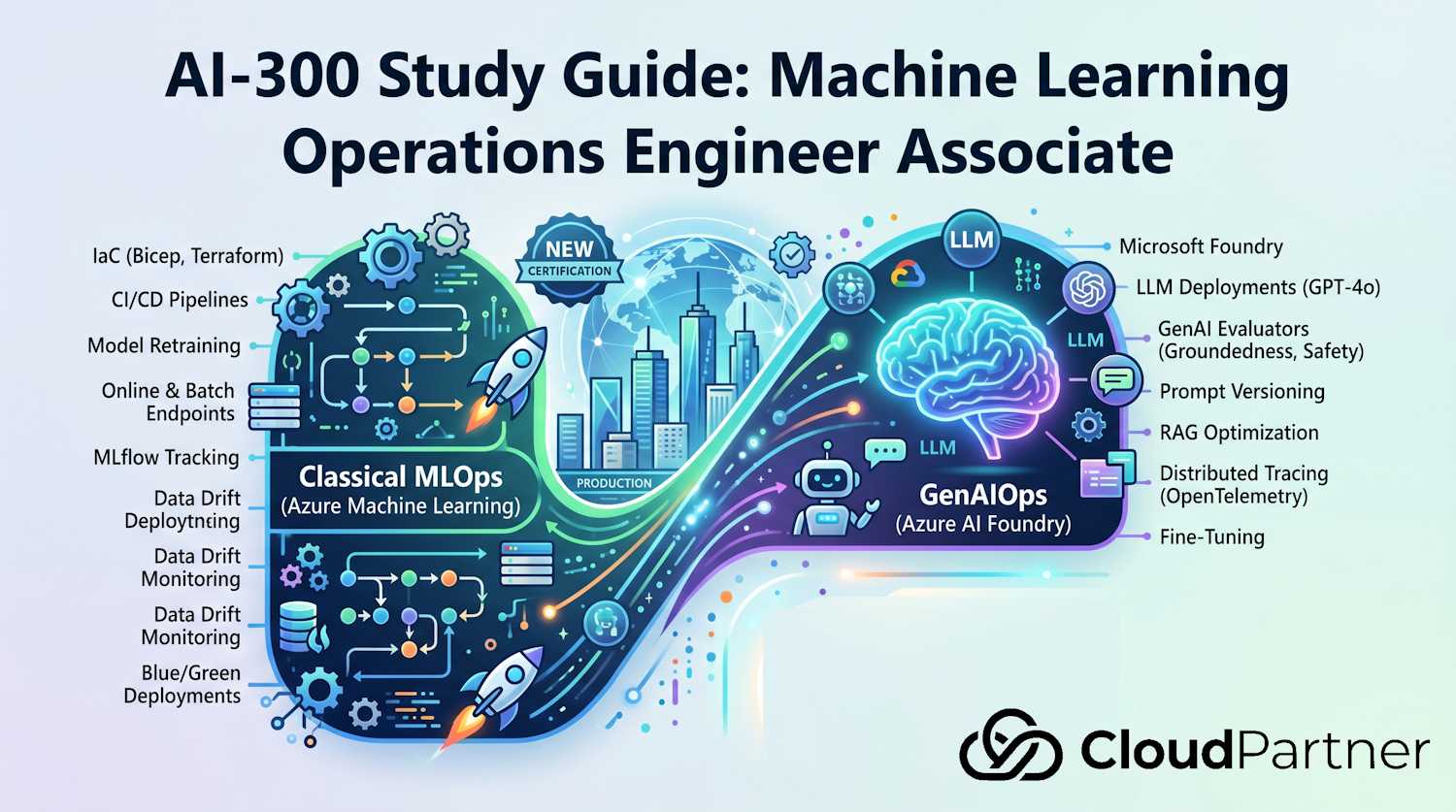
Domain 1 of 5 — 15–20% of the AI-300 exam. This domain covers designing and implementing MLOps infrastructure: Azure ML workspace architecture, identity and access, network isolation, infrastructure as code, CI/CD pipelines, data assets, environments, and MLflow integration.
Exam Objectives
The official skill outline breaks this domain into four areas:
Set up and manage Azure Machine Learning workspaces
- Create and configure an Azure ML workspace and associated resources
- Manage workspace hubs and projects (Azure AI Foundry model)
- Configure compute targets: clusters, instances, serverless, and attached compute
- Implement RBAC using built-in and custom roles for ML workspaces
- Configure managed identities for the workspace and compute resources
- Configure network isolation using private endpoints and VNet injection
Implement infrastructure as code and CI/CD
- Provision workspaces using Bicep or ARM templates
- Implement GitHub Actions workflows for model training and deployment
- Implement multi-stage Azure DevOps pipelines for ML workloads
- Apply approval gates between pipeline stages
Manage data assets and environments
- Register and version data assets: URIFolder, URIFile, MLTable
- Configure datastores pointing to Azure storage, ADLS Gen2, and SQL
- Build and manage environments: curated vs. custom, conda YAML, Docker base images
Integrate MLflow for experiment tracking
- Use MLflow autolog and custom logging in training scripts
- Register models from training runs to the MLflow model registry
- Configure MLflow tracking URI to point to an Azure ML workspace
Azure ML Workspace Architecture
An Azure Machine Learning workspace is the top-level resource for all ML activities. When you create a workspace, Azure automatically provisions several associated resources: an Azure Storage Account (for artifacts and data), an Azure Container Registry (for environment images), Azure Key Vault (for secrets), and Application Insights (for logging). These four resources are tightly coupled to the workspace and should be co-located in the same resource group.
Azure AI Foundry introduces a hub-and-project model. A hub is a shared governance layer — it holds the managed network configuration, shared compute, and a shared Key Vault and Storage Account. Projects are child workspaces that inherit the hub's network policy and identity settings but maintain their own experiment runs, models, and endpoints. This pattern allows an enterprise MLOps team to manage one network boundary while data science teams work in isolated project namespaces.
Compute Types
Choosing the right compute is one of the most commonly tested topics in Domain 1. Azure ML offers four categories of compute, each optimized for different workload patterns.
| Compute Type | Use Case | Billing | Key Characteristics |
|---|---|---|---|
| Compute Cluster | Training, batch scoring | Per-node/hour; scales to 0 | Min/max node count, autoscale, supports GPU; shared by team |
| Compute Instance | Interactive development (notebooks, IDE) | Per-hour; must be stopped manually | Single user, managed notebook server, supports scheduled auto-shutdown |
| Serverless Compute | On-demand training and pipeline jobs | Per-second; no idle cost | No cluster management; Azure picks VM; cold start latency applies |
| Attached Compute | Kubernetes inference, on-prem training | Varies (AKS, Arc-enabled K8s) | Bring your own cluster; AML manages jobs, not the infra |
Exam tip: Know when to use each compute type. Compute clusters auto-scale to zero and are cost-effective for pipeline jobs. Compute instances are per-user developer environments that run continuously unless stopped. Serverless compute removes infrastructure management but has cold start latency — unsuitable for latency-sensitive batch work. Attached Kubernetes is used when your organization requires on-premises or regulated infrastructure.
Spot and Low-Priority Compute
Azure Machine Learning compute clusters can use Spot virtual machines for interruptible training at a discount. This is the current concept behind older "low-priority VM" wording. Spot nodes are appropriate for restartable batch training, hyperparameter sweeps, experimentation, and distributed jobs that save checkpoints. They are a poor fit for interactive compute instances, latency-sensitive online inference, or any job that cannot recover when Azure evicts capacity.
Design for eviction rather than merely selecting a cheaper tier. Write checkpoints to durable storage, make steps idempotent, set retry and timeout behavior, and use a cluster configuration that can fall back to dedicated nodes when completion time matters. A compute cluster is the managed target that supports autoscaling and Spot nodes; Azure Container Instances, local deployment, and a persistent online serving target do not satisfy the same interruptible-training requirement.
RBAC for Azure ML Workspaces
Azure ML workspaces use Azure RBAC for access control. The exam focuses heavily on knowing which built-in role grants which specific capability, and when to build a custom role rather than using a built-in one.
| Built-in Role | Can Submit Jobs | Can Manage Compute | Can Deploy Endpoints | Can Read Only |
|---|---|---|---|---|
| AzureML Data Scientist | Yes | No | No | — |
| AzureML Compute Operator | No | Yes (start/stop) | No | — |
| Contributor | Yes | Yes | Yes | — |
| Reader | No | No | No | Yes |
In practice, a data science team typically receives AzureML Data Scientist on the workspace and Storage Blob Data Contributor on the associated storage account. The MLOps platform team holds Contributor or a custom role that includes endpoint management permissions.
Exam tip: The AzureML Data Scientist role deliberately cannot create or manage compute. That separation of duties means data scientists cannot provision expensive GPU clusters — an AzureML Compute Operator or Contributor must do that. Exam scenarios often test this boundary.
Managed Identity for ML Workspaces
Azure ML workspaces use managed identities to access associated resources without storing credentials. Two managed identities matter for the exam.
The workspace system-assigned managed identity (MSI) is created automatically when the workspace is provisioned. Azure ML uses it to pull images from the Container Registry, read secrets from Key Vault, and write artifacts to Storage. You must assign the workspace MSI the following roles on associated resources: Storage Blob Data Contributor on the storage account, Key Vault Secrets User on Key Vault, and AcrPull on the Container Registry.
The compute cluster MSI is a separate system-assigned identity on each cluster node. Training scripts running on the cluster authenticate using this identity. Assign it Storage Blob Data Reader (or Contributor if the script writes outputs) on the data storage account. For workspaces with private endpoints and no internet access, the compute MSI also needs the ability to pull environment images, which requires AcrPull on the registry.
# Assign Storage Blob Data Contributor to the workspace MSI
WS_MSI=$(az ml workspace show -n my-workspace -g rg-ml --query identity.principalId -o tsv)

az role assignment create \
  --role "Storage Blob Data Contributor" \
  --assignee-object-id "$WS_MSI" \
  --scope "/subscriptions/<sub-id>/resourceGroups/rg-ml/providers/Microsoft.Storage/storageAccounts/saml"
Network Isolation
For regulated workloads, Azure ML workspaces must be isolated from the public internet. The platform supports two complementary network patterns.
Private Endpoints
A private endpoint for the Azure ML workspace places a network interface
in your VNet with a private IP, and the workspace hostname resolves to that IP via a
private DNS zone (privatelink.api.azureml.ms and
privatelink.notebooks.azure.net). After the workspace endpoint is created,
requests to the workspace API no longer traverse the public internet.
A critical exam point: the workspace private endpoint covers the control plane only. It does not automatically isolate the storage account, Key Vault, or Container Registry. Those resources require their own separate private endpoints. Failing to create private endpoints for all four resources leaves data paths open even though the workspace itself is private.
Managed VNet and VNet Injection
Azure ML's managed virtual network feature (introduced in 2023) automatically provisions a managed VNet for the workspace. Compute created in a workspace with a managed VNet is automatically injected into that VNet and uses the workspace's private endpoints to reach associated resources. This is the recommended approach for new workspaces because it eliminates the need to manually configure VNet peering, NSGs, and DNS for each compute resource.
Exam tip: A workspace private endpoint does NOT automatically make the associated Storage Account, Key Vault, or Container Registry private. Each of those services needs its own private endpoint. Exam scenarios that show a workspace with a private endpoint but public storage are asking you to identify this gap.
Infrastructure as Code for ML Workspaces
The exam may present Bicep or ARM template snippets and ask you to identify missing
properties or correct configuration errors. The most important properties to know:
storageAccount, keyVault, containerRegistry,
applicationInsights, publicNetworkAccess, and
managedNetwork.isolationMode.
// Bicep: create an Azure ML workspace with public network access disabled
resource workspace 'Microsoft.MachineLearningServices/workspaces@2024-04-01' = {
  name: 'mlw-prod'
  location: location
  identity: {
    type: 'SystemAssigned'
  }
  properties: {
    friendlyName: 'Production ML Workspace'
    storageAccount: storageAccount.id
    keyVault: keyVault.id
    containerRegistry: containerRegistry.id
    applicationInsights: appInsights.id
    publicNetworkAccess: 'Disabled'
    managedNetwork: {
      isolationMode: 'AllowOnlyApprovedOutbound'
    }
  }
}
The isolationMode property controls the managed network behaviour.
Disabled means no managed network. AllowInternetOutbound
allows outbound internet from compute (useful for pulling public packages).
AllowOnlyApprovedOutbound is the strictest option — all egress must go
through explicitly approved outbound rules, which is required for air-gapped or
regulated deployments.
CI/CD Pipelines for ML
GitHub Actions — Train and Register on Data Change
A production MLOps workflow should trigger retraining automatically when source data or
training code changes. The following GitHub Actions workflow detects changes to
src/ or data/ paths, submits an Azure ML pipeline job, waits
for completion, and then registers the model if metrics pass threshold.
name: Train and Register Model

on:
  push:
    branches: [main]
    paths: ['src/**', 'data/**', 'pipelines/**']

jobs:
  train:
    runs-on: ubuntu-latest
    steps:
      - uses: actions/checkout@v4

      - name: Azure login
        uses: azure/login@v2
        with:
          client-id: ${{ secrets.AZURE_CLIENT_ID }}
          tenant-id: ${{ secrets.AZURE_TENANT_ID }}
          subscription-id: ${{ secrets.AZURE_SUBSCRIPTION_ID }}

      - name: Submit training pipeline
        run: |
          az ml job create \
            --file pipelines/train-pipeline.yml \
            --workspace-name ${{ vars.AML_WORKSPACE }} \
            --resource-group ${{ vars.AML_RG }} \
            --stream  # wait for completion

      - name: Register model if metrics pass
        run: python scripts/register_if_better.py
Azure DevOps — Multi-Stage ML Pipeline
Azure DevOps multi-stage pipelines allow environment-specific approval gates. A three-stage pipeline (train → validate → deploy) is the canonical pattern: the training stage submits the Azure ML pipeline job; the validate stage runs quality gates and requires a human approver; the deploy stage promotes the model to the production endpoint.
stages:
  - stage: Train
    jobs:
      - job: SubmitPipeline
        steps:
          - task: AzureCLI@2
            inputs:
              azureSubscription: 'arm-connection'
              scriptType: bash
              inlineScript: |
                az ml job create --file pipelines/train.yml \
                  --workspace-name $(AML_WORKSPACE) \
                  --resource-group $(AML_RG) --stream

  - stage: Validate
    dependsOn: Train
    jobs:
      - deployment: ApproveModel
        environment: ml-validation    # environment has approval gate in Azure DevOps
        strategy:
          runOnce:
            deploy:
              steps:
                - script: python scripts/evaluate_model.py

  - stage: Deploy
    dependsOn: Validate
    jobs:
      - job: DeployEndpoint
        steps:
          - task: AzureCLI@2
            inputs:
              azureSubscription: 'arm-connection'
              scriptType: bash
              inlineScript: |
                az ml online-deployment create \
                  --file deployments/prod-deployment.yml \
                  --workspace-name $(AML_WORKSPACE) \
                  --resource-group $(AML_RG) \
                  --all-traffic
Data Assets and Datastores
Azure ML distinguishes between datastores (connection metadata pointing to storage services) and data assets (versioned references to specific data paths). Both are critical for reproducible training.
Datastores
A datastore stores the connection information for Azure Blob Storage, Azure Data Lake
Storage Gen2, Azure Files, or Azure SQL Database. The workspace has a default datastore
(workspaceblobstore) backed by the associated storage account. You can
register additional datastores pointing to production data lakes. Datastores support
either account key authentication or credential-less access (using the compute MSI).
Data Asset Types
| Asset Type | Points To | Typical Use |
|---|---|---|
uri_folder |
A folder/prefix in storage | Training data directory, model artifacts directory |
uri_file |
A single file in storage | A specific CSV, parquet, or model file |
mltable |
An MLTable spec file + data files | Tabular data with schema, column types, and transformations defined |
Data assets are versioned automatically each time you register them. You reference a
specific version in a job YAML (my-dataset:3) to ensure training
reproducibility. You can also use @latest to always pull the most recent
version.
Exam tip: Understand the distinction between
uri_folderanduri_fileversusmltable. URI assets are simple path references — they do not carry schema. MLTable assets include a YAML spec that defines how to read the data (file format, column types, header row). Use MLTable when the training component needs typed tabular input; use URI assets when the script handles its own data loading.
Environment Management
An Azure ML environment captures the software dependencies for a job or deployment. Environments are versioned and cached as Docker images in the workspace's Container Registry, so subsequent jobs using the same environment skip the build step.
Curated Environments
Azure ML provides curated environments — pre-built Docker images
maintained by Microsoft for common frameworks:
AzureML-sklearn-1.5-ubuntu22.04-py38-cpu,
AzureML-pytorch-2.0-ubuntu20.04-py38-cuda11-gpu, etc. These are the fastest
way to start a job and receive security patches automatically when a new version is
published. Reference them by name in your job YAML.
Custom Environments
When curated environments don't meet your needs, define a custom environment using a conda YAML file or a Dockerfile. The conda YAML approach is simpler and portable — Azure ML builds the Docker image for you. The Dockerfile approach gives full control for complex system dependencies.
# environment.yml — custom conda-based environment
name: custom-training-env
channels:
  - conda-forge
  - defaults
dependencies:
  - python=3.10
  - pip:
      - azure-ai-ml==1.15.0
      - mlflow==2.14.0
      - scikit-learn==1.5.0
      - pandas==2.2.0
      - azureml-mlflow==1.56.0
# Register environment from conda YAML
az ml environment create \
--name custom-training-env \
--version 1 \
--conda-file environment.yml \
--image mcr.microsoft.com/azureml/openmpi4.1.0-ubuntu22.04 \
--workspace-name my-workspace \
--resource-group rg-mlMLflow Integration
MLflow is the open-source experiment tracking and model registry that Azure ML uses under the hood. When you run a job in Azure ML, the MLflow tracking server is automatically configured — you don't need to set the tracking URI in most cases. MLflow stores metrics, parameters, and artifacts in the workspace's default storage.
Autolog and Custom Logging
import mlflow
import mlflow.sklearn
from sklearn.ensemble import RandomForestClassifier
from sklearn.model_selection import train_test_split

# Azure ML automatically sets the tracking URI when running a job
mlflow.sklearn.autolog()  # autolog captures params, metrics, and model artifact

with mlflow.start_run():
    model = RandomForestClassifier(n_estimators=100, max_depth=5)
    model.fit(X_train, y_train)

    # Custom metrics beyond what autolog captures
    val_accuracy = model.score(X_val, y_val)
    mlflow.log_metric("val_accuracy", val_accuracy)
    mlflow.log_param("feature_count", X_train.shape[1])
    mlflow.log_artifact("feature_importance.png")

    # Register model to the workspace registry
    mlflow.sklearn.log_model(
        sk_model=model,
        artifact_path="model",
        registered_model_name="fraud-classifier"
    )
Model Registration from a Run
To register a model from a completed run (rather than inline during training), use
mlflow.register_model() with the run URI. This is useful in CI/CD pipelines
where the registration step runs after validation gates pass.
import mlflow

# Register after the run completes — useful in post-training CI/CD step
model_uri = f"runs:/{run_id}/model"
registered_model = mlflow.register_model(
    model_uri=model_uri,
    name="fraud-classifier"
)
print(f"Registered: version {registered_model.version}")
Exam tip: Azure ML's MLflow registry does not use the traditional MLflow stage names (Staging, Production, Archived) as of November 2024. Instead, use model tags and labels to track promotion status. Exam questions may reference "model stages" — understand that in Azure ML, this means tags/aliases, not the classic MLflow stage API.
Sharing Assets Across Workspaces with ML Registries
An Azure ML Registry is a centralized catalog for versioned models, datasets, and environments that can be shared across workspaces — and across regions. This is distinct from the workspace-local model registry: the local registry stores assets within one workspace, while a shared registry makes those assets available enterprise-wide without copying files manually.
Registry vs. Workspace-Local Storage
| Aspect | Workspace-local registry | Shared ML Registry |
|---|---|---|
| Scope | One workspace | Enterprise-wide; multiple workspaces and regions |
| Use case | Track models within a project or team | Promote validated models from dev workspace to prod; share curated environments across teams |
| Multi-region replication | No | Yes — registry replicates assets across configured regions |
| RBAC | Inherits workspace roles | AzureML Registry Reader / AzureML Registry Contributor (separate from workspace roles) |
Python SDK: Registering a Model to a Shared Registry
from azure.ai.ml import MLClient
from azure.identity import DefaultAzureCredential
from azure.ai.ml.entities import Model
from azure.ai.ml.constants import AssetTypes

# Connect to the shared registry (not a workspace)
registry_client = MLClient(
    credential=DefaultAzureCredential(),
    registry_name="my-enterprise-registry"
)

# Register a model from a local path to the shared registry
model = Model(
    name="fraud-classifier",
    version="3",
    path="./model-output/",  # local artifacts
    type=AssetTypes.MLFLOW_MODEL,
    description="XGBoost fraud classifier — validated on staging 2026-05"
)
registry_client.models.create_or_update(model)

# From a different workspace: download the registry model for deployment
workspace_client = MLClient(
    credential=DefaultAzureCredential(),
    subscription_id="<sub-id>",
    resource_group_name="prod-rg",
    workspace_name="prod-workspace"
)

# Reference the registry model in a deployment
from azure.ai.ml.entities import ManagedOnlineDeployment, ManagedOnlineEndpoint

deployment = ManagedOnlineDeployment(
    name="fraud-v3",
    endpoint_name="fraud-endpoint",
    model=f"azureml://registries/my-enterprise-registry/models/fraud-classifier/versions/3",
    instance_type="Standard_DS3_v2",
    instance_count=1
)
workspace_client.online_deployments.begin_create_or_update(deployment)
Sharing Environments and Components via Registries
You can also register reusable pipeline components and custom environments in a shared registry. This ensures that all workspaces across your organisation use the same base environment image and the same validated component versions — reducing environment drift between teams.
from azure.ai.ml.entities import Environment

# Register a custom environment to the shared registry
env = Environment(
    name="ml-training-env",
    version="2",
    image="mcr.microsoft.com/azureml/openmpi4.1.0-ubuntu20.04",
    conda_file="conda.yaml"
)
registry_client.environments.create_or_update(env)

# In another workspace, reference it by registry path
env_ref = "azureml://registries/my-enterprise-registry/environments/ml-training-env/versions/2"
Exam note: The AI-300 exam tests the distinction between workspace-local model registration and shared ML Registry promotion. The typical pattern is: train in a dev workspace → register locally → validate → promote to shared registry → deploy from registry in production workspace. Know the RBAC roles: AzureML Registry Contributor can create/update registry assets; AzureML Registry Reader can download and reference them.
Exam Tips & Key Takeaways
Critical concepts to master for Domain 1:
- Compute type selection — compute cluster scales to zero for batch workloads; compute instance is per-user and runs continuously; serverless removes cluster management but adds cold start; attached Kubernetes handles regulated on-prem workloads
- RBAC boundaries — AzureML Data Scientist can submit jobs but cannot create compute; AzureML Compute Operator manages compute but cannot submit training jobs; know which role combination grants both
- Private workspace scope — the workspace private endpoint only privatizes the control plane API; storage, Key Vault, and Container Registry each need a separate private endpoint to be fully isolated
- Data asset types —
uri_folderanduri_fileare path references with no schema;mltableincludes a YAML spec defining tabular structure and transformations - Managed network isolation modes —
AllowOnlyApprovedOutboundis the strictest and required for regulated environments;AllowInternetOutboundpermits package downloads;Disabledmeans no managed VNet - MLflow in Azure ML — tracking URI is set automatically in Azure ML jobs; model stages have been replaced by tags/labels in Azure ML's MLflow registry
- IaC properties — the Bicep workspace resource requires
storageAccount,keyVault,containerRegistry, andapplicationInsights;publicNetworkAccess: 'Disabled'together withmanagedNetwork.isolationModecreates a fully isolated workspace
Pro tip: Domain 1 exam questions often present an architecture scenario with a security gap (compute with public IP in a private workspace, or storage without a private endpoint). Train yourself to identify which specific resource is missing its private endpoint or MSI role assignment.