M365 Copilot Flex Routing: What EU Admins Need to Check This Week
What Changed
Microsoft has introduced a feature called flex routing for M365 Copilot, and if you're running Copilot in an EU or EFTA tenant, it's worth knowing about it before your DPO raises it during a DPIA review.
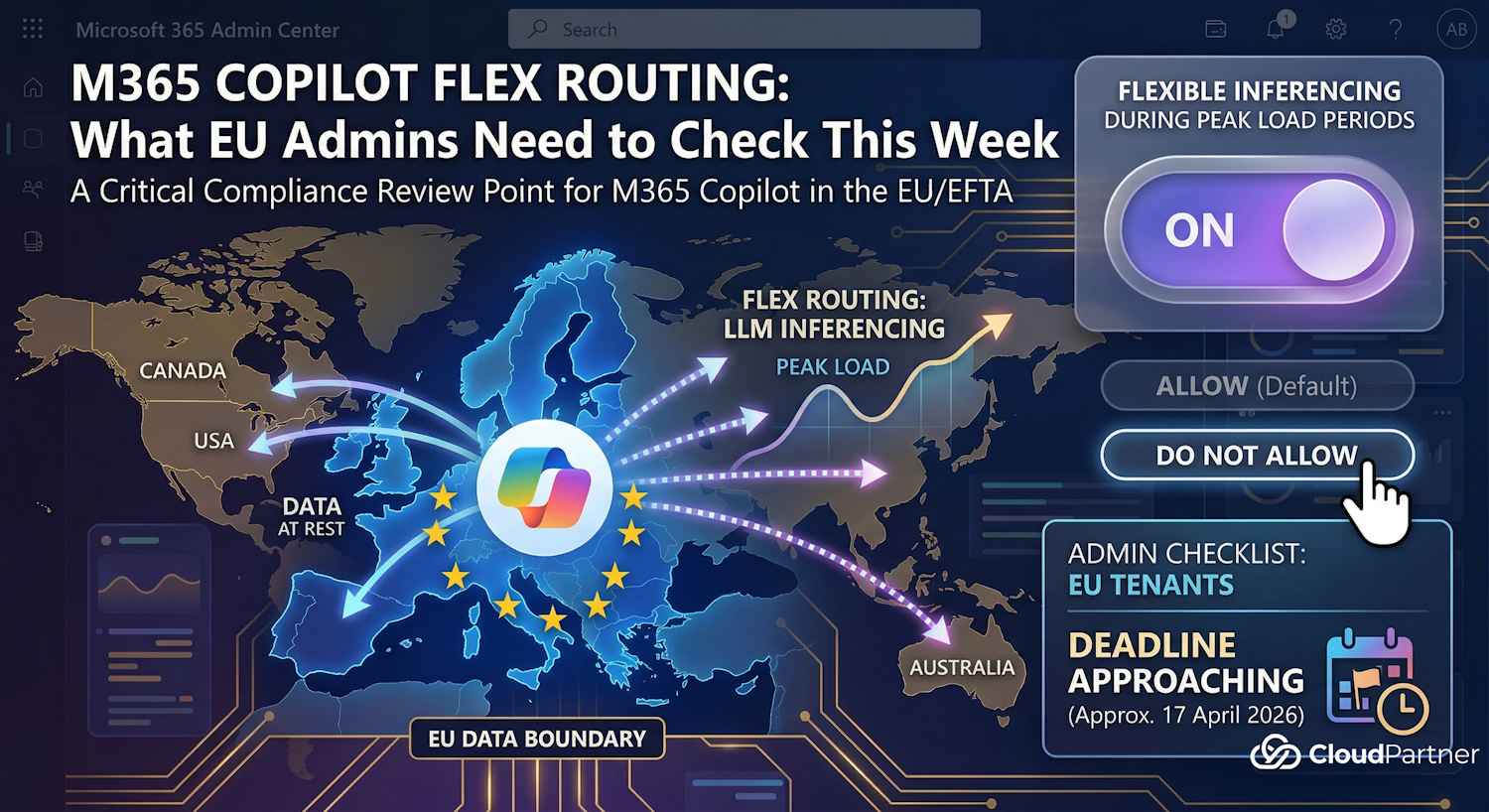
The short version: flex routing allows Microsoft to run LLM inferencing — the processing step where the AI model executes your prompt and produces a response — outside the EU Data Boundary when EU capacity is under peak demand. The feature is on by default.
For tenants created after 25 March 2026, flex routing was already enabled from day one. For tenants that existed before that date, Microsoft is rolling out the default-on behaviour — check your Message Center for the specific date that applies to you. Based on communications going out to tenants, that window closes around 17 April 2026.
Note: The exact rollout date for pre-existing tenants comes via Message Center rather than being a single universal flip date. If you haven't checked yours recently, now is the time.
What Flex Routing Actually Does
Inferencing is where the model processes the input — your Copilot prompt — and produces the output. That's the part that's being routed. When flex routing is enabled and EU capacity is constrained, Microsoft can send that processing to datacentres in the United States, Canada, or Australia.
This is distinct from where your data is stored. Your M365 data at rest stays inside the EU Data Boundary — that commitment doesn't change. What changes is where the inference computation runs, and in doing so, what gets temporarily processed outside the boundary during that computation.
There's also a note in the Microsoft docs about limited pseudonymized data potentially being stored outside the boundary for security and operational purposes regardless of your flex routing setting. That's covered separately under ongoing partial data transfers.
What Stays in the EU
To be fair to Microsoft's documentation, they're reasonably clear about what this doesn't change:
- Data at rest continues to be stored inside the EU Data Boundary
- Data is encrypted in transit and at rest regardless of where inferencing runs
- All M365 data processing and data residency commitments continue to apply
- The peak periods are described as "limited in duration" and not continuous
The question isn't whether Microsoft is being deceptive about the scope — the docs are fairly straightforward. The question is whether your organisation made a conscious choice to allow it. Under the current default, that choice was made for you.
Which Products Are Affected
The flex routing setting has two control points:
| Admin Center | Products Covered |
|---|---|
| Microsoft 365 Admin Center | Microsoft 365 Copilot, Copilot Chat |
| Power Platform Admin Center | Dynamics 365, Power Platform, Copilot Studio |
There's an important dependency between the two: if you disable flex routing in the M365 Admin Center, the Power Platform setting is locked off too — you won't be able to enable it there even if you wanted to. If flex routing is allowed in the M365 admin center, the Power Platform setting becomes independently configurable.
So the M365 Admin Center setting is effectively the master switch. If you're using Copilot Studio agents or any Dynamics 365 AI features, the same routing rules apply unless you've actively checked the Power Platform side as well.
How to Check and Change the Setting
You'll need the AI Administrator role (or Global Administrator) to see and change this setting.
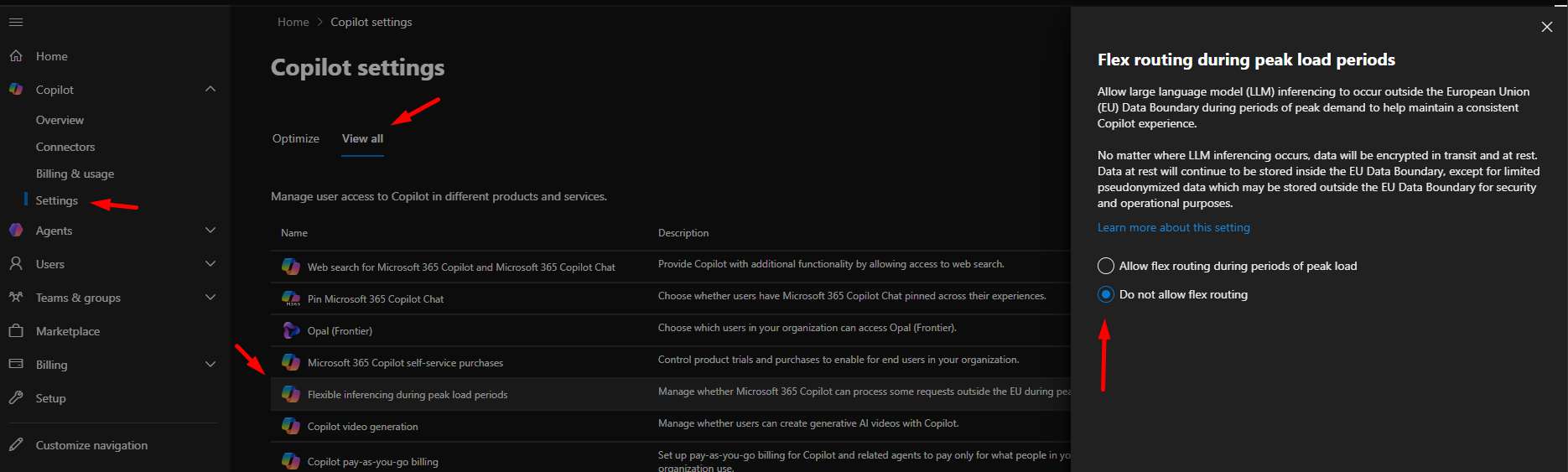
- Sign in to the Microsoft 365 Admin Center
- Go to Copilot → Settings
- Find Flexible inferencing during peak load periods
- Select Do not allow flex routing if you want inferencing to stay within the EU Data Boundary at all times
Note: This setting is only visible for tenants with a sign-up location in an EU or EFTA country. If you don't see it, your tenant may be outside the EU data boundary or you may have multi-geo capabilities active (which makes the setting unavailable). Check your tenant's registered country under Admin Center → Settings → Org settings → Organization profile.
My Take
This should have been opt-in.
A lot of what I do day-to-day involves helping organisations get comfortable with Microsoft's security and compliance positioning. Public sector, healthcare, financial services — these customers are already cautious about dependency on US cloud infrastructure. When a data residency behaviour changes by default rather than requiring a deliberate choice, those conversations get harder.
To be clear: the actual risk here isn't necessarily high for most organisations. Inferencing is stateless — the model doesn't retain your prompts after producing a response. The data at rest doesn't move. And Microsoft does disclose what's happening. The problem is the framing: customers in regulated environments expect that anything touching data flows outside their agreed boundary requires an affirmative decision on their part. That's a reasonable expectation.
If you're running Copilot in a regulated context, audit the setting today. The thirty seconds it takes to confirm your configuration is well worth it compared to finding out about it during a compliance review.
The Microsoft docs for this feature are at learn.microsoft.com/en-us/microsoft-365/copilot/copilot-flex-routing.