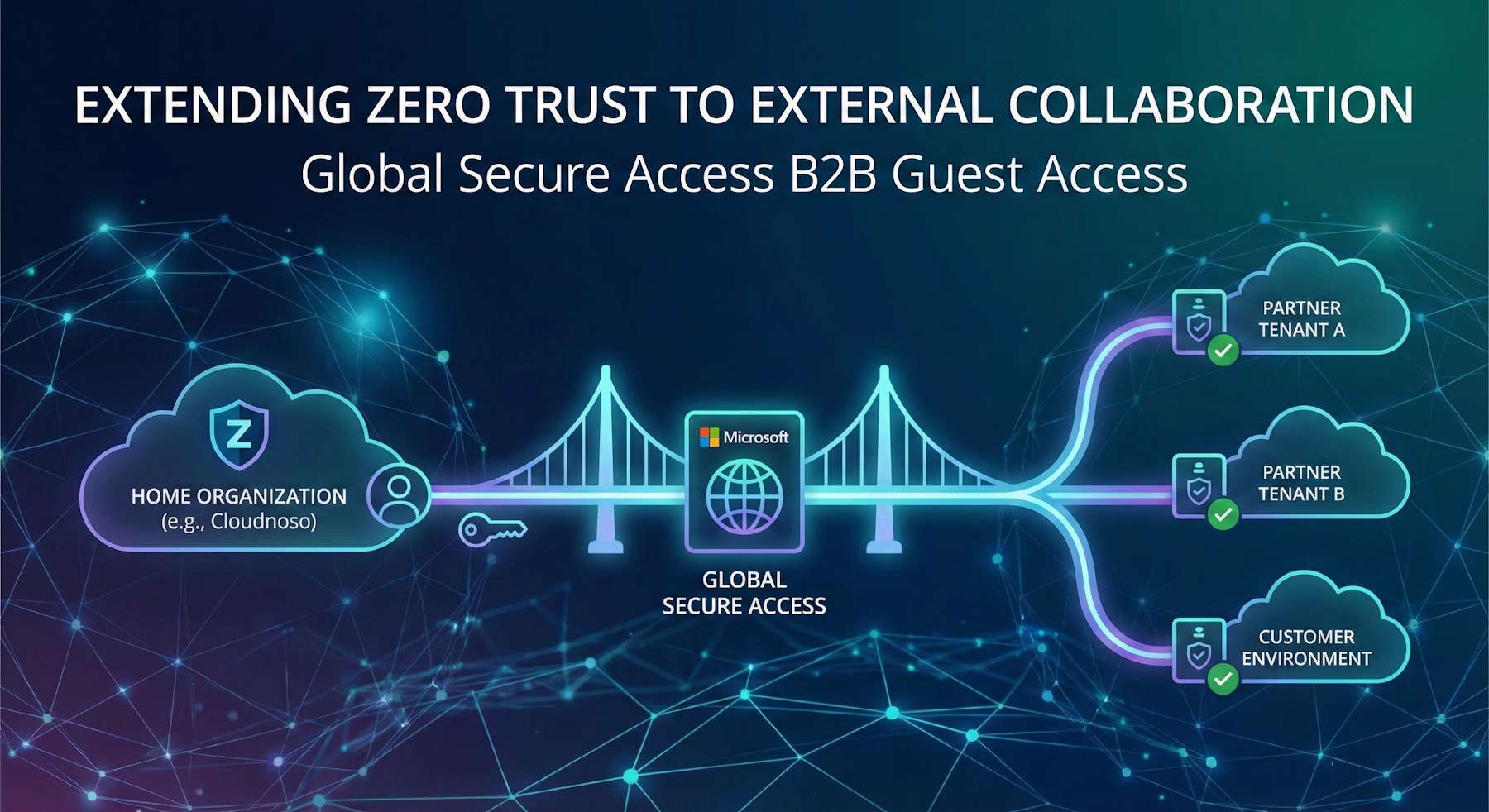
External collaboration shouldn't mean compromising security. Yet that's exactly what happens when partners juggle multiple VPN clients, duplicate credentials, and fragmented access controls across customer environments. Microsoft's B2B guest access feature for Global Secure Access solves this elegantly.
What is Global Secure Access?
Before diving into B2B scenarios, let's quickly cover what Microsoft Entra Global Secure Access brings to the table. It's Microsoft's Security Service Edge (SSE) solution that converges network and identity security into a unified platform.
| Capability | What It Does | Key Use Cases |
|---|---|---|
| Microsoft Traffic | Secure and optimize access to Microsoft 365, Exchange, SharePoint, and Teams |
|
| Private Access | Zero Trust Network Access (ZTNA) to private apps—replaces traditional VPN |
|
| Internet Access | Secure Web Gateway (SWG) for all internet-bound traffic with threat protection |
|
| Compliant Network | Network conditions become signals for identity policies |
|
| Universal Tenant Restrictions | Control which external tenants users can access—even on unmanaged devices |
|
| Source IP Restoration | Preserve original client IP for Conditional Access location policies |
|
The Global Secure Access client runs on Windows, macOS, iOS, and Android, routing traffic through Microsoft's global edge network. B2B guest access extends this to cross-tenant scenarios.
The Partner Access Challenge
Consider Cloudnoso, a Microsoft security consulting firm working with multiple enterprise clients simultaneously. Their consultants need to access customer environments for identity assessments, security implementations, and incident response. Previously, this meant:
- Managing separate credentials for each customer tenant
- Switching between VPN clients throughout the day
- No visibility into what consultants were accessing
- Customers losing granular control over partner access
The result? Security risks from credential reuse, productivity loss from connection delays, and compliance headaches from fragmented audit trails.
A Zero Trust Approach to Partner Access
Global Secure Access B2B guest access changes the equation entirely. Here's how it works:
sequenceDiagram
    actor Consultant as Cloudnoso Consultant
    participant GSA as Global Secure Access Client
    participant CloudnosoTenant as Cloudnoso Tenant
    participant CustomerTenant as Customer Tenant
    participant Apps as Private Apps

    Consultant->>GSA: Start GSA Client
    GSA->>CloudnosoTenant: Authenticate with Cloudnoso credentials
    CloudnosoTenant-->>GSA: Token + Guest tenant list

    GSA->>Consultant: Show available customer tenants
    Consultant->>GSA: Switch to Customer A

    GSA->>CustomerTenant: Request Private Access tunnel
    CustomerTenant->>CustomerTenant: Evaluate Conditional Access: Device compliance, MFA, Location
    CustomerTenant-->>GSA: Access granted

    GSA->>Apps: Route traffic to customer apps
    Apps-->>Consultant: Access granted resources

    Note over Consultant,Apps: Later: Switch to different customer
    Consultant->>GSA: Switch to Customer B
    GSA->>CustomerTenant: Disconnect, connect to Customer B
Consultants authenticate once with their Cloudnoso credentials. The Global Secure Access client automatically discovers customer tenants where they're guests and enables smooth switching. When connected to a customer tenant, the client routes only authorized application traffic through that customer's Global Secure Access service.
Real Security, Real Control
What makes this powerful:
For Cloudnoso:
- Single device, single credential set for all customer engagements
- Smooth tenant switching without VPN reconnections
- No credential sprawl or password management complexity
For Customers:
- Complete control through Conditional Access policies
- Per-app access assignments via Private Access profiles
- Real-time monitoring and audit trails
- Cross-tenant trust relies on Cloudnoso's MFA and device compliance
For Security Teams:
- Unified visibility across identity and network layers
- Continuous Access Evaluation for real-time revocation
- Integration with Microsoft Sentinel for correlation
- Complete audit trail for compliance requirements
The Technical Foundation
The implementation is straightforward. Customers configure B2B guest identities and assign them to Private Access traffic forwarding profiles. Cloudnoso consultants need Global Secure Access client version 2.24.117 or later. A simple registry key enables the guest access feature.
The beauty is in what's not required: Cloudnoso doesn't need a Global Secure Access license for this to work. Customers maintain full sovereignty over access policies. There's no complex federation setup or account duplication.
Beyond Basic Partner Access
The capability extends to Azure Virtual Desktop and Windows 365 scenarios. Imagine Cloudnoso consultants accessing customer-provided Cloud PCs for sensitive operations, with all the same policy controls and visibility. Or customers spinning up temporary AVD environments for partner workshops, knowing exactly what resources are accessed and when.
Why This Matters
Traditional partner access solutions force a choice between security and usability. Complex controls frustrate users. Simple access creates blind spots. Global Secure Access B2B guest access eliminates this trade-off.
For Microsoft-centric organizations, this is a natural evolution of your Zero Trust architecture. If you're managing external collaboration through VPNs, duplicate accounts, or limited-visibility solutions, it's worth evaluating how B2B guest access could simplify your environment while strengthening security.
The feature is currently in preview, with some limitations around maintaining home tenant tunnels during guest sessions and specific MFA scenarios. But the core value is clear: secure, smooth external collaboration without compromising control or visibility.
External collaboration is business-critical. With Global Secure Access B2B guest access, it can also be Zero Trust-aligned.
Ready to explore this for your organization? Check out the official Microsoft documentation for implementation guidance and current limitations.