


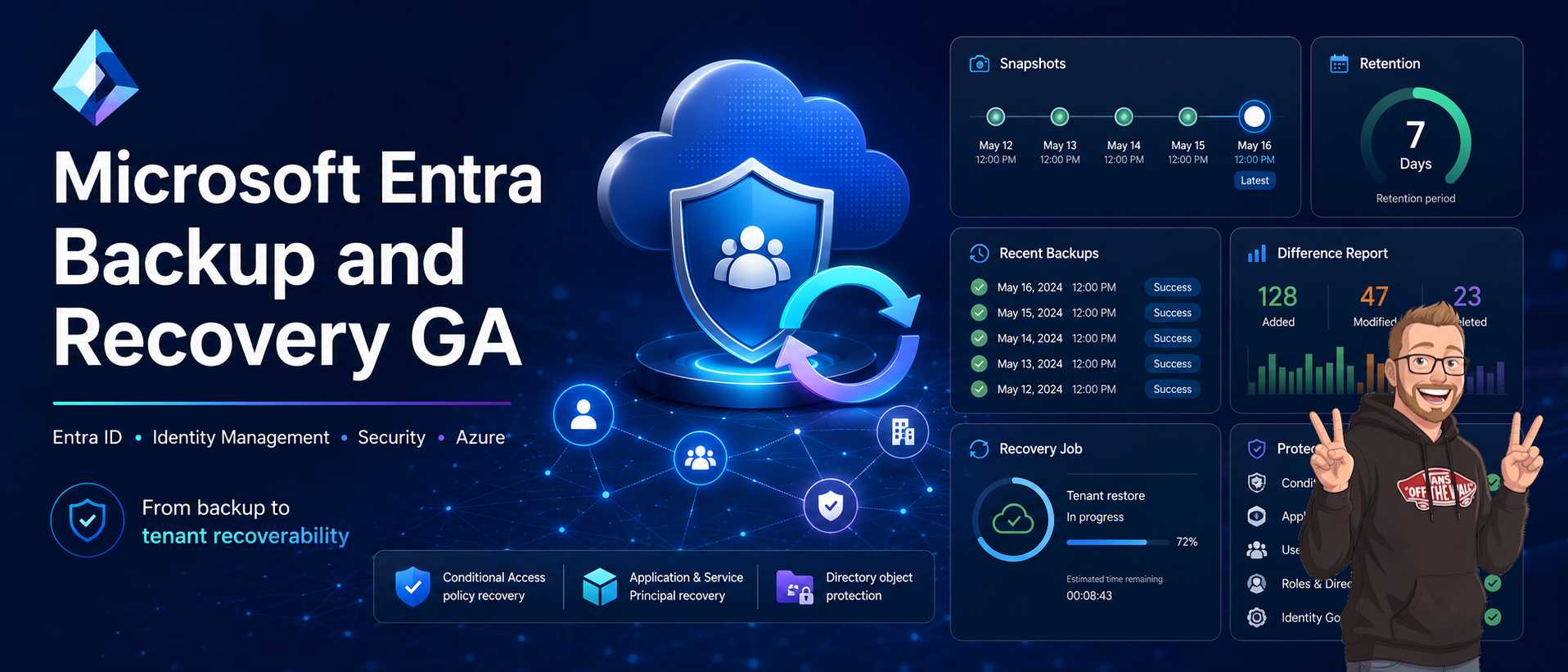
Microsoft Entra Backup and Recovery is now generally available. That is the point of the announcement, and it is the reason the rest of this draft focuses on how to turn the feature into an actual recovery plan instead of just a portal screen.
Microsoft Entra Backup and Recovery going generally available is useful because it moves the conversation from a single restore action to tenant recoverability. That is the right framing. Most identity incidents do not start as a clean outage. They start as a change that looked harmless, then quietly spreads across sign-in, access control, or application reachability.
That is the part I wanted to keep in this draft. Backup helps, but the real goal is faster return to a known-good state when the tenant has drifted, when a policy blocks access, or when someone makes a change that is only discovered after users start reporting problems.
What The GA Dashboard Gives You
The overview dashboard is the piece that makes this feel operational instead of theoretical. The Microsoft post calls out snapshots, recent backups, difference reports, and protected actions. That matters because recovery is easier when the console shows the state of the tenant before you pick a restore target.
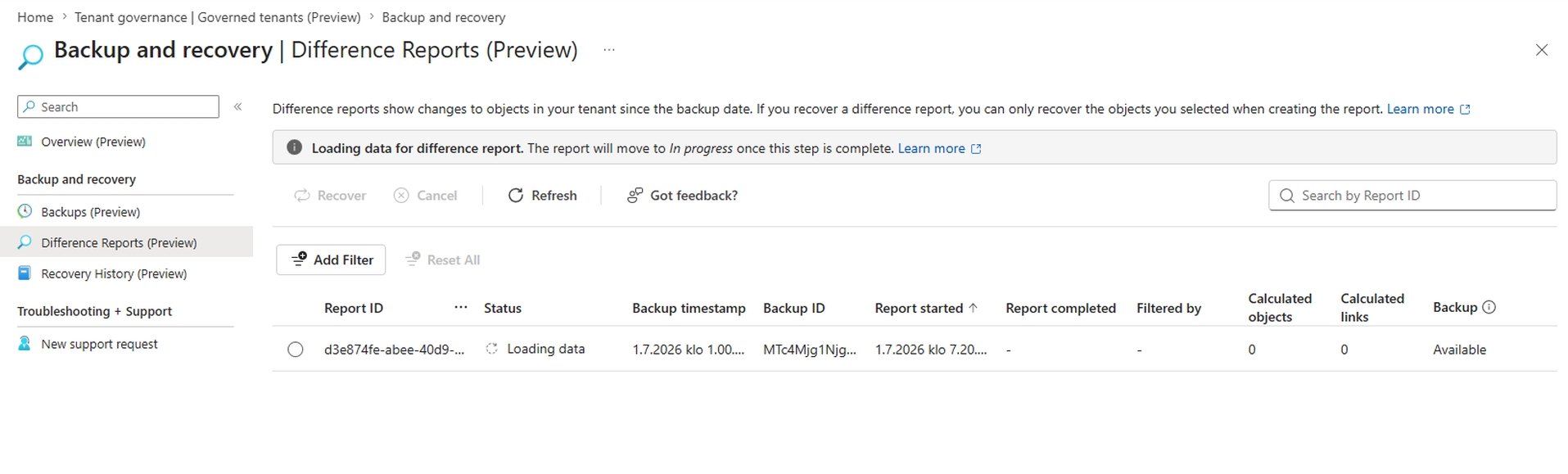
I like that view because it turns recovery into a decision tree instead of a blind rollback. You can inspect what changed, compare it with the last known good state, and only then decide whether to restore the object, the policy, or both. That is a better model than treating every incident as a full reset.
What General Availability Changes
The big change is not just the label. The service now gives identity admins a more complete recovery path with a seven-day retention window for supported directory objects, daily backups for core identity data, and recovery flows that include snapshots, difference reports, and recovery jobs. That gives you more time to notice a problem and more context before you roll back anything.
The other part that matters is the scope. The feature is aimed at supported critical identity objects, including users, groups, applications, service principals, managed identities, Conditional Access policies, named locations, and authentication and authorization policy objects. That covers a lot of the changes that cause real pain in production tenants.
| Area | Why It Matters | What I Would Watch |
|---|---|---|
| Retention window | Gives more time to detect a bad change | Seven days is better, but it is still a short operational horizon |
| Difference reports | Shows what changed before you restore | Useful when more than one admin touched the tenant |
| Recovery jobs | Turns a restore into an actual workflow | Worth testing before you need it under pressure |
| API-first design | Makes the feature easier to integrate | Good sign for tooling, automation, and partner workflows |
Why Recoverability Matters
Identity failures are often configuration failures. A Conditional Access policy gets changed. A service principal loses the wrong permission. A role assignment shifts in a way that broadens access. The tenant is still online, but the business is now blocked.
That is why I do not think of backup as a replacement for governance. I think of it as one layer in a broader recoverability model. You still need logs, a baseline configuration, a clear change process, and a way to decide which changes should be restored and which ones should stay.
A layered recovery model
- Backup and Recovery for supported Entra objects inside the retention window
- Audit and sign-in logs for reconstructing who changed what
- Tenant configuration exports or baselines for recovery beyond the retention window
- Privileged Identity Management and protected actions to reduce the blast radius
- Runbooks so recovery is not improvised during an incident
Why the layers need to work together
A restore without logs is guesswork. Logs without a baseline only tell you that something changed. A baseline without access control is still vulnerable to the next bad change. The useful pattern is to combine them so each layer covers a different failure mode.
That is also why I would not try to position this feature as a replacement for Tenant Governance or your configuration export process. It is the fast recovery layer. The other tools are how you make sure you can still recover when the incident has aged out of the portal window or when a restore needs approval.
What the portal view is showing
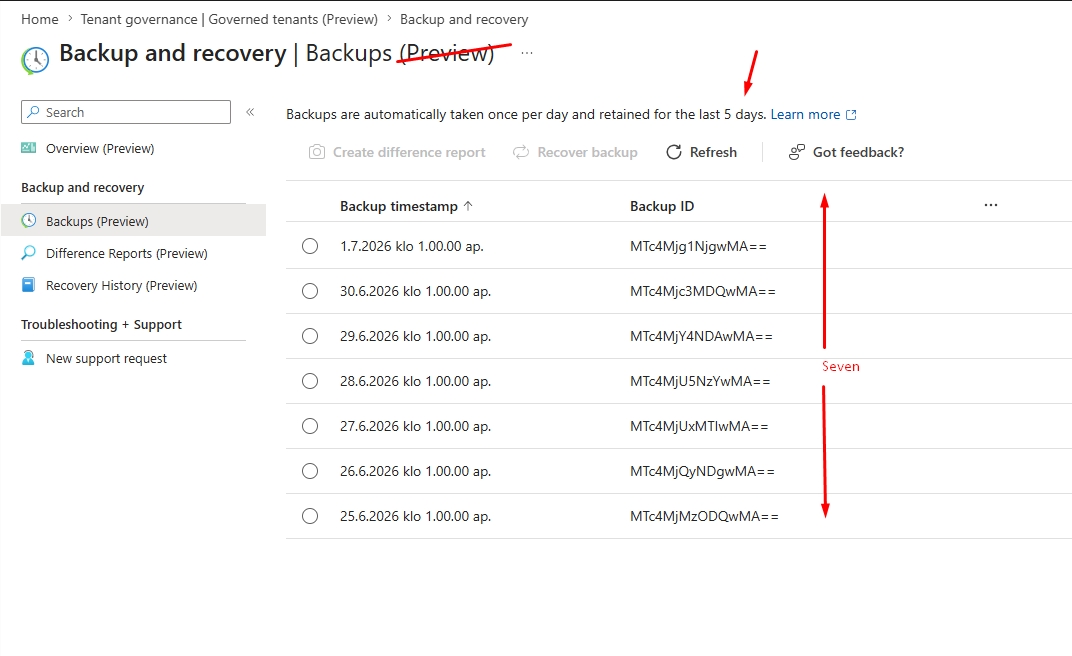
The screenshot below still shows the portal text from the preview experience, including the old message about five days. That is fine for the draft because the real point is the new GA behavior: supported backups are retained for seven days now, even if the blade still says Preview in the UI. The mismatch is worth calling out so readers do not miss the updated retention window.
Why The API-First Angle Is Useful
This part is easy to overlook, but it is one of the reasons the feature matters. If the platform is API-first, it is easier to wire into operational tooling, reporting, and partner solutions. That matters for larger tenants that already automate identity workflows and do not want recovery to live as a one-off portal process.
It also makes the feature easier to include in a wider control story. A recovery action is easier to justify if the team can see the before and after state, correlate it with change records, and keep a simple chain of custody around the restore itself.
A Real Incident Pattern
The Microsoft article uses a tenant scenario where a Conditional Access policy gets changed and the change blocks a business application. That is the kind of problem this feature should solve well. The recovery steps are not complicated, but they need to be deliberate.
- Detect the outage and identify the affected access path.
- Check the recent snapshot and the difference report to find the change window.
- Confirm whether the change was intentional or accidental.
- Restore the policy or object to the known-good state.
- Verify access, then inspect the tenant for related drift.
That flow is a better fit than restoring first and asking questions later. It also matches how real recovery teams work. They need enough context to avoid making a second mistake while they fix the first one.
What I Would Roll Out First
If I were putting this into a tenant, I would start by narrowing the problem space. Not every object needs the same recovery urgency. The objects that directly control sign-in and app access should be the first ones you validate, because they are the ones that create immediate business disruption.
- Inventory the supported objects that matter most to your tenant
- Confirm who can see snapshots and start recovery jobs
- Test a restore in a non-production tenant before relying on it
- Pair the feature with audit logs and a known-good baseline export
- Document what happens when the seven-day window is already gone
The last point matters more than it looks. If your incident is only discovered after the retention window closes, backup alone will not save you. That is where configuration baselines and recovery procedures outside the tenant become part of the design, not an optional extra.
Where this still needs human judgment
Some objects should not be restored automatically just because a restore point exists. Privileged roles, highly sensitive access policies, and break-glass accounts still need review before you put them back into service. A good recovery platform helps you get to a known good state. It does not remove the need to decide what that state should be.
What Works Through The API
Yes, this feature is exposed through Microsoft Graph beta APIs, and Microsoft also exposes beta Graph PowerShell cmdlets for parts of the workflow.
What works through the API
- List available snapshots
- Create a preview job to see what would change
- Read preview results with getChanges
- Create a recovery job to apply changes
- Read failed changes with getFailedChanges
- Cancel a running preview or recovery job
- Work with supported object sets such as users, groups, applications, service principals, Conditional Access policies, named locations, authentication method policies, authorization policies, OAuth2 permission grants, app role assignments, and agent identities
How to use it
- Call Graph beta endpoints under /directory/recovery/...
- Use Authorization: Bearer {token} in requests
- For read operations, use EntraBackup.Read.All
- For delegated flows, assign Entra Backup Reader or Entra Backup Administrator roles as needed
- Use this sequence: snapshot - preview job - review changes - recovery job - check failed changes
REST example
GET https://graph.microsoft.com/beta/directory/recovery/snapshots

POST https://graph.microsoft.com/beta/directory/recovery/snapshots/{snapshot-id}/recoveryPreviewJobs
GET  https://graph.microsoft.com/beta/directory/recovery/snapshots/{snapshot-id}/recoveryPreviewJobs/{job-id}
GET  https://graph.microsoft.com/beta/directory/recovery/snapshots/{snapshot-id}/recoveryPreviewJobs/{job-id}/getChanges
POST https://graph.microsoft.com/beta/directory/recovery/snapshots/{snapshot-id}/recoveryJobs
GET  https://graph.microsoft.com/beta/directory/recovery/snapshots/{snapshot-id}/recoveryJobs/{job-id}
GET  https://graph.microsoft.com/beta/directory/recovery/snapshots/{snapshot-id}/recoveryJobs/{job-id}/getFailedChanges
Graph PowerShell example
This is Graph PowerShell, not Azure CLI. For this feature, use Microsoft.Graph.Beta modules and beta profile selection.
Import-Module Microsoft.Graph.Beta.Identity.DirectoryManagement
Connect-MgGraph -Scopes "EntraBackup.Read.All"
Select-MgProfile -Name "beta"

# List snapshots
Get-MgBetaDirectoryRecoverySnapshot

# Create preview job (example payload)
$payload = @{
    displayName = "preview-contoso-july"
} | ConvertTo-Json

Invoke-MgGraphRequest -Method POST `
    -Uri "https://graph.microsoft.com/beta/directory/recovery/snapshots/{snapshot-id}/recoveryPreviewJobs" `
    -Body $payload -ContentType "application/json"
What is not covered. Microsoft documents some recovery scenarios outside the built-in Backup and Recovery scope, including user authentication methods and application secrets. For those, use the dedicated recovery guidance for user authentication methods and application secrets. The service also does not recover hard-deleted objects or restore unsupported properties.
Important nuance for this post: some beta API documentation still references older five-day snapshot language, while the GA announcement and current portal behavior for this feature indicate seven retained backups. I would treat seven as the current product direction and keep watching the docs for full alignment.
Protected Actions And Blast Radius
The article also points at protected actions, and that is important because recoverability and control are linked. If an identity recovery feature exists but anyone with the wrong level of access can use it, you have just created a second path for damage. The safest pattern is to treat recovery as a privileged workflow with clear ownership and logging.
That is why I would pair the feature with strong role assignment review. The people who can restore objects should not be the same people who casually edit high-impact policies all day. You want a small operator group, explicit approval for sensitive restores, and a clear record of who did what. That keeps the blast radius smaller when the tenant is already under stress.
| Control | What it protects | What goes wrong without it |
|---|---|---|
| Privileged Identity Management | Who can reach recovery roles | Standing privilege stays active longer than it should |
| Protected actions | High impact changes and restores | Someone can undo controls too quickly |
| Audit logging | Traceability for restore actions | You lose the ability to explain the incident afterward |
| Configuration baseline | Known-good state beyond portal retention | Old incidents become unrecoverable |
How I Would Roll This Out
If I were introducing this in a production tenant, I would split it into three passes. The first pass would cover visibility, the second would cover controlled restore testing, and the third would cover governed production use. That sequence keeps you from jumping straight into recovery work before you know how the tenant behaves.
- Visibility pass: confirm what the dashboard shows, how far the snapshots go, and which objects are protected.
- Test pass: restore a harmless object in a lab or test tenant and measure the operational flow.
- Production pass: define who approves sensitive restores, how the audit trail is checked, and what evidence gets kept.
I would also rehearse the ugly case: the one where the bad change is older than the retention window. That is where the export baseline and governance process have to take over. If nobody has practiced that path, the feature still helps, but the team may freeze when the portal can no longer provide a direct restore.
Limits To Keep In Mind
Backup and Recovery is not the answer to every identity problem. It is built for supported directory objects and known-good state recovery, not for root cause analysis or broad tenant reconstruction. It also does not solve the underlying governance issue that caused the change in the first place. If your admin model is weak, the same mistake can happen again after the restore.
That means the right mental model is not "we have backup now, so we are safe." It is "we can recover faster now, but we still need to reduce the chance of repeat incidents." That is the operational story I would tell an identity team, and it is the one that fits the Microsoft article best.
Quick rollout checklist
- Confirm the supported object list for your tenant
- Review who can access snapshots and recovery jobs
- Keep a tenant baseline outside the seven-day portal window
- Test one restore end to end before broad use
- Document the approval path for privileged restores
- Rehearse the case where the restore point is already gone
Read More
If you want the product source, start with the Microsoft Entra announcement and the Microsoft Learn documentation for backup and tenant recoverability.
Microsoft Entra Backup and Recovery is now generally available
Microsoft Learn: Microsoft Entra Backup and Recovery
Microsoft Learn: Recoverability overview for Microsoft Entra ID