


Here's a question worth asking right now: do you know what AI agents are running in your organisation, what they can do, and whether anything is watching them?
If you've deployed any Copilot Studio agents, Azure AI Foundry agents, or custom agents built on any of the popular frameworks, the honest answer for most organisations is "partially." You might have a list somewhere. You might have reviewed the configuration at build time. But the kind of continuous monitoring that security teams apply to endpoints and identities? That hasn't existed for agents — until now.
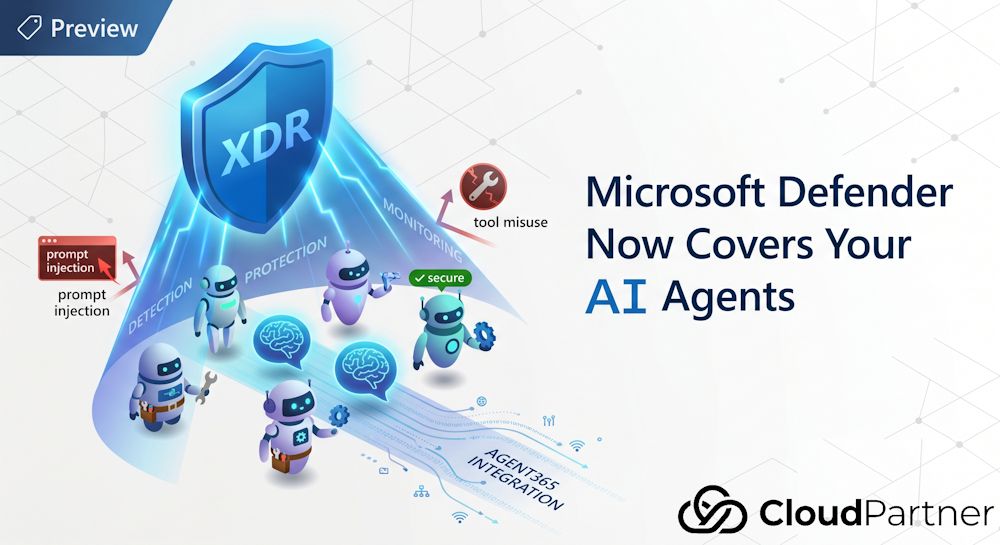
Microsoft has added an integration between Microsoft Defender XDR and Microsoft Agent 365 that extends Defender's detection and protection capabilities to cover AI agents. This is currently in Preview, so the feature set is still evolving, but it's already substantial enough to be worth understanding.
The Problem with Agents and Security
The security challenges with AI agents are different from the challenges with generative AI. An LLM that generates a document is passive — it produces output, and a human decides what to do with it. An agent is different: it picks up a task, decides which tools to call, executes those calls, handles the results, and takes further actions, often without any human in the loop.
That autonomy creates a specific set of risks that traditional security tools aren't designed for:
- Prompt injection — malicious content in data the agent processes can redirect what it does. An agent reading emails to draft responses could be instructed, via a crafted email, to exfiltrate other data.
- Tool misuse — agents with MCP tools or connector access can be manipulated into calling tools in ways the developer didn't intend.
- Expanded attack surface from MCP — the Model Context Protocol makes it straightforward to give agents access to external systems. Every MCP server an agent connects to is another potential entry point.
- No audit trail — without deliberate instrumentation, an agent's actions can be invisible. If something goes wrong, there may be nothing to investigate.
- Hard-coded credentials — agents with credentials baked into their topics or actions expose those credentials to anyone who can read the agent configuration.
- No authentication — agents published without requiring user authentication are publicly reachable by anyone, with full access to whatever tools they have configured.
These aren't edge cases or theoretical concerns. They're configuration choices that are
easy to make accidentally, and the AIAgentsInfo table in Defender's
Advanced Hunting exists specifically to surface them at scale.
What Agent365 Actually Is
Before getting to the Defender side of this, it's worth being clear about what Agent365 is — partly because the name is easy to confuse with other Microsoft agent-related products.
Agent365 is an enterprise control plane for AI agents. It doesn't build or host agents. What it does is take agents you've already built — on any platform — and wrap them in enterprise-grade identity, governance, observability, and security controls. Think of it as the enterprise management layer that sits above your agent logic, regardless of what that logic runs on.
Specifically, the Agent365 SDK adds:
- Entra-backed Agent Identity — each agent gets its own identity in Microsoft Entra, with its own user resources (including a mailbox) for secure authentication and controlled access to tools and data.
- Governed MCP tool access — agents invoke MCP servers under admin control rather than with open-ended permissions.
- OpenTelemetry observability — agent interactions, inference events, and tool usage are all traceable and auditable.
- Notifications via Teams, Outlook, and Word — agents can participate in M365 apps like a human participant would, via @mentions and comments.
- Blueprint-based governance — each agent operates within an IT-approved blueprint that defines its capabilities, required MCP accesses, security constraints, audit requirements, and any linked DLP or external access policies.
Agent365 works with agents built on any platform: Copilot Studio, Azure AI Foundry, Microsoft Agent Framework, Microsoft Agents SDK, OpenAI Agents SDK, Claude Code SDK, and LangChain SDK. It also works with agent code hosted anywhere — Azure, AWS, GCP, or your own infrastructure.
Note: Agent365 is currently in the Frontier preview program. You need to enrol at adoption.microsoft.com/copilot/frontier-program to get access. The Defender integration for AI agents also requires an Agent365 licence.
How Defender Connects to It
The integration lives in a new dedicated section of the Defender portal: System > Settings > Security for AI agents. The direct URL is security.microsoft.com/securitysettings/security_for_ai.
Two things need to be turned on here:
- The top-level "Security for AI agents" toggle.
- Under "AI real-time protection & investigation," connect your Agent365 tenant.
Once connected, Defender starts populating the AIAgentsInfo table in
Advanced Hunting for your Agent365-managed agents, and the portal's Assets section
gains an "AI Agents" inventory view covering Copilot Studio, Microsoft Foundry, AWS
Bedrock, and GCP Vertex AI agents.
Agent Discovery and the AIAgentsInfo Table
The AIAgentsInfo table is the foundation of everything else. It's an
Advanced Hunting table that Defender populates from two sources: the Defender for Cloud
Apps Power Platform connector (for Copilot Studio agents) and Agent365 (for everything
else). The RegistrySource column tells you which:
RegistrySource == "A365"— agents registered in Agent365RegistrySource == "PowerPlatform"— Copilot Studio agents via the Power Platform connector
The table contains a lot. The columns I find most useful for security work:
| Column | What it tells you |
|---|---|
| AIAgentId | Unique identifier for the agent |
| AIAgentName | Display name |
| RegistrySource | A365 or PowerPlatform — which service registered the agent |
| Instructions | The agent's system prompt — empty means no guardrails |
| IsBlocked | Whether an admin has blocked the agent |
| EntraObjectId | The agent's Entra enterprise application object ID |
| EntraBlueprintId | The Agent ID blueprint principal — links agent to its governance template |
| AIModel | The model powering the agent |
| AccessCapabilities | Data access capabilities the agent has been granted |
| AgentToolsDetails | Specifications of tools the agent can use |
| AgentTopicsDetails | Topics and workflows the agent can perform |
| UserAuthenticationType | None, Microsoft, or Custom — None means publicly reachable |
| ConnectedAgentsSchemaNames | Independently managed agents linked to this one for orchestration |
| ChildAgentsSchemaNames | Child agents within the main agent |
| AgentStatus | Created, Published, or Deleted |
The standard pattern for most queries is to use
summarize arg_max(Timestamp, *) by AIAgentId to get the latest state of
each agent, rather than all historical records.
Threat Detection
Near-real-time threat detection requires two things to be in place: the Microsoft 365 app connector must be enabled, and the agent needs to be emitting audit logs to M365.
For Copilot Studio agents, that second requirement is satisfied automatically — they send audit logs by default. For agents on other platforms, you need to integrate the Agent365 SDK, which instruments the agent with OpenTelemetry-based observability and routes audit events to M365.
With that in place, Defender monitors for:
- Persistent jailbreak attempts — repeated attempts to override the agent's instructions or bypass its constraints
- Suspicious user activity — patterns of interaction that look anomalous relative to the agent's normal use
- Anomalous execution patterns — the agent behaving outside its expected operational profile
Agents built on Copilot Studio or Azure AI Foundry get an extended detection set on top of this baseline. When something triggers, it surfaces as an incident in the Defender portal, with the full incident investigation graph available — connecting the agent to the user, the specific tool calls involved, and any related signals from other parts of the M365 environment.
Real-Time Protection via ATG
This is the part that's harder to get but provides the most coverage. Agents onboarded through the Agent Tooling Gateway (ATG) get real-time protection: Defender evaluates tool invocations before they execute and can block them.
The categories of actions it blocks:
- Credential or system instruction exfiltration attempts
- Sensitive data leakage via tool calls
- Misuse of internal tools beyond their intended scope
- Routing to malicious destinations
- Obfuscated content manipulation (attempts to hide malicious instructions in encoded or obfuscated payloads)
- Credential leakage via email or external APIs
When a block occurs, Defender generates a detailed alert explaining what was blocked, why, and which agent, user, and tool were involved. That's genuinely useful for forensics — you're not just told something was blocked, you have enough context to understand what attack was being attempted.
Important limitation: Real-time protection operates on the tool execution path. It doesn't inspect raw model prompts or responses outside of that path. If an agent is doing something suspicious entirely within its reasoning loop, without calling any tools, ATG won't catch it. Detection via audit logs is the coverage model for that scenario.
What You Get, and for Whom
The capabilities aren't uniform across all agent types. Here's how it breaks down:
| Capability | All Agent365 agents | Extended (Copilot Studio / Foundry) |
|---|---|---|
| Agent discovery | Advanced Hunting via
AIAgentsInfo KQL
|
UI inventory in Defender portal (Assets > AI Agents) |
| Security posture | Prebuilt KQL queries for known risk patterns | Risk factors, attack paths, recommendations (Foundry, Bedrock, Vertex AI) |
| Threat detection | Near-real-time alerts (requires M365 audit logs + A365 SDK) | Extended alert set — Copilot Studio sends audit logs by default |
| Real-time protection | ATG blocks unsafe tool invocations before execution | Extended RTP for Copilot Studio agents |
| Investigation | Incident graph + Advanced Hunting across AlertInfo, CloudAppEvents, AlertEvidence | M365 audit log correlation (with connector enabled) |
The practical implication: Copilot Studio agents get the most out of the box, because the Power Platform connector already feeds their audit logs to Defender. For everything else, you need the Agent365 SDK instrumented into the agent to get detection and real-time protection. Discovery via KQL works regardless, as long as the agents are registered in Agent365 or Copilot Studio.
Useful KQL Queries
A handful of queries from the Microsoft documentation that I'd recommend running as a starting point:
All Agent365-registered agents (latest state):
AIAgentsInfo
| where RegistrySource == "A365"
| summarize arg_max(Timestamp, *) by AIAgentId
| where AgentStatus != "Deleted"
| project AIAgentId, AIAgentName, AgentStatus, IsBlocked, AIModel, Instructions, AgentCreationTime
Published agents with no instructions (prompt injection risk):
AIAgentsInfo
| summarize arg_max(Timestamp, *) by AIAgentId
| where RegistrySource == "A365"
| where IsBlocked == 0
| where isnotnull(Instructions)
| where isempty(Instructions) or Instructions == "N/A"
| extend RawAgentInfoJson = parse_json(RawAgentInfo)
| extend PublishedStatus = RawAgentInfoJson.publishedStatus
| where PublishedStatus == "Published"
| project AIAgentId, AIAgentName, Instructions, PublishedStatus
Agents with MCP tools configured (expanded attack surface):
AIAgentsInfo
| where RegistrySource == "A365"
| summarize arg_max(Timestamp, *) by AIAgentId
| where isnotempty(AgentActionTriggers)
| extend AgentActionTriggersJson = parse_json(AgentActionTriggers)
| mv-expand Trigger = AgentActionTriggersJson
| extend ActionType = Trigger.type
| where ActionType == "RemoteMCPServer"
| project AIAgentId, AIAgentName, ActionType
Agents using non-HTTPS endpoints:
AIAgentsInfo
| where RegistrySource == "A365"
| summarize arg_max(Timestamp, *) by AIAgentId
| where isnotempty(AgentActionTriggers)
| extend AgentActionTriggersJson = parse_json(AgentActionTriggers)
| mv-expand Trigger = AgentActionTriggersJson
| extend ServerUrls = Trigger.serverUrls
| mv-expand Url = ServerUrls
| extend ParsedUrl = parse_url(tostring(Url))
| extend Scheme = tostring(ParsedUrl["Scheme"])
| where isnotempty(Scheme) and Scheme != "https"
| project AIAgentId, AIAgentName, Url, Scheme
Copilot Studio agents with no authentication (PowerPlatform):
AIAgentsInfo
| summarize arg_max(Timestamp, *) by AIAgentId
| where RegistrySource == "PowerPlatform"
| where AgentStatus != "Deleted"
| where UserAuthenticationType == "None"
| project AIAgentId, AIAgentName, AgentStatus, CreatorAccountUpn, OwnerAccountUpns
What It Doesn't Cover
A few things worth being clear about before you set expectations internally:
- It's Preview. The feature set, the table schema, and the integration specifics are all subject to change. The table was last updated on 15 April 2026 according to the Microsoft Learn documentation, which gives you a sense of how actively it's being developed.
- Non-A365 agents require the SDK. If an agent isn't onboarded via
Agent365, the only coverage you get is what the Power Platform connector provides
(Copilot Studio). A custom agent on Azure AI Foundry that hasn't been instrumented
with the Agent365 SDK won't appear in
AIAgentsInfowithRegistrySource == "A365". - The ATG doesn't watch the model's reasoning. Real-time protection only applies at tool invocation. What the agent is "thinking" between tool calls isn't inspected.
- Foundry, Bedrock, and Vertex AI agents get UI inventory and security posture assessment, but the extended detection set and real-time protection depth is deeper for Copilot Studio agents today.
Getting Started
If you want to see what's already in your environment before committing to Agent365
onboarding, the Power Platform connector is the quickest win. Enable it in Defender for
Cloud Apps, and your Copilot Studio agents will start appearing in
AIAgentsInfo within a short time. From there, run the posture queries
above to get a baseline picture of what you have and what the obvious risks are.
For a broader agent inventory that covers non-Copilot-Studio agents, you'll need the Agent365 licence and Frontier programme access. Once that's in place:
- Go to Security settings > Security for AI agents and turn on the toggle.
- Connect your Agent365 tenant under "AI real-time protection & investigation."
- Integrate the Agent365 SDK into your non-Copilot-Studio agents to get audit log emission and real-time protection.
- Run the inventory KQL queries to confirm agents are appearing and check for the obvious posture issues: missing instructions, unauthenticated agents, MCP tools, non-HTTPS endpoints.
The documentation links below cover each of these areas in more detail.