


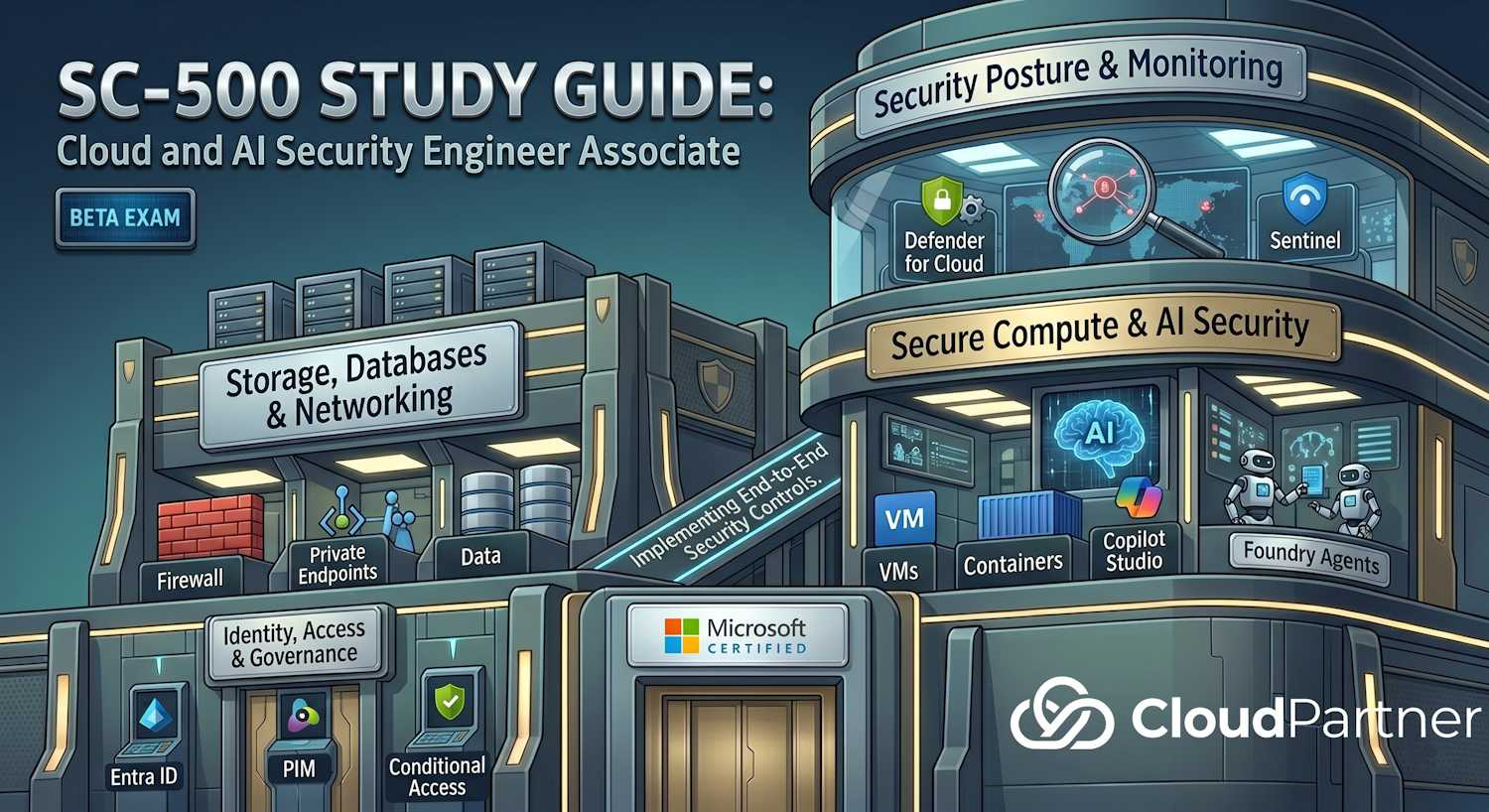
Domain 3 of 4 — 20–25% of the SC-500 exam. This is the forward-looking domain. It covers traditional compute (VMs, containers) AND the new frontier: AI security (Foundry agents, Copilot Studio, Defender for AI).
Exam Objectives
Implement AI workload security
- Identify data overexposure in SharePoint using Purview DSPM
- Identify Copilot and AI app risks using Purview DSPM
- Implement real-time protection for Copilot Studio agents
- Implement Conditional Access for Entra Agent ID
- Analyze blast radius in Defender XDR
- Manage Entra Agent ID permissions
- Configure and deploy AI Gateway in API Management for Microsoft Foundry
- Enable Defender for AI workload protection in Defender for Cloud
- Configure guardrails for AI agents in Microsoft Foundry
- Monitor AI security with Data and AI Security Dashboard in Defender for Cloud
- Manage agents in Microsoft 365 admin center
Implement security for servers and VMs
- Implement VM disk encryption (Azure Disk Encryption, host-based encryption)
- Deploy Azure Bastion for secure RDP/SSH access
- Implement just-in-time VM access (JIT)
- Onboard servers to Azure Arc (hybrid and multi-cloud)
- Onboard to Defender for Servers (Plan 1 and Plan 2)
- Configure Defender for Servers — vulnerability scanning, EDR
- Implement agentless scanning for VMs
- Configure VM security features — secure boot, vTPM, integrity monitoring
- Use Azure Machine Configuration for compliance monitoring
Implement security for application platforms
- Implement Defender for Containers (misconfigurations, runtime protection)
- Configure AKS security controls
- Secure Azure Container Registry (ACR)
- Implement security for Container Instances and Container Apps
- Implement security for Azure Functions
- Implement security for Azure Logic Apps
- Implement security for Azure App Service
- Implement Web Application Firewall (WAF)
- Implement API Management security
AI Workload Security
Purview Data Security Posture Management (DSPM)
Purview DSPM discovers and maps sensitive data across your organization, then identifies risks — overexposed data, Copilot/AI usage, data sharing anomalies.
- Data discovery — scans SharePoint, Entra ID, Teams, OneDrive for sensitive info
- Overexposure detection — flags files shared broadly or with external users
- Copilot/AI risk identification — detects which sensitive data Copilot or AI apps have access to
- Remediation recommendations — suggests restricting access or removing data
Copilot Studio Agent Security
Copilot Studio allows building custom AI agents. Risks include prompt injection, data leakage, and unauthorized action execution. SC-500 covers:
- Real-time protection — Defender checks inputs/outputs in real time
- Prompt injection detection — identifies attempts to override agent instructions
- Data classification labels — restrict what data agents can access
- Action authorization — require approval before agents execute sensitive actions
Entra Agent ID and Conditional Access
Entra Agent ID provides managed identity for AI agents. Conditional Access policies can restrict when/where agents authenticate:
- Sign-in risk policies — block agents authenticating from unexpected locations
- Device compliance — require agents run on compliant devices
- Session control — force re-authentication or persistent sessions
AI Gateway in API Management
Azure API Management now supports AI Gateway policies — semantic caching, token limiting, content safety, rate limiting, jailbreak detection.
- Semantic caching — cache similar prompts to save tokens and latency
- Token limiting — cap tokens per user/app
- Content safety — scan prompts and responses for harmful content
- Jailbreak detection — identify prompt injection attempts
Defender for AI in Defender for Cloud
Defender for AI provides real-time protection for AI/ML workloads:
- Model poisoning detection — identifies tampering with training data
- Inference attacks — detects extraction attempts on trained models
- Prompt injection — blocks known jailbreak patterns
- Output filtering — scans model outputs for harmful content
- Audit and alerting — tracks AI model access and unusual usage patterns
Microsoft Foundry Guardrails
Foundry allows configuring safety guardrails for agents:
- Input filtering — block or transform user inputs
- Output filtering — validate agent responses before returning to user
- Rate limiting — limit requests per user/minute
- Allowed operations — restrict which tools/actions agents can invoke
Data and AI Security Dashboard
Defender for Cloud now includes a dedicated dashboard for AI security posture:
- AI workload inventory
- Risk prioritization (critical, high, medium)
- Compliance status for AI-specific controls
- Recommendations for securing models and training data
Microsoft Security Copilot
Microsoft Security Copilot is an AI-powered security assistant that lets analysts and engineers work through security tasks using natural language. It reasons across Microsoft Security data, generates KQL queries, summarises incidents, explains scripts, and helps with threat investigations — without replacing the security professional, but making them significantly faster. SC-500 covers it both as a tool you use and as an AI workload you need to govern.
Where Security Copilot Appears
| Surface | What you can do |
|---|---|
| Standalone portal (securitycopilot.microsoft.com) | Free-form prompting across all integrated skills; create and run promptbooks; manage plugins and sessions |
| Embedded in Defender XDR | Summarise incidents, generate guided response plans, decode suspicious scripts |
| Embedded in Microsoft Sentinel | Generate KQL queries from natural language, summarise investigation timelines |
| Embedded in Microsoft Entra | Investigate risky users and sign-ins, explain Conditional Access policy impact |
| Embedded in Microsoft Purview | Summarise DLP alerts, explain sensitive data risk findings |
| Embedded in Intune | Analyse device compliance posture and explain policy settings in plain language |
Skills and Plugins
Security Copilot's capabilities come from skills — discrete operations it can execute. Skills are packaged into plugins:
- Microsoft plugins — Defender XDR, Sentinel, Entra ID, Intune, Purview, Microsoft Threat Intelligence, Defender External Attack Surface Management
- Non-Microsoft plugins — ServiceNow, Splunk, and other third-party integrations via OpenAPI
- Custom plugins — define your own skills using OpenAPI spec or KQL; connect Security Copilot to internal data sources
- Promptbooks — saved sequences of prompts for repeatable workflows, such as an incident triage runbook or a phishing analysis sequence
Capacity: Security Compute Units (SCUs)
Security Copilot is billed in Security Compute Units (SCUs) — provisioned compute capacity you pay for per hour. You choose a region, provision capacity, and scale up or down as needed. Overage is charged when peak usage exceeds provisioned SCUs.
Governing Security Copilot Access
Security engineers need to control who uses Security Copilot and what it can access:
- Role-based access — users need either Security Copilot Owner or Security Copilot Contributor assigned in Security Copilot settings; holding Global Admin or Security Admin in Entra does not automatically grant access
- Plugin permissions — each plugin authenticates on behalf of the signed-in user; Security Copilot cannot surface data the user doesn't already have permission to access in the underlying product
- Audit logging — all Security Copilot interactions (prompts, responses, plugins invoked) are logged; exportable to a connected Sentinel workspace for SIEM review
- Data handling — prompts and responses are not used to train foundation models; data residency options are available for tenants with data sovereignty requirements
Exam tip: Security Copilot does not elevate permissions. If the signed-in user doesn't have access to Defender XDR incidents, Security Copilot will not return incident data for that user. It is always bounded by the underlying product permissions — this is a key distinction from agents that operate with their own identities.
VM and Server Security
Disk Encryption
| Type | Encryption location |
|---|---|
| Azure Disk Encryption (ADE) | Guest OS level; uses BitLocker (Windows) or dm-crypt (Linux) |
| Host-based encryption | Azure platform level; transparent to guest OS; always on for managed disks |
| SSE + CMK | Storage Service Encryption with customer-managed keys in Key Vault |
Azure Bastion
Bastion provides secure RDP/SSH access over HTTPS without exposing RDP/SSH ports to the internet.
| SKU | Key capabilities |
|---|---|
| Basic | HTML5 browser-based access; up to 25 concurrent sessions; no native client |
| Standard | Configurable concurrent sessions; native client (RDP/SSH); IP-based connection; host scaling |
| Premium | All Standard features plus session recording, private-only deployment (no public IP on Bastion itself) |
- No public IP needed on VMs — Bastion holds the public IP, the VM has only a private IP
- Access controlled via RBAC (Virtual Machine Administrator Login / User Login roles) and NSG rules on the AzureBastionSubnet
Just-In-Time VM Access
JIT temporarily opens RDP/SSH ports only when requested, then closes them after a timeout. Reduces the attack surface to minutes-long windows instead of always-open ports. Requires Defender for Servers Plan 2.
Azure Arc
Extends Azure management and security to on-premises and multi-cloud servers. Once Arc-enabled, a server can use Defender for Servers, Defender for Databases, update management, and Azure Policy just like an Azure VM.
- Arc agent installed on the server
- Server registers with Azure
- Can then be managed from Azure portal and secured with Defender/Policy
Defender for Servers
- Plan 1 — includes Microsoft Defender for Endpoint (MDE) integration (which provides EDR capabilities), plus vulnerability assessment via Defender Vulnerability Management
- Plan 2 — all Plan 1 features plus JIT VM access, adaptive application controls, file integrity monitoring, agentless scanning, 500 MB free Log Analytics ingestion per server per day, and OS-level threat detection
- Agentless scanning — Plan 2 only; scans VMs at the hypervisor level without requiring an agent; detects vulnerabilities in offline or non-agent VMs
VM Security Features
- Secure Boot — verifies firmware and OS integrity at startup; prevents boot-level malware
- vTPM — virtual Trusted Platform Module; stores encryption keys and secrets securely
- Integrity monitoring — tracks changes to boot-critical files; alerts on tampering
- Encryption at host — transparent encryption of VM disks by Azure platform
Azure Machine Configuration
Declarative tool for assessing guest OS compliance. Define desired state (e.g., "Windows Firewall must be on") and the tool reports on compliance. Remediation available for some settings.
Containers and Application Platforms
Defender for Containers
- Registry scanning — scans images in ACR for known vulnerabilities
- Runtime protection — detects suspicious container behavior (privilege escalation, file tampering)
- Misconfiguration detection — flags insecure pod configs, overly permissive RBAC
AKS Security
- Network policies — CNI-based network segmentation
- Pod security policies (deprecated) / Pod security standards
- RBAC for Kubernetes resources
- Secrets management via Key Vault + workload identity
- Azure Policy for AKS — enforce standards cluster-wide
- Image scanning before deployment
App Service and WAF
- App Service authentication — configure Entra ID sign-in
- HTTPS/TLS enforcement
- Web Application Firewall (WAF) — layer 7 protection against OWASP Top 10
- IP whitelisting / geo-blocking via WAF rules
- DDoS protection coordination
Functions and Logic Apps
- Authentication — Entra ID, API keys (avoid), managed identities (recommended)
- Authorization — RBAC on the function app resource
- CORS policies — restrict origins calling the function
- Environment variables / Key Vault references for secrets
API Management (APIM)
- API versioning and revisions
- Policies — authentication, rate limiting, transformation
- Backend security — routing to private backends via Private Endpoint
- API key management — revoke/rotate keys
- Developer portal — self-service API access
- AI Gateway policies — semantic caching, token limiting, jailbreak detection
Domain 3 Architecture Overview
Secure compute in SC-500 spans three concentric rings: AI workload security at the centre (newest exam objective), traditional VM and server security in the middle, and container and application platform controls on the outside. All rings rely on Entra ID for authentication and Defender for Cloud for posture.
Defender for Servers Plan Comparison
| Feature | Plan 1 | Plan 2 |
|---|---|---|
| MDE integration (EDR via Microsoft Defender for Endpoint) | Yes | Yes |
| Vulnerability assessment (Defender Vulnerability Management) | Yes | Yes |
| Just-In-Time VM access | No | Yes |
| Adaptive application controls | No | Yes |
| File integrity monitoring | No | Yes |
| Agentless scanning (disk snapshot-based) | No | Yes |
| OS-level threat detection (behavioral analytics) | No | Yes |
| 500 MB free Log Analytics ingestion | No | Yes (per server/day) |
Exam tip: JIT VM access requires Defender for Servers Plan 2. Scenario questions asking "how to reduce the attack surface for RDP/SSH" need both Azure Bastion (for the access channel) and JIT (for the port control). Use both together.
Exam Tips & Key Takeaways
Exam tip: The AI Workload Security objectives (Purview DSPM, Entra Agent ID, Copilot Studio, Foundry Guardrails) are the newest part of the SC-500 exam. Expect 2–4 questions specifically about these topics. Know that Entra Agent ID provides workload identity for agents and that Conditional Access policies apply to agents the same way they apply to human users.
Exam tip: Azure Disk Encryption (ADE) encrypts at the guest OS level using BitLocker/dm-crypt. Host-based encryption is performed by the Azure platform before data reaches storage. Both can be used together for defense-in-depth. CMK in Key Vault is an additional layer, not a replacement.
Exam tip: Azure Bastion has three SKUs — Basic, Standard, and Premium. Basic provides browser-only access (up to 25 sessions). Standard adds native client support and configurable host scaling. Premium adds session recording and private-only deployment. Bastion eliminates the need for public IPs on VMs and removes RDP/SSH exposure from the internet entirely.
Exam tip: APIM AI Gateway policies — semantic caching, token limiting, jailbreak detection — apply specifically to Microsoft Foundry-backed endpoints. On the exam, if a scenario asks how to rate-limit or secure AI model endpoints centrally, the answer is APIM AI Gateway.
Exam tip: Defender for Containers covers three surfaces: image scanning in ACR, cluster misconfiguration (AKS), and runtime protection. Enabling it requires the Defender sensor DaemonSet deployed to AKS nodes.
Further Learning – Microsoft Learn
- Overview of Microsoft Defender for Servers
- What is Azure Bastion?
- Secure your management ports with just-in-time access
- Security concepts for applications and clusters in AKS
- Overview of Microsoft Defender for Containers
- Workload identities in Microsoft Entra ID
- AI Gateway capabilities in Azure API Management
- What is Microsoft Security Copilot?
- Manage plugins in Security Copilot