


What Changed and Why
Anthropic's Claude models have long been popular with security professionals. The reasoning capability, code fluency, and ability to explain complex attack chains in plain language make Claude a natural fit for threat research, vulnerability analysis, and defensive tool development. That same capability is what makes AI models like Claude a risk if used without guardrails.
Anthropic has been testing and evaluating these risks for some time. Their conclusion: the most capable Claude models now warrant a stronger, real-time layer of cyber defense. These aren't static content filters applied to training — they're live classifiers that evaluate each request and decide whether to block it before the model responds.
The safeguards are designed to catch two categories of requests:
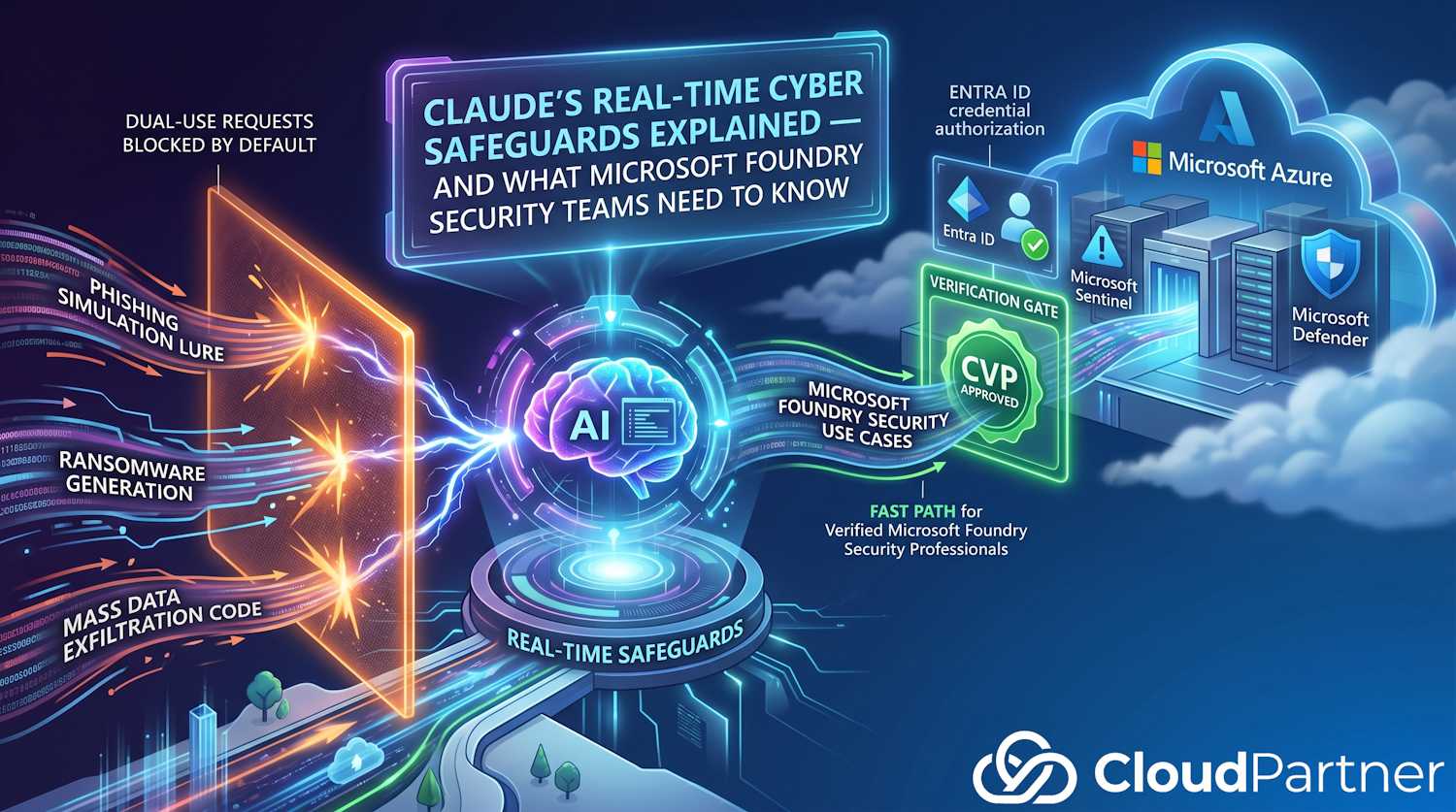
- Prohibited use — activities that are almost always malicious and have little or no legitimate defensive application. The canonical examples are mass data exfiltration code and ransomware development. These are blocked with no adjustment mechanism.
- High-risk dual use — activities that have genuine defensive applications but significant misuse potential. Vulnerability exploitation techniques, offensive security tooling, and detailed attack methodology documentation fall here. These are blocked by default but can be unlocked for verified professionals.
This is the right distinction. The problem isn't that AI can explain how a buffer overflow works or help write a proof-of-concept exploit — security engineers need that capability to do their jobs. The problem is that the same model can do the same thing for someone who's going to use it to compromise systems they don't own. Real-time safeguards are an attempt to thread that needle without removing the model's utility for legitimate defenders.
The Cyber Verification Program
The Cyber Verification Program (CVP) is Anthropic's mechanism for letting legitimate security professionals access dual-use capabilities that are blocked by default. It's free and application-based — you describe your work, Anthropic reviews it, and if approved, the blocks on dual-use activities are lifted for your organization.
A few things worth understanding about how CVP approvals work:
- Approval is tied to an organization ID, not an individual account. If you're approved for your company's Claude Teams organization but then start a personal workspace, the approval doesn't carry over. You'll still hit blocks in the personal workspace.
- Prohibited use stays blocked regardless of CVP status. CVP only lifts the dual-use category restrictions. Mass data exfiltration tools and ransomware generation remain off-limits for everyone, CVP-approved or not.
- Review takes around two business days. If you have an active penetration test or red team engagement in progress, submit in advance — don't expect same-day approval.
- Zero Data Retention (ZDR) customers are not currently eligible. If your organization has a ZDR agreement with Anthropic, the standard CVP application process doesn't apply. Contact your Anthropic sales representative instead.
Who Should Apply
The short answer: anyone whose legitimate security work is being blocked by the new safeguards. In practice this means:
- Penetration testers and red team operators using Claude to develop or explain exploit techniques
- Security engineers building offensive tooling for authorized testing environments
- Vulnerability researchers doing original research into new attack classes
- Security consultants writing detailed technical reports that walk through attack methodology
- Threat intelligence analysts investigating malware behavior or attack infrastructure
- SOC teams or incident responders asking Claude to reconstruct attacker techniques from forensic evidence
If you're a security architect designing defensive controls, writing detection rules, or doing compliance work, you're unlikely to hit the blocks at all — that work doesn't overlap much with the dual-use category. The CVP is primarily relevant for hands-on offensive security practitioners and researchers.
Microsoft Foundry and the Azure Pathway
Microsoft Foundry is Microsoft's platform for deploying and managing AI models in Azure. Claude models are available through Foundry, which means organizations already invested in the Azure platform can run Claude workloads without leaving Microsoft's infrastructure — keeping data in their Azure region, billing through Azure, and staying inside their existing security and compliance perimeter.
Critically, Microsoft Foundry is a first-class CVP pathway. Anthropic has specifically called out Foundry users as eligible applicants, with a dedicated application route. This matters because some major AI platforms — Amazon Bedrock and Google Vertex AI as of the time of writing — are explicitly listed as not currently supporting CVP. If your security team is using Claude via Azure, you have an option that Bedrock users don't.
How to Apply via Microsoft Foundry
The application process for Foundry users requires two pieces of information from your Azure environment:
- Your Azure Tenant ID — the identifier for your Entra ID tenant
- Your Azure Subscription ID — the subscription hosting your Foundry workloads
Both are available in the Azure Portal. To find them:
Tenant ID: In the Azure Portal, go to
Microsoft Entra ID → Overview. The Tenant ID is displayed on the
overview page under "Basic information." It's a GUID in the format
xxxxxxxx-xxxx-xxxx-xxxx-xxxxxxxxxxxx.
Subscription ID: Go to Subscriptions in the Azure Portal (search for it in the top bar). Find the subscription that hosts your Azure AI Foundry projects and copy the Subscription ID.
Then head to the Cyber Use Case Form and select Azure under the "Surface" field. Fill in your Tenant ID and Subscription ID where prompted, describe your organization's security work and the specific use cases being affected, and submit.
Where Entra ID Fits In
Entra ID isn't just a detail in the CVP application form — it's central to how Microsoft-managed Claude deployments are secured and how access is controlled. If you're deploying Claude on Microsoft Foundry for security team use, Entra ID is the identity plane for the whole thing.
Access Control to Claude via Foundry
When you deploy a Claude model through Azure AI Foundry, access to that deployment is managed through Azure RBAC backed by Entra ID. Your security team members authenticate with their Entra ID accounts. Role assignments determine who can invoke the model, manage the deployment, or view logs.
This gives you controls that Anthropic's own API doesn't provide out of the box:
- Conditional Access policies apply to Foundry just like any other Azure resource. You can require MFA, restrict access to compliant devices, or limit sign-in to your corporate network for sensitive security tooling.
- Privileged Identity Management (PIM) can gate access to Claude deployments behind just-in-time approval workflows — useful for environments where only specific individuals should be able to invoke the model for offensive security tasks.
- Sign-in logs in Entra ID capture when users accessed Foundry resources. Combined with Azure Monitor and Diagnostic Settings on the Foundry project, you get an audit trail of Claude usage that feeds into your existing SIEM.
Microsoft Sentinel and Defender Integration
Organizations running Microsoft Sentinel as their SIEM/SOAR platform can route Azure AI Foundry diagnostic logs into Sentinel. This means Claude usage — who ran what, when, against which models — can be correlated with other security events in the same workspace where you're already doing threat hunting and incident response.
There's a practical irony worth noting here: the security teams most likely to trigger Claude's new dual-use blocks are often the same teams running Sentinel. They're asking Claude to help them understand attack patterns, write detection queries, or reconstruct TTPs from logs. That's the legitimate defensive work the CVP is designed to protect.
If your security operations team is using Claude via Microsoft Foundry and hitting blocks, the CVP application process above is the path forward. Once approved, that approval is tied to the Foundry deployment (identified by Tenant ID and Subscription ID), not to individual user accounts.
What This Means for Microsoft 365 Security Teams Specifically
Most Microsoft 365 security work — configuring Defender for Office 365, managing conditional access policies, reviewing Secure Score, writing KQL queries for Sentinel — will not trigger Claude's cyber safeguards. The new blocks are targeted at the offensive side of security work, not defensive configuration and operations.
Where M365 security teams are more likely to encounter friction:
Phishing Simulation and Social Engineering Content
Microsoft Attack Simulator (now Defender for Office 365 Attack Simulation Training) is a legitimate tool for running phishing simulations against your own users. If you're asking Claude to help write realistic phishing email templates for a simulation campaign, this request pattern looks similar to what an attacker would ask. You may hit a block.
The content itself is dual-use by nature — a convincing phishing lure is the same whether it's sent as a simulation or a real attack. CVP approval is relevant here if this is a significant part of your work. Describe your use of Attack Simulation Training and the specific assistance you're asking Claude for in your CVP application.
Malware Analysis and Threat Intelligence
Asking Claude to analyze malware samples, explain obfuscated PowerShell, or reconstruct the behavior of a known threat actor's tooling is standard incident response and threat intelligence work. Some of these requests will overlap with how the dual-use category is defined — particularly requests that involve detailed analysis of malicious code.
In practice, framing matters. "What does this obfuscated PowerShell do, and how would I detect it in Defender?" is a defensive framing that Claude is less likely to block than "write me a PowerShell script that does X" where X looks like attack capability. If you're doing systematic malware analysis, CVP approval removes the ambiguity.
Red Team and Purple Team Exercises
M365 environments are common targets in red team engagements — token theft via OAuth consent phishing, persistence via Azure AD app registrations, lateral movement through Exchange Online. If you're doing internal red team work against your own M365 tenant and asking Claude for technical assistance, you're in the dual-use zone.
This is precisely what the CVP is designed for. A red team operator at a company doing authorized testing of their own environment should be able to use Claude for that work. Apply, describe the authorization and scope of your red team program, and the approval process exists to enable exactly this.
If You Build Security Products Powered by Claude
There's a separate pathway for organizations that build security platforms or tools that are themselves powered by Claude. If your product integrates the Claude API and provides capabilities to your customers — whether that's a security operations platform, a vulnerability management tool, or a threat intelligence product — you're a platform owner, not just an end user.
Anthropic has a Platform CVP Interest Form specifically for this scenario. Not all platforms are eligible, but if you're building a security product on Claude, this is worth filling out to find out whether your platform can participate.
If you're building a security tool on Azure that uses Claude through Microsoft Foundry, the platform pathway and the Azure CVP pathway may both be relevant depending on how your product is structured. Contact Anthropic to understand which route applies.
Practical Guidance: What to Do Right Now
To summarize the action items depending on your situation:
If Your Security Work Is Being Blocked
- Confirm it's actually a dual-use block, not prohibited use. Prohibited use (ransomware, mass data exfiltration) stays blocked regardless of CVP status. If you're hitting a block and your request is genuinely prohibited-use adjacent, CVP won't help — reconsider the request framing.
- Identify which organization you're signed into. CVP approval is org-specific. Make sure you're working in the organization you intend to get approved, not a personal workspace.
- Apply for CVP. Use the Cyber Use Case Form. For Microsoft Foundry users, select Azure as the surface and provide your Tenant ID and Subscription ID.
- Allow two business days for review. Plan ahead for scheduled engagements.
If You're Deploying Claude on Microsoft Foundry for Security Team Use
- Set up Entra ID access controls before rollout. Configure RBAC so only the right people can invoke the model. Consider PIM for environments where privileged security tooling warrants just-in-time access approval.
- Enable diagnostic logging from the start. Route Azure AI Foundry logs to your Log Analytics workspace or directly into Microsoft Sentinel. You want audit coverage of Claude usage as part of your overall security monitoring posture.
- Submit the CVP application early if your security team's work involves offensive security tasks. Don't wait until someone hits a block mid-engagement. The Tenant ID and Subscription ID you need are trivial to find; the two-day review window is the only time cost.
- Apply Conditional Access to Foundry resources like any other sensitive Azure workload. MFA, compliant device requirements, and network restrictions apply.
The Bigger Picture
Claude's real-time cyber safeguards are part of a broader trend that security professionals need to understand: AI providers are making active decisions about what their models will and won't do, and those decisions affect your tooling.
The CVP model — block by default, verify and adjust for legitimate use cases — is a reasonable approach to a genuinely hard problem. It's more nuanced than a flat prohibition on security-related content, and it acknowledges that the same capability can be used for offense or defense. The verification step adds friction, but it's friction with a path around it for legitimate users.
The Microsoft Foundry integration is particularly interesting because it ties Claude's safeguard verification into the Azure identity and access management infrastructure that enterprises already use. Your Tenant ID is already the authoritative identifier for your organization in the Microsoft stack — using it as the anchor for CVP approval is a natural fit.
If you're running security operations in an organization with a Microsoft-heavy stack, the combination of Claude on Azure Foundry, Entra ID access controls, and CVP approval is the configuration that gives you the most capability with the most oversight. That's worth setting up properly.
Useful Links
- Anthropic: Real-time cyber safeguards on Claude — the official explanation of how the safeguards work
- Cyber Use Case Form — apply for CVP (Anthropic first-party and Microsoft Foundry)
- Platform CVP Interest Form — for organizations building security products powered by Claude
- Claude on Microsoft Foundry — overview of the Azure partnership