


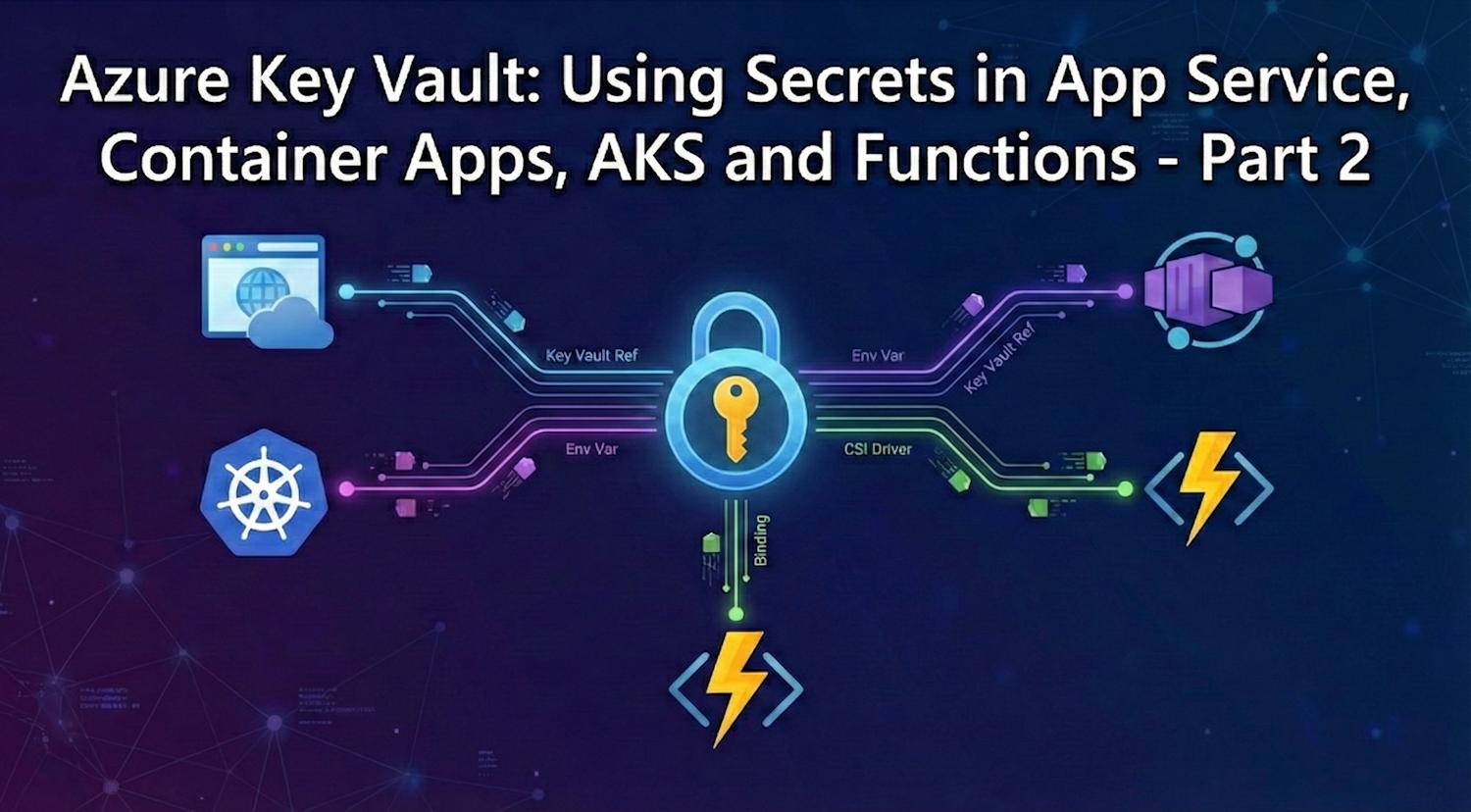
In Part 1, we covered the security foundation: how to provision Key Vault with RBAC, set up automated rotation, and isolate it from untrusted networks using private endpoints. Now the practical question: how do you actually get those secrets into your applications?
That's what Part 2 is all about. I'll walk you through how to wire Key Vault secrets into Azure App Service, Container Apps, Azure Kubernetes Service (AKS), and Function Apps—all through the Azure CLI. No SDK code required in your app in most cases. Azure handles the secret injection for you, and your application simply reads a familiar environment variable or file path.
How Azure Injects Secrets: The Mechanic Behind the Magic
Before diving into specific services, it's worth understanding what's actually happening when Azure "injects" a secret. There are broadly two models:
| Model | How It Works | Secret Refresh | Best For |
|---|---|---|---|
| Key Vault Reference | You set an app setting or env var with a special
@Microsoft.KeyVault(...) syntax. Azure resolves this to the
actual
secret value at runtime using the app's managed identity
|
Periodic re-read. App Service refreshes on app restart or when the reference cache expires | App Service, Function Apps. Simple configuration, no code changes |
| Native Secret Store | The platform has first-class secret support. You define a named secret pointed at Key Vault, then expose it as an env var or mounted file inside the runtime | Automatic. Platform fetches new values from Key Vault continuously | Container Apps, AKS (CSI driver). Richer lifecycle and zero-downtime refresh after rotation |
In both models, your application never needs credentials to access Key Vault—the platform uses the service's managed identity. Your app just reads an env var or a file path, same as it always did.
App Service: Key Vault References
App Service has built-in support for Key Vault references. You set an application setting with a special URI syntax, and App Service resolves it to the actual secret value at startup. Your application reads it as a normal environment variable—no code changes needed.
The prerequisites are just two things: the App Service needs a managed identity, and that identity needs the Key Vault Secrets User role (which we did in Part 1). Then you configure the app settings:
# Set a Key Vault reference as an app setting
# The @Microsoft.KeyVault() syntax tells App Service to resolve from Key Vault
# App Service uses the app's managed identity to fetch the value at runtime
az webapp config appsettings set \
  --resource-group rg-keyvault-demo \
  --name my-web-app \
  --settings \
    "DatabasePassword=@Microsoft.KeyVault(SecretUri=https://kv-company-prod.vault.azure.net/secrets/DatabasePassword/)" \
    "ExternalApiKey=@Microsoft.KeyVault(SecretUri=https://kv-company-prod.vault.azure.net/secrets/ExternalApiKey/)" \
    "SqlConnectionString=@Microsoft.KeyVault(SecretUri=https://kv-company-prod.vault.azure.net/secrets/SqlConnectionString/)"
You can also reference a specific secret version if you need pinned behavior. Omitting the version (as above) always resolves to the latest, which is what you want in most cases—it means rotation is picked up automatically on the next App Service refresh cycle.
# Verify that App Service successfully resolved the Key Vault references
# Status should show "Resolved" for each referenced setting
az webapp config appsettings list \
  --resource-group rg-keyvault-demo \
  --name my-web-app \
  --query "[?contains(value, '@Microsoft.KeyVault')].{name:name, value:value}" \
  --output table

# Check Key Vault reference resolution status from the portal perspective
# This CLI command shows if the identity has proper access
az webapp show \
  --resource-group rg-keyvault-demo \
  --name my-web-app \
  --query "identity.principalId" \
  --output tsv
Important: If the app setting shows the raw
@Microsoft.KeyVault(...)string instead of being resolved, it means the managed identity doesn't have the Key Vault Secrets User role assigned, or the Key Vault firewall is blocking the App Service. Check both—role assignment first, then network access.
Function Apps: Key Vault References in Configuration
Function Apps work exactly the same way as App Service for Key Vault references—they
share the
same hosting model. Enable a managed identity, assign it access, then set the app
settings
using the same @Microsoft.KeyVault() syntax.
# Enable managed identity on a Function App
az functionapp identity assign \
  --resource-group rg-keyvault-demo \
  --name my-function-app

# Get the identity's principal ID
FUNC_PRINCIPAL_ID=$(az functionapp identity show \
  --resource-group rg-keyvault-demo \
  --name my-function-app \
  --query principalId \
  --output tsv)

# Assign Key Vault Secrets User role
VAULT_ID=$(az keyvault show \
  --name kv-company-prod \
  --resource-group rg-keyvault-demo \
  --query id \
  --output tsv)

az role assignment create \
  --role "Key Vault Secrets User" \
  --assignee-object-id $FUNC_PRINCIPAL_ID \
  --assignee-principal-type ServicePrincipal \
  --scope $VAULT_ID

# Set Key Vault references in Function App settings
az functionapp config appsettings set \
  --resource-group rg-keyvault-demo \
  --name my-function-app \
  --settings \
    "ServiceBusConnection=@Microsoft.KeyVault(SecretUri=https://kv-company-prod.vault.azure.net/secrets/ServiceBusConnection/)" \
    "StorageAccountKey=@Microsoft.KeyVault(SecretUri=https://kv-company-prod.vault.azure.net/secrets/StorageAccountKey/)"
One thing to be aware of with Function Apps: the connection strings for trigger bindings (like Service Bus or Storage triggers) can also use Key Vault references. Azure Functions resolves these before setting up the trigger, so your function bindings can be fully secrets-managed without touching code.
Container Apps: Native Secret Support
Container Apps has a more capable secrets model than App Service. Instead of a simple reference syntax in app settings, Container Apps maintains a separate secrets store. You first define a named secret in the Container App (pointing at Key Vault), then expose it to your container as an environment variable or a mounted file.
This two-step model is more flexible: one secret can be consumed by multiple containers in the same app, and secrets are refreshed continuously without a restart.
# Step 1: Create a Container App with managed identity and Key Vault-sourced secrets
# The --secrets flag defines named secrets that pull from Key Vault
# The --env-vars flag maps those named secrets to environment variable names in the container
az containerapp create \
  --resource-group rg-keyvault-demo \
  --name my-container-app \
  --environment my-container-env \
  --image myregistry.azurecr.io/myapp:latest \
  --system-assigned \
  --secrets \
    "db-password=keyvaultref:https://kv-company-prod.vault.azure.net/secrets/DatabasePassword,identityref:/subscriptions/{sub-id}/resourcegroups/rg-keyvault-demo/providers/Microsoft.ManagedIdentity/userAssignedIdentities/mi-containerapp" \
  --env-vars \
    "DB_PASSWORD=secretref:db-password" \
    "REDIS_URL=redis://mycache.redis.cache.windows.net:6380"
If you prefer to update an existing Container App to add secrets and env vars separately:
# Add a Key Vault secret reference to an existing Container App
az containerapp secret set \
  --resource-group rg-keyvault-demo \
  --name my-container-app \
  --secrets \
    "db-password=keyvaultref:https://kv-company-prod.vault.azure.net/secrets/DatabasePassword,identityref:system"

# Expose the secret as an environment variable in the container
az containerapp update \
  --resource-group rg-keyvault-demo \
  --name my-container-app \
  --set-env-vars "DB_PASSWORD=secretref:db-password"

# List current secrets (names only, values are never exposed)
az containerapp secret list \
  --resource-group rg-keyvault-demo \
  --name my-container-app \
  --output table
Note: When the secret value in Key Vault is rotated, Container Apps picks up the new value on the next secret refresh cycle (typically within minutes). Unlike App Service which may require a restart, Container Apps handles rotation transparently. This is why it's the preferred hosting model for workloads where secrets rotate frequently.
Container Apps: Mounting Secrets as Files
For stricter compliance environments—where PCI DSS or HIPAA auditors flag environment variables as a secret exposure risk—Container Apps also supports mounting secrets as files inside the container. Your application reads the secret from a file path instead of an env var, which is more controlled and harder to accidentally leak through logging:
# Update Container App to mount a secret as a file instead of env var
# The secret will appear at /mnt/secrets/db-password inside the container
az containerapp update \
  --resource-group rg-keyvault-demo \
  --name my-container-app \
  --yaml container-app-with-volume.yaml
The YAML configuration for file-mounted secrets:
configuration:
  secrets:
    - name: db-password
      keyVaultUrl: https://kv-company-prod.vault.azure.net/secrets/DatabasePassword
      identity: system
template:
  volumes:
    - name: secrets-volume
      storageType: Secret
      secrets:
        - secretRef: db-password
          path: db-password
  containers:
    - name: myapp
      image: myregistry.azurecr.io/myapp:latest
      volumeMounts:
        - volumeName: secrets-volume
          mountPath: /mnt/secrets
Azure Kubernetes Service: CSI Secrets Store Driver
For AKS workloads, the recommended approach is the Secrets Store CSI Driver with the Azure Key Vault provider. This driver mounts secrets from Key Vault directly into pods as files or Kubernetes secrets—your application reads them the same way it reads any other file or Kubernetes secret, with no Key Vault SDK required.
First, enable the addon on your AKS cluster (if not already enabled):
# Enable the Key Vault Secrets Provider addon on an existing AKS cluster
# --enable-secret-rotation: automatically sync rotated secrets from Key Vault into pods
# --rotation-poll-interval: how often to check Key Vault for updated values (default 2m)
az aks enable-addons \
  --resource-group rg-keyvault-demo \
  --name my-aks-cluster \
  --addons azure-keyvault-secrets-provider \
  --enable-secret-rotation \
  --rotation-poll-interval 2m
The addon creates a user-assigned managed identity for the secrets provider. Grant it access to your Key Vault:
# Get the object ID of the addon's managed identity
ADDON_IDENTITY_ID=$(az aks show \
  --resource-group rg-keyvault-demo \
  --name my-aks-cluster \
  --query "addonProfiles.azureKeyvaultSecretsProvider.identity.objectId" \
  --output tsv)

# Get the vault resource ID
VAULT_ID=$(az keyvault show \
  --name kv-company-prod \
  --resource-group rg-keyvault-demo \
  --query id \
  --output tsv)

# Grant the addon identity read access to secrets
az role assignment create \
  --role "Key Vault Secrets User" \
  --assignee-object-id $ADDON_IDENTITY_ID \
  --assignee-principal-type ServicePrincipal \
  --scope $VAULT_ID
Now create a SecretProviderClass in your cluster that maps Key Vault secrets
to
Kubernetes secret objects:
# Apply the SecretProviderClass manifest
# This tells the CSI driver which secrets to pull from Key Vault
# and maps them to Kubernetes secret objects your pods can reference
cat <<EOF | kubectl apply -f -
apiVersion: secrets-store.csi.x-k8s.io/v1
kind: SecretProviderClass
metadata:
  name: kv-company-prod-secrets
  namespace: my-app
spec:
  provider: azure
  parameters:
    usePodIdentity: "false"
    useVMManagedIdentity: "true"
    userAssignedIdentityID: ""  # Leave empty to use system-assigned identity
    keyvaultName: kv-company-prod
    objects: |
      array:
        - |
          objectName: DatabasePassword
          objectType: secret
          objectVersion: ""
        - |
          objectName: ExternalApiKey
          objectType: secret
          objectVersion: ""
    tenantId: $(az account show --query tenantId --output tsv)
  secretObjects:
    - secretName: app-secrets
      type: Opaque
      data:
        - objectName: DatabasePassword
          key: db-password
        - objectName: ExternalApiKey
          key: api-key
EOF
Once the SecretProviderClass is applied, reference the Kubernetes secret in
your
Deployment via standard env var references—exactly as you would any other Kubernetes
secret.
The CSI driver handles the Key Vault sync in the background.
# Verify the SecretProviderClass is working and secrets are synced
kubectl get secretproviderclass -n my-app
kubectl describe secretproviderclass kv-company-prod-secrets -n my-app

# Check if the Kubernetes secret object was created
kubectl get secret app-secrets -n my-app
kubectl describe secret app-secrets -n my-app
CI/CD Pipelines: Fetching Secrets at Deploy Time
Sometimes you need secrets during deployment—not at runtime. For example, fetching a database password to run migrations, or retrieving an API key to configure a third-party service during provisioning. In these cases, your pipeline's service principal needs Key Vault Secrets User access, and you fetch the value temporarily for that pipeline run only.
# In a CI/CD pipeline (Azure DevOps, GitHub Actions, etc.)
# The pipeline's service principal must have Key Vault Secrets User role

# Fetch a secret value for use during deployment
# --show-deleted false ensures you get only active secrets
SECRET_VALUE=$(az keyvault secret show \
  --vault-name kv-company-prod \
  --name DatabasePassword \
  --query value \
  --output tsv)

# Use it for a migration step (example: Django manage.py migrate)
export DATABASE_URL="postgresql://admin:${SECRET_VALUE}@myserver.postgres.database.azure.com/mydb"
python manage.py migrate
For Azure DevOps, you can also use the built-in Azure Key Vault task to pull secrets directly into pipeline variables without writing this script yourself:
# azure-pipelines.yml snippet
# The AzureKeyVault task fetches secrets and maps them to pipeline variables
- task: AzureKeyVault@2
  displayName: "Fetch secrets from Key Vault"
  inputs:
    azureSubscription: "my-service-connection"
    KeyVaultName: "kv-company-prod"
    SecretsFilter: "DatabasePassword,ExternalApiKey"
    RunAsPreJob: false

# After the task, secrets are available as pipeline variables
- script: |
    echo "Running migrations..."
    # $(DatabasePassword) is now available as a pipeline variable
    # Azure DevOps masks it in logs automatically
  displayName: "Use secrets from vault"
Handling Secret Rotation Without Downtime
You've set up automated rotation in Part 1, and Key Vault now has a new secret value. The question is: how does each platform pick up the new value, and does your application experience downtime during the transition?
| Platform | How It Picks Up the Rotated Secret | Downtime? |
|---|---|---|
| App Service | Key Vault references are re-read on the next app restart or cache expiry cycle. You can trigger a restart manually or wait for the platform's periodic refresh | Brief restart (seconds) |
| Function Apps | Same as App Service—references refresh on restart or cache expiry. Functions using triggers sourced from Key Vault refs may need a restart to pick up new connection strings | Brief restart (seconds) |
| Container Apps | The platform polls Key Vault continuously. Refreshes the secret value in env vars and mounted files without restarting the container. Applications that re-read the env var on each use pick up the new value automatically | None (automatic) |
| AKS + CSI Driver | The Secrets Store CSI driver polls Key Vault at the configured interval (default 2 minutes). When a new version is detected, it updates the mounted file AND syncs the Kubernetes secret object. Pods referencing the secret see the new value without restart | None (2-minute lag) |
| Pipeline fetched secrets | Each pipeline run fetches the current secret value fresh. No caching involved—you always get the latest version | N/A |
For workloads where secrets rotate frequently, Container Apps and AKS with CSI give you the smoothest experience. For App Service and Functions, the brief restart is typically acceptable—you can combine it with a deployment slot swap to keep zero downtime even during that refresh.
Verifying Secret Resolution Across Services
After wiring up Key Vault integration, it's worth verifying everything resolved correctly before committing to a production deployment. Here are the checks I run:
# App Service: check that all Key Vault references resolved successfully
# References that failed show the raw @Microsoft.KeyVault() string
az webapp config appsettings list \
  --resource-group rg-keyvault-demo \
  --name my-web-app \
  --output table

# Container Apps: list secrets (confirms vault connection)
az containerapp secret list \
  --resource-group rg-keyvault-demo \
  --name my-container-app \
  --output table

# AKS: confirm Kubernetes secret was created from Key Vault
kubectl get secret app-secrets -n my-app \
  -o jsonpath='{.data}' | python3 -c "import sys, json, base64; data=json.load(sys.stdin); [print(f'{k}: {base64.b64decode(v).decode()}') for k,v in data.items()]"

# Key Vault: view audit log for the last 24h to confirm services accessed secrets
az monitor activity-log list \
  --resource-group rg-keyvault-demo \
  --start-time $(date -u -d "-24 hours" '+%Y-%m-%dT%H:%M:%SZ') \
  --query "[?contains(resourceId, 'kv-company-prod')].{time:eventTimestamp, operation:operationName.value, caller:caller, status:status.value}" \
  --output table
Security Best Practices Across All Platforms
As you wire up secrets across your application estate, keep these principles consistent regardless of platform:
- One vault per environment - Separate Key Vaults for dev, staging, and production. Never share a vault across environments. This enforces access boundaries and keeps production secrets isolated
- Least privilege per service - Each application or service gets its own managed identity, assigned only the secrets it needs. App A should not be able to read App B's database password even if both share the same vault
- Never log secret values - Even in debug mode. Logs are typically stored in less-secure locations than the vault itself. Log the secret name for troubleshooting, never the value
- Name secrets by purpose, not by value type - Use
DatabasePasswordnotPassword123. This makes it obvious what each secret is for without ever reading the value - Set expiry on all secrets - Even if you don't have automated rotation yet, setting an expiry forces you to review the secret periodically. Compliance auditors look for this
- Review the audit log regularly - Use Log Analytics queries to detect unusual access patterns. Unexpected principals reading secrets you didn't configure is a signal worth investigating
Troubleshooting Common Issues
Problem: App Service app setting shows raw
@Microsoft.KeyVault(...)
- Managed identity not enabled on the App Service—check Azure Portal > Identity > System assigned > Status is "On"
- Key Vault Secrets User role not assigned to the identity—run
az role assignment list --scope $VAULT_IDand verify the principal ID matches - Key Vault firewall blocking App Service—if using private endpoints, the App Service must be in the same VNet or peered network; check network access rules
Problem: Container App environment variable is empty after secret rotation
- Confirm the secret was defined with
keyvaultref:syntax inaz containerapp secret set—if it was set as a plain value, rotation doesn't propagate automatically - Check Container Apps managed identity has the RBAC role on the vault—rotation refresh may silently fail if permissions were revoked
Problem: AKS pod can't read the mounted secret file
- Verify the CSI addon is enabled:
az aks show --name my-aks-cluster --resource-group rg --query "addonProfiles.azureKeyvaultSecretsProvider" - Check the addon identity has the Key Vault Secrets User role—run
az role assignment list --scope $VAULT_ID --query "[?principalType=='ServicePrincipal']" - Describe the SecretProviderClass and look for error events:
kubectl describe secretproviderclass kv-company-prod-secrets -n my-app
Wrapping Up the Series
You now have a complete, CLI-based picture of Azure Key Vault from architecture through implementation:
Part 1 covered the security and management layer: RBAC prevents unauthorized access, automated rotation keeps secrets fresh, private endpoints ensure traffic never traverses untrusted networks, and diagnostic logging gives you the audit trail compliance requires.
Part 2 covered practical wiring: Key Vault references in App Service and Function Apps, native secret support in Container Apps with env var injection and file mounts, the CSI Secrets Store driver in AKS, and CI/CD pipeline integration—all using the managed identity model where your applications never hold credentials.
The path forward is straightforward: start with the service you're already running. Enable a managed identity, assign it Key Vault access, replace hardcoded values with Key Vault references, and verify the audit log shows your service accessing the right secrets. Layer on private endpoints and rotation once the basics are solid.
For further reading, the secrets overview documentation, the App Service Key Vault references guide, and the AKS Secrets Store CSI driver documentation are the authoritative references to bookmark.