


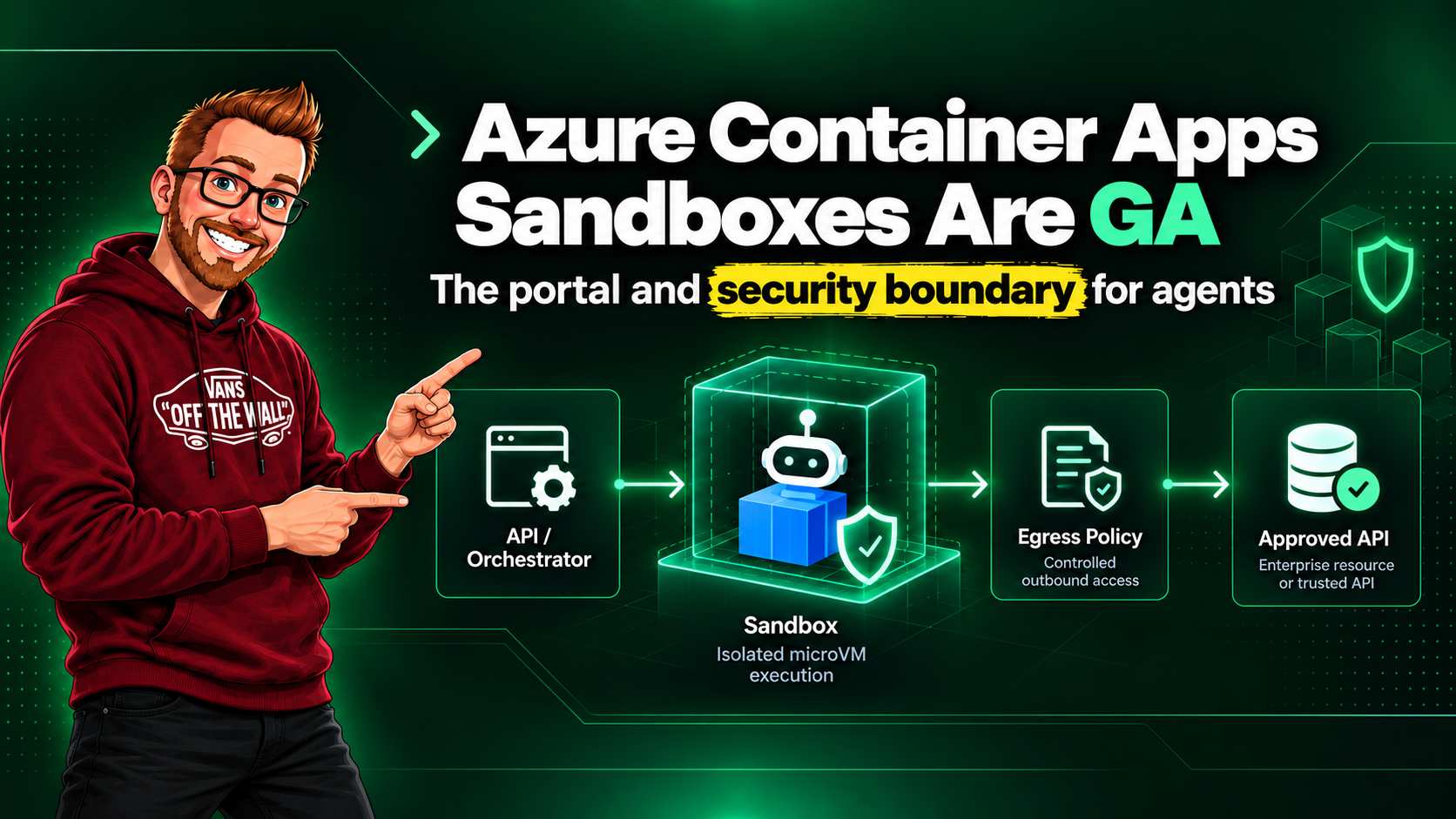
Azure Container Apps Sandboxes are now generally available. The timing matters because agent platforms have moved past the friendly demo where an assistant writes a short script and prints a result. Agents install packages, process customer files, call APIs, run browser automation, and decide which tool to use at runtime. That code needs a place to run that is separate from the API that received the request.
Container Apps already gives teams a managed home for APIs, workers, Jobs, Dynamic Sessions, and GPU workloads. Sandboxes add a more direct execution model: an application or operator can create and control an isolated runtime, keep state when necessary, apply network policy from the first request, and destroy it when the task is done.
Microsoft describes each Sandbox as a lightweight microVM with its own secure boundary and sub-second startup from prewarmed pools. That is the important change. This is not just another way to run a container. It is an execution boundary for code you do not fully trust.
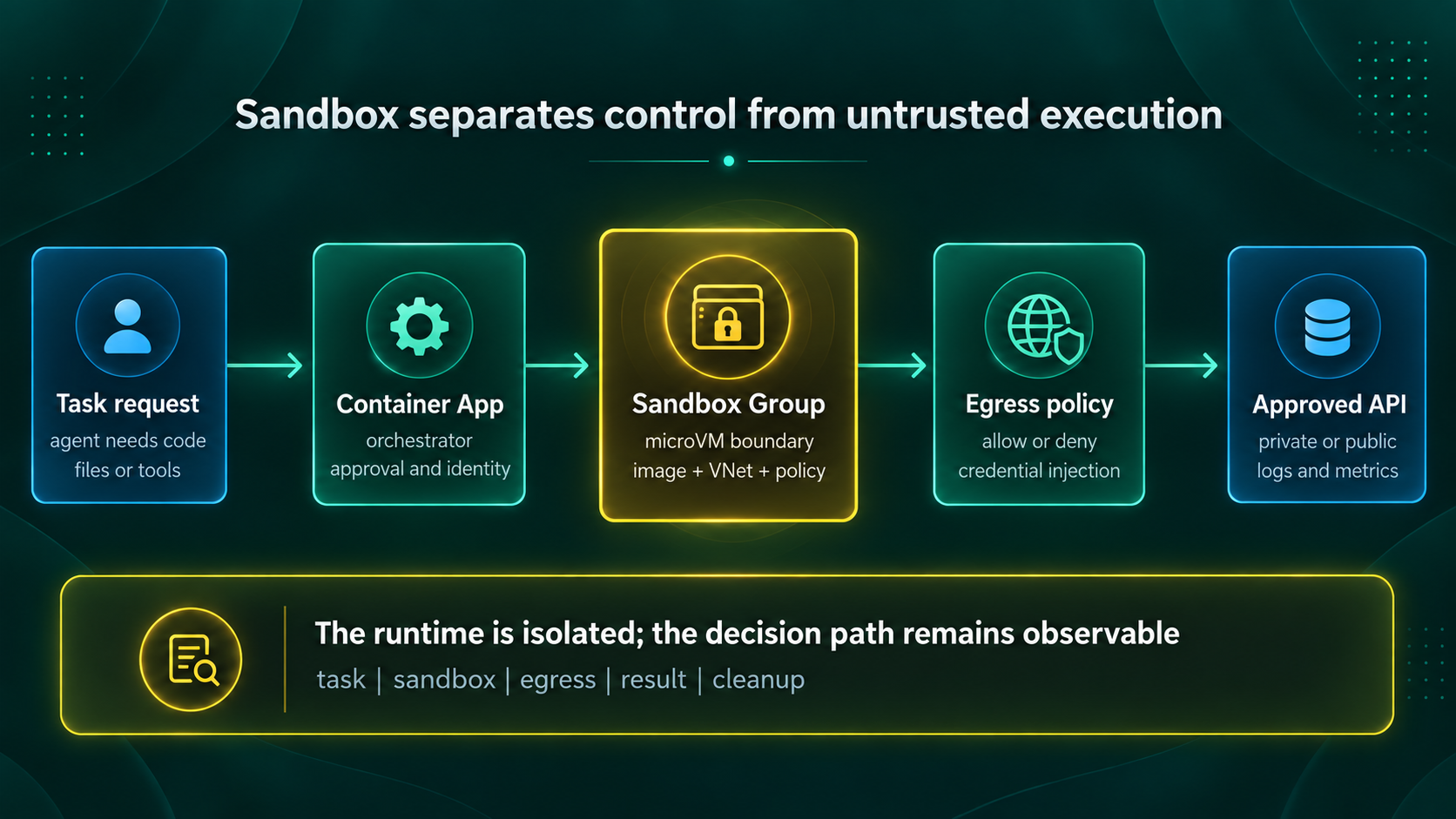
- Keep the API, orchestration, approval, and durable result path in a normal Container App.
- Use a Sandbox when code, packages, files, or outbound actions cannot be trusted in advance.
- Make egress, identity, concurrency, observability, and cleanup explicit parts of the platform contract.
The new portal makes the model visible
The Container Apps portal at containerapps.azure.com is useful because it puts the platform's workload choices in one place. It is easier to see that an always-running API, a run-to-completion Job, a managed Dynamic Session, and a direct Sandbox are different lifecycle models, not four labels for the same container deployment.
That distinction has consequences for security design. An API should have a tightly scoped runtime identity and only the ingress it needs. A Job should have a bounded trigger and a clear completion record. A Sandbox should have its own image, lifecycle, files, egress policy, and cleanup rule. The portal helps teams discover the right shape, but it does not make the choice for them.
| Container Apps resource | Use it when | Security boundary to focus on |
|---|---|---|
| App | You need an API, web service, worker, or a long-running coordinator. | Ingress, revision rollout, and the managed identity of the durable service. |
| Job | The work starts, completes, and stops on a schedule, event, or manual trigger. | Who can trigger it, what the run can change, and its output location. |
| Dynamic Session | You want a pool-managed execution experience with less lifecycle control. | Session input, package availability, and the data retained for the session window. |
| Sandbox | You need direct control over isolated runtimes, state, images, ports, policies, and task lifecycle. | Per-task or per-tenant isolation, egress policy, files, snapshots, and cleanup. |
For an agent platform, the usual split is straightforward. Run the customer-facing API, orchestration service, approval logic, and result store as normal Container Apps. Create a Sandbox when the agent needs to execute code, manipulate an unfamiliar file, install a package, or reach a tool on behalf of a task.
The important control is egress
Hardware isolation reduces the impact of code escaping its own process. It does not answer where that code can send data. For agents, outbound network access is usually the sharper boundary. The Sandbox egress proxy evaluates each outbound request against a policy from the moment the Sandbox starts.
Policies can allow or deny requests, transform headers, or rewrite destinations. Rules match host, path, and HTTP method, and the first matching rule wins. For code that is generated by a model or supplied by a customer, Microsoft recommends a default-deny policy with a narrow allow list.
This is the difference between "the agent can use the API" and "the agent has the credential." The second model is difficult to audit and revoke. The first model gives the platform team a policy point where it can constrain the destination, method, path, and identity used for the request.
| Inspection mode | What it does | Production position |
|---|---|---|
| Full | Inspects all traffic, enforces deny rules, and blocks non-HTTP traffic. | Start here for untrusted agent code unless a tested dependency needs something else. |
| Partial | Inspects traffic that matches a rule while allowing non-HTTP traffic. | Use only when the protocol requirement is understood and recorded. |
| None | Does not apply egress rules. | Do not use it for untrusted workloads. It is a deliberate trade-off for trusted, latency-sensitive work. |
VNet and identity are not optional details
Sandbox Groups can connect to a delegated VNet subnet. This matters when the work must reach private APIs, internal package sources, or line-of-business systems without exposing them publicly. A private network alone is not an authorisation model, though. It tells the Sandbox where traffic can go. Managed identity and the egress policy decide whether the request should be allowed and how it authenticates.
The service also has a distinct data-plane role: Container Apps SandboxGroup Data Owner. Assign it to the identities that create and manage Sandboxes, then keep it separate from application runtime identities. An agent that can ask for a Sandbox should not automatically have the role that creates unlimited Sandboxes, changes egress policy, or attaches storage.
I would create a Sandbox Group per meaningful trust boundary, such as production versus non-production, customer tier, or workload class. That produces more resources, but it makes policies, logging, quotas, and incident scope far easier to reason about than one shared group with an ever-growing list of exceptions.
State is a product decision, not a cache setting
The difficult Sandbox design question is often not "can this code run?" It is "what happens between turns, retries, and handoffs?" A running Sandbox has memory, local disk, and external state. Those three things have different durability, recovery, and security properties. Treating them as one bucket leads to lost work on one side and retained secrets on the other.
| State type | Good use | Rule for production |
|---|---|---|
| Memory | Interactive process state, terminal sessions, and an agent waiting for its next step. | Use memory suspend only when warm process state is worth retaining. Do not treat it as durable storage. |
| Local disk | Checked-out code, temporary build output, package caches, and task-local files. | Use disk suspend when a clean process restart is acceptable. Remove secrets and task data before final deletion. |
| Volume or external store | Artifacts, shared inputs, durable results, databases, queues, and customer data. | Choose the backing service for its retention, backup, residency, and access model. It owns durability, not the Sandbox. |
Lifecycle policy and snapshots solve different problems. Auto-suspend is the routine safety net for an idle workspace. It can preserve full memory and disk state, or disk only when a clean microVM restart is acceptable. Auto-delete removes stopped Sandboxes after the retention period you set. A snapshot is an intentional point-in-time checkpoint that can seed a new Sandbox, which is useful after dependency hydration, a repository checkout, or a known-good test setup.
There is a sharp edge here. Snapshots preserve Sandbox-local state but do not coordinate external databases, queues, object stores, or APIs. If a new Sandbox is created from a snapshot after a task already changed an external system, the workflow must not repeat that non-idempotent action. Put a task identifier and a durable step record outside the Sandbox before making external changes.
Design constraint: Data Disk volumes support disk suspend mode only. If a task needs a high-performance Data Disk, plan for a fresh process on resume and make the bootstrap path deterministic.
Sizing and concurrency need a trust boundary
Sandboxes have resource tiers from XS through XL. The smallest tier starts at 0.25 CPU cores, 0.5 GB of memory, and 20 GB of disk. The largest tier offers 4 CPU cores, 8 GB of memory, and 80 GB of disk. That does not mean a platform should default every agent task to the largest tier. High concurrency and generous defaults turn a harmless retry bug into a fast cost incident.
Set the maximum Sandbox count at the group level based on a measured task profile. Use a separate group when a workload needs more CPU, a different image, privileged network reachability, or a different retention rule. This makes capacity limits part of the tenant and workload boundary, rather than a global setting that every agent shares.
Treat it as platform code
Sandboxes support portal and programmatic workflows, including the Azure Container Apps CLI, SDKs, Bicep, and Terraform. For production, use the portal to understand the resource and troubleshoot it, but keep the durable configuration in source control.
A Sandbox Group is the declarative boundary that holds default sizing, a maximum Sandbox count,
timeout values, disk images, snapshots, connections, and egress policies. Its Bicep resource type is
Microsoft.App/sandboxGroups. That gives platform engineering a useful review unit: a
pull request can show not only a new image, but also a new allow list, VNet attachment, identity, or
maximum concurrency.
- Define one immutable base image for each workload class.
- Keep egress policy and identity references next to the Sandbox Group definition.
- Set a maximum Sandbox count and a timeout that match the expected task profile.
- Review VNet attachment, storage, and policy changes as security-sensitive changes.
- Deploy the same design through non-production before enabling a production group.
There are two management planes to document in the design. Azure Resource Manager manages Sandbox Groups and VNet connections. The Azure Developer Compute data plane manages individual Sandboxes, disk images, snapshots, files, volumes, secrets, ports, and egress policies. A release pipeline usually needs controlled ARM deployment rights. The runtime that creates task Sandboxes needs the narrower SandboxGroup Data Owner role at the group scope. Do not give the public API a broad subscription-level role just because it needs to start a task.
This gives teams an honest answer when auditors ask how agent code is contained. The answer is not a slide about AI safety. It is an image digest, a Sandbox Group definition, an egress policy, a role assignment, a log stream, and a deletion or retention rule.
Observability needs task context
Sandboxes can be fast and short-lived, which means a normal host-level monitoring approach is not enough. By the time someone opens a portal blade, the Sandbox that matters may already be gone. Log task context from the orchestrator and the Sandbox boundary to a central workspace while the work runs.
At a minimum, capture the Sandbox Group, Sandbox ID, task or conversation ID, tenant identifier where applicable, image version, policy version, egress decisions, identity used for transformed requests, start time, end time, result location, and deletion reason. Do not put prompts, access tokens, or customer file contents into a general-purpose log stream.
Test a denial path: an allow list is only real when a blocked destination creates a trace that operators can find. Make a Sandbox attempt an unapproved request in non-production, confirm it is blocked, then make sure the policy and task identifiers are visible in the investigation record.
Recovery and cleanup drills
A Sandbox can stop, suspend, resume, or be deleted as part of normal lifecycle handling. It can also be interrupted during service maintenance. Client code needs transient-fault handling, and the orchestrator needs a clear answer for which work can be retried, resumed, or abandoned. Test the response before an agent is allowed to touch a sensitive production system.
- Force a Sandbox to auto-suspend, then resume it and verify the expected memory or disk state is present.
- Create a snapshot after a prepared environment, fan out two Sandboxes, and confirm external actions are idempotent.
- Delete a Sandbox before it writes its result and confirm the orchestrator can recover from durable input and task records.
- Simulate a denied egress request and a managed-identity token failure. Verify both are visible without exposing a secret in logs.
- Recreate a Sandbox Group from Bicep or Terraform in a separate region. Snapshots and suspended state remain regional, so they are not a cross-region recovery plan.
For data that survives a task, decide whether Azure Blob volumes, a Data Disk, or an external service is the right home. Blob is useful for shared input and output artifacts. A Data Disk suits a single-Sandbox working set or cache. Neither replaces a backup and recovery strategy for the data behind your agent workflow.
When not to use a Sandbox
A Sandbox is not the default security wrapper for every Container Apps workload. Use the simplest resource that creates an adequate boundary. A normal App is usually the right home for a trusted, long-running API or coordinator. A Job fits bounded work with a clear trigger and completion. A Dynamic Session is useful when the platform should manage the session pool and lifecycle for you. Choose a Sandbox when the task needs direct control over the runtime, files, image, ports, egress policy, or cleanup.
| Choose | When it is the better fit | Boundary to verify |
|---|---|---|
| App | Trusted API, worker, or durable coordinator. | Ingress, identity, revision rollout, and data access. |
| Job | Triggered work with a known start and finish. | Trigger authority, output location, and retry behavior. |
| Dynamic Session | Managed session execution with less lifecycle control. | Session input, package trust, and retained data. |
| Sandbox | Untrusted or unpredictable code needing direct isolation and egress control. | Image, policy, identity, files, concurrency, and cleanup. |
What GA changes
General availability does not mean a platform can skip design work. It does change the conversation. Teams can now treat Sandboxes as a supported platform choice for workloads that need strong isolation and direct lifecycle control, rather than a preview experiment that may need a replacement later.
For me, the practical value is not that every agent suddenly needs a microVM. Many do not. A bounded request handler or a simple run-to-completion task might be safer and cheaper as a normal Container App or Job. Sandboxes become compelling where the code, state, package set, files, or outbound actions are hard to predict before the task begins.
The new portal helps teams see the available choices. The GA service makes the isolated execution choice viable for production planning. Egress policy, managed identity injection, VNet integration, IaC, and task-level observability are what decide whether the implementation earns that trust.
References
- Azure Container Apps Sandboxes overview
- Egress policies and network controls for Azure Container Apps Sandboxes
- Define an Azure Container Apps Sandbox Group using Bicep
- Get started with Azure Container Apps Sandboxes
- Manage Sandbox lifecycle, snapshots, and state
- Reliability in Azure Container Apps Sandboxes
- Azure Container Apps portal