


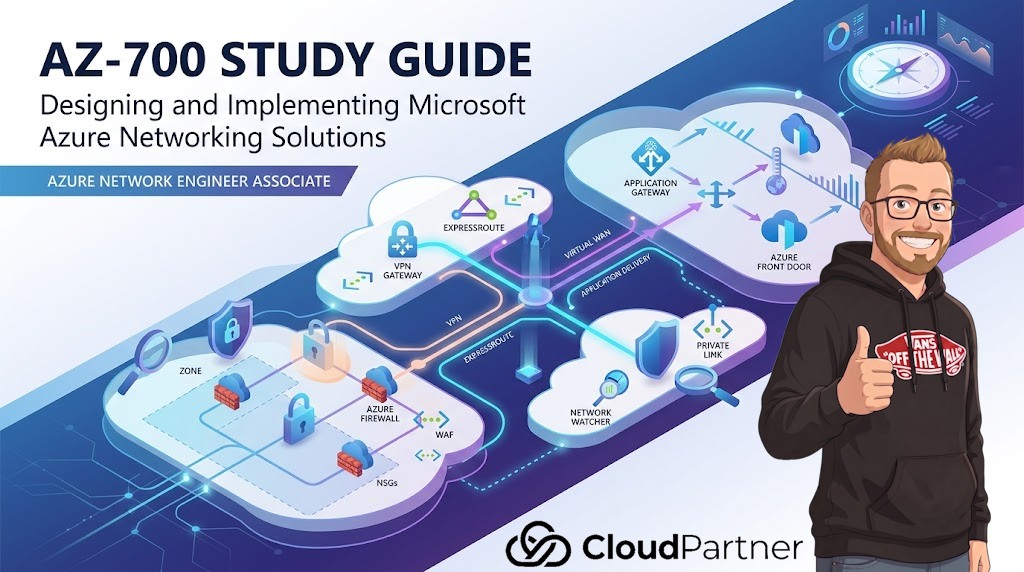
Application Gateway
Application Gateway is a regional layer 7 load balancer for HTTP and HTTPS workloads. It supports path-based routing, host-based routing, TLS termination, end-to-end TLS, cookie affinity, custom probes, rewrite rules, redirects, autoscale, and WAF.
Application Gateway Objects
| Object | Purpose |
|---|---|
| Frontend IP | Public or private address clients connect to. |
| Listener | Protocol, port, hostname, and certificate binding. |
| Backend pool | Targets such as VMs, VMSS, App Service, or IP/FQDN backends. |
| HTTP settings | Backend protocol, port, timeout, cookie affinity, host name, and probe association. |
| Health probe | Determines backend health. |
| Rule | Connects listener to backend pool and HTTP settings. |
Application Gateway Troubleshooting
- Backend unhealthy often means probe path, host header, certificate, NSG, UDR, or backend service mismatch.
- For App Service backends, host name override and trusted root certificates can matter.
- For end-to-end TLS, validate backend certificate trust and SNI behavior.
- For WAF blocks, check diagnostic logs and rule IDs before creating exclusions.
Azure Front Door
Azure Front Door is a global HTTP/HTTPS application delivery service. It runs at Microsoft edge locations and provides global routing, acceleration, TLS termination, end-to-end TLS, caching, rules, URL rewrite, URL redirect, WAF, and origin health probing.
Front Door Standard vs Premium
| Requirement | Likely tier |
|---|---|
| Global HTTP routing, custom domains, TLS, caching, WAF | Standard or Premium |
| Private Link to origins | Premium |
| Advanced security and private origin patterns | Premium |
Front Door Configuration
- Endpoint: public hostname at the edge.
- Origin group: set of origins and health-probe behavior.
- Origin: backend service such as App Service, Application Gateway, storage, or custom origin.
- Route: maps domains and paths to origin groups.
- Rule set: modifies requests or responses with redirects, rewrites, headers, or caching behavior.
- WAF policy: protects against HTTP attacks at the edge.
Decision Table
| Requirement | Use |
|---|---|
| Regional path-based routing to private VM backends | Application Gateway |
| Global active-active HTTP delivery | Azure Front Door |
| Protect global app at the edge | Front Door WAF |
| Protect regional app behind VNet | Application Gateway WAF |
| Keep origin private through Microsoft backbone | Front Door Premium with Private Link origin, where supported |
Lab
- Create Application Gateway with HTTPS listener, backend pool, and custom health probe.
- Create a path-based rule with two backends.
- Create Front Door with two origins and priority routing.
- Add a WAF policy in detection mode, then switch to prevention after testing.
Feature Deep Dive
TLS Termination vs End-to-End TLS
TLS termination means the client TLS session ends at Application Gateway or Front Door. End-to-end TLS means the connection from the gateway or edge service to the backend is also encrypted. The exam may ask for certificate placement, backend trust, SNI, or compliance requirements that require encryption all the way to the origin.
Host Header and SNI
Many backend services expect a specific hostname. If Application Gateway probes the backend using the wrong host header, the backend can be marked unhealthy. If TLS SNI does not match the certificate, HTTPS backends can fail even though the network path is open.
Rewrite and Redirect Rules
Redirects tell the client to make a new request to a different URL. Rewrites modify the request or response while keeping the proxy flow. Use redirects for HTTP-to-HTTPS or domain moves. Use rewrites for header changes, path adjustments, or backend compatibility.
Front Door Origin Protection
Front Door is public at the edge, but the origin does not have to be broadly public. You can restrict origin access to Front Door traffic and, with Premium where supported, connect to origins through Private Link. This is a major design answer for global delivery with private origin access.
Application Gateway vs Front Door
| Capability | Application Gateway | Azure Front Door |
|---|---|---|
| Scope | Regional | Global edge |
| Backends | Regional private or public backends | Origins across regions and services |
| Private backend pattern | VNet-integrated regional backend | Private Link origin with Premium where supported |
| Best for | Regional layer 7 routing | Global acceleration, WAF, and failover |
Scenario Workshop: Backend Health Is Red
Scenario: Application Gateway shows all backends as unhealthy after enabling HTTPS to the backend. Users receive 502 errors. The likely cause is not routing first; it is often backend HTTP settings, SNI, certificate trust, or probe configuration.
| Check | Why it matters |
|---|---|
| Backend HTTP setting protocol and port | The gateway must use the same protocol and port the backend expects. |
| Host name override | Many backends require a specific host header. |
| SNI | Backend TLS certificate selection can depend on the hostname sent by SNI. |
| Trusted root certificate | Application Gateway must trust the backend certificate chain. |
| Probe path | The health endpoint must return a healthy response. |
Front Door Request Flow
- Client resolves the Front Door endpoint or custom domain.
- Client connects to the closest Microsoft edge location.
- Front Door evaluates WAF policy, route, rules engine, cache, and origin group health.
- Front Door selects an origin based on routing and health.
- Front Door connects to the origin over HTTP or HTTPS, optionally using Private Link where configured.
- The response returns through the edge, where caching and response header rules can apply.
Design Rules
- Use Front Door when the entry point must be global.
- Use Application Gateway when the entry point is regional and tightly coupled to a VNet.
- Use WAF policy at the layer where the application is exposed.
- Do not use Traffic Manager when the requirement says TLS termination, WAF, URL rewrite, or acceleration.
- For private origins behind Front Door, check Premium and Private Link support.