


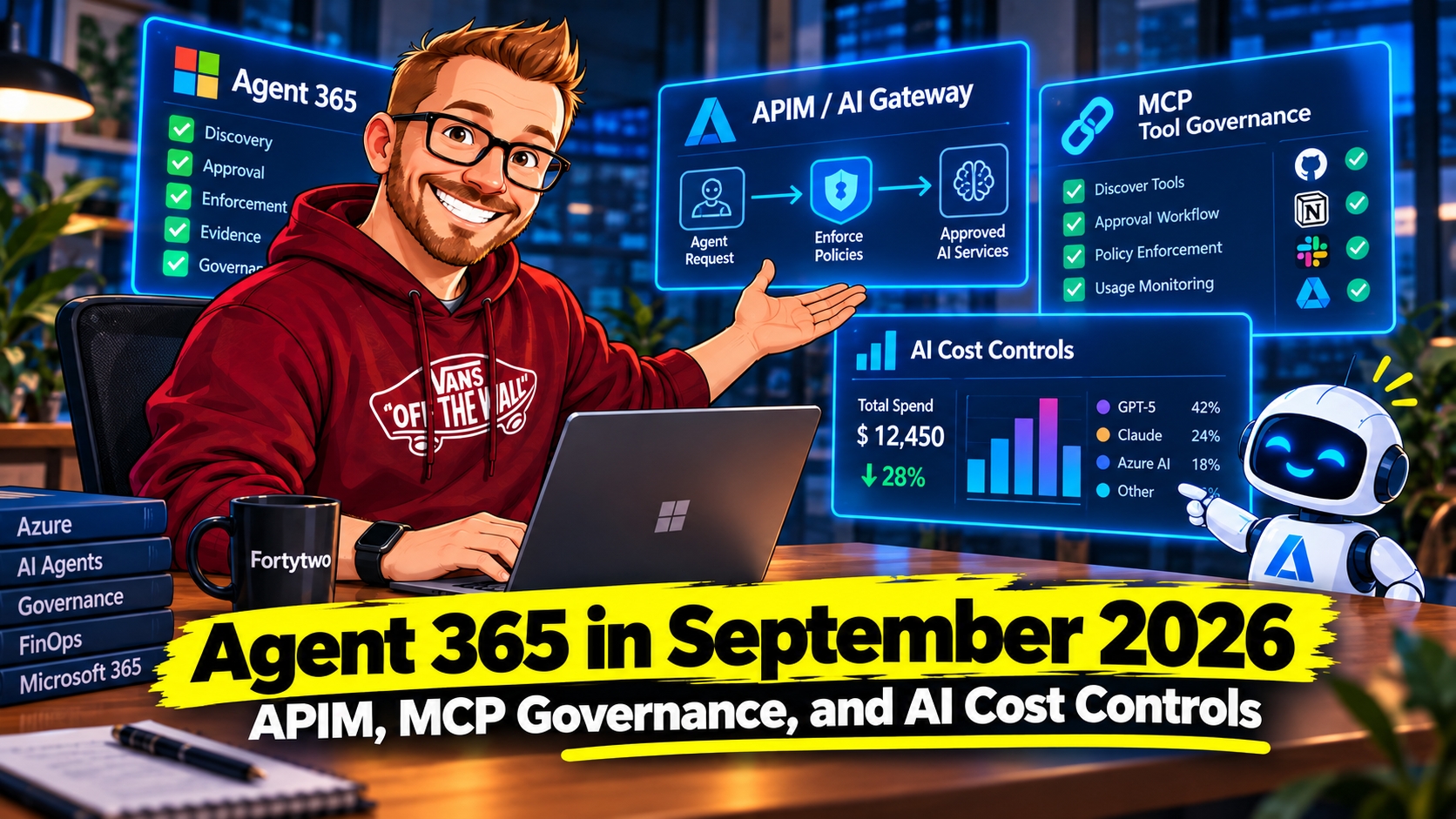
Imagine a platform team six months after its first internal agents shipped. The agents work, but nobody can answer one question quickly: which tools can they call, who approved those tools, which gateway policy ran, and what did the work cost?
Before this September update, those answers usually lived in different places. The Microsoft 365 admin center could hold part of the inventory. A gateway team owned request enforcement. Application teams owned backends and credentials. Finance saw consumption after the fact. The gaps were not caused by one missing feature; they came from the hand-offs between teams.
September’s Agent 365 update starts connecting those hand-offs. Agent 365 becomes the tenant-level governance surface, Azure API Management or the AI Gateway tier becomes the runtime path, and AI cost controls start tying usage to a business conversation.
The old split, and what September connects
Microsoft’s September Agent 365 roundup groups the updates into three themes:
- Find and govern more agents: Registry AI mode and Agent Management Rules are both described as public preview. Natural-language queries help administrators find agents by context; rules can automate actions such as blocking an agent, rejecting a publication request, or applying a policy template.
- Bring tools and runtimes under oversight: Agent 365’s tools management is generally available for MCP servers, plugins, skills, and connectors. Custom MCP server registration and administrator approval are in public preview. The APIM integration starts rolling out September 30.
- Connect AI usage to business value: Cost Management in Agent 365 expands usage-based workload coverage, adds more granular model and effort-level spending policies for Cowork, and introduces a Cowork consumption dashboard that relates usage to task categories and estimated value.
These labels are not interchangeable. The article calls out tools management as generally available, while AI mode, management rules, custom MCP approval, and gateway integration have preview status. Check the live Microsoft documentation and tenant availability before treating any preview item as an operational dependency.
The hot topic: Agent 365 meets Azure API Management
The integration connects two control points that usually live in different teams. Agent 365 provides a tenant-level view of agents and tools and lets administrators govern whether those tools are available. APIM sits on the request path, where it can authenticate, route, and apply runtime controls to traffic going to backends. The September roundup describes discovery of AI assets broadly; the currently published gateway setup documentation specifically explains discovery and governance of MCP servers registered in the connected gateway. I would use that documented MCP scope as the implementation baseline.
Microsoft’s Manage Tools Gateway documentation now describes the setup: a Global Administrator connects an Azure APIM or AI Gateway instance from Agents > Settings > Gateways and grants tenant-wide consent. That consent applies to the connected gateway, not to each server individually. Only MCP servers registered in that gateway appear in the admin center’s Tools inventory, and newly registered servers are discovered during later refreshes. Administrators can then allow or block servers; individual tool-level controls are supported for MCP servers registered in the APIM AI Gateway tier.
That creates a useful lifecycle:
- A platform team registers or publishes an MCP server behind APIM.
- Agent 365 discovers it into the tenant’s tools inventory, reducing manual inventory work.
- An administrator reviews and governs its availability to agents.
- At runtime, requests still flow through the gateway, where authentication, routing, and configured policies apply.
The important architecture point is that catalog governance and runtime enforcement are complementary, not the same control. An allow decision in Agent 365 is not a substitute for authentication, backend authorization, network boundaries, or runtime policy in APIM. Likewise, a gateway policy does not assign a business owner or decide whether a tool belongs in the organization’s approved agent catalog.
Which APIM capability are we talking about?
Microsoft’s announcement uses “Azure API Management” broadly. The integration documentation supports connecting an APIM instance or Azure AI Gateway, but it calls out per-tool granular control specifically for MCP servers in the AI Gateway tier. Microsoft’s separate AI Gateway tier overview says that tier is in public preview and currently lists East US 2 and Sweden Central. Pricing and limits can change during preview. Do not assume every APIM tier exposes identical Agent 365 integration behavior or tool-level granularity.
There are therefore two related but distinct things:
- APIM as an AI gateway: API Management can expose APIs, models, agents, or MCP tools through a managed gateway, with policies, authentication, routing, and observability. Existing APIM capabilities and policy configuration continue to matter.
- AI Gateway tier: a dedicated, preview APIM tier for AI workloads, including federated MCP tool servers and model endpoints. Preview limitations apply; for example, current docs describe gateway-scoped runtime keys rather than per-asset key scoping.
The AI Gateway security guidance documents controls such as request-rate limits, IP filters, content-safety policies, and runtime keys. The models and tools guide describes combining remote MCP servers, OpenAPI-derived tools, and supported connectors behind an MCP endpoint. Those are gateway capabilities; they should not be read as proof that the Agent 365 integration makes every policy automatically appear or configure itself.
A practical design for the integration
For a pilot, treat APIM as the controlled runtime boundary and Agent 365 as the tenant governance and discovery surface. A minimum review should answer these questions:
- Inventory: Are all agent-facing MCP servers registered in a connected gateway, or are there bypass paths?
- Ownership: Does every server have a service owner, business purpose, data classification, and support contact?
- Identity: What authenticates the agent or client to the gateway, and what identity does the gateway use to reach each backend?
- Authorization: Are permissions enforced at the backend as well as at the gateway? Do not rely on a catalog allowlist as backend authorization.
- Runtime policy: Which rate, network, content-safety, and logging controls apply to each tool, and what happens when a policy blocks a request?
- Change management: Who reviews newly discovered servers and changed tool capabilities? Discovery reduces onboarding effort; it does not make new capabilities safe by default.
Use a noncritical MCP workload first. Test both approval and denial paths, credential rotation, gateway failure behavior, and how an administrator revokes a tool after discovery. If the integration or AI Gateway tier is not available in your tenant or region, keep the approval and runtime controls in your existing process rather than assuming rollout has reached everyone.
What this helps with in practice
The value is easiest to see in a failure. A new MCP server is registered for a support agent. The catalog tells the administrator that the server exists and who owns it. The gateway limits how the agent reaches the backend. Telemetry shows the request, latency, policy result, and downstream response. If usage rises without a matching business outcome, the cost view gives the platform team a reason to investigate instead of waiting for a monthly bill.
That is a better operating story than “we have an agent inventory” or “we put APIM in front of it.” The control only becomes useful when a person can follow one request from discovery to approval, runtime enforcement, evidence, and cost.
Rules and AI mode move governance toward scale
A registry becomes more valuable as it gets harder to inspect manually. Microsoft says Agent 365’s AI mode is in public preview and lets administrators use natural-language prompts to find agents—for example, agents without owners or agents that have been inactive. This is a search and exploration aid; validate results before using them to make lifecycle decisions.
Agent Management Rules, also in public preview, let administrators define conditions and actions in the Microsoft 365 admin center. The September announcement lists actions such as blocking agents, rejecting publication requests, and applying policy templates, with criteria including ownership, tags, Agent ID, publisher, risk signals, and usage activity.
Start with rules that identify or notify. Once the underlying inventory and signals are reliable, consider enforcement actions. A false positive that blocks a business workflow is not fixed by calling the rule “automated governance.” Give every rule an owner, test scope, exception process, and review date.
Custom MCP servers get an approval path
September’s custom MCP server preview lets developers register servers through the Agent 365 CLI and submit them for administrator review before agents can invoke them. Administrators can inspect details such as the description, publisher, requester, endpoint, and declared capabilities, then approve or reject the request.
This is a practical extension of the gateway story: developers can bring tools the business needs, while administrators gain an explicit point to inspect what is being offered. But metadata review alone cannot validate the implementation. Review the server’s authentication model, permissions, data destinations, tool behavior, and operational ownership; then apply runtime controls at the gateway and backend.
AI cost management becomes an admin concern
The update also reflects a shift from counting agents to understanding what their usage costs and accomplishes. Microsoft says Cost Management in Agent 365 is included with Microsoft cloud subscriptions and expands beyond Copilot Cowork and WorkIQ to Code and Copilot Managed Runtime. Support for Copilot Studio agents is planned for October, so that item is a roadmap statement in the September post, not a capability to assume is already available.
Spending policies can tailor model access and effort levels for groups, shaping the choices Auto can make in Cowork. The Consumption Dashboard connects Cowork activity—active users, credits, task categories—with estimated time and dollar value. Treat those value figures as decision support, not audited financial attribution. They can help spot adoption patterns, but cost allocation and business outcome measurement still need agreed definitions and data.
September feature status at a glance
| Capability | September status | What to verify |
|---|---|---|
| Agent 365 and APIM / AI Gateway integration | Rollout began September 30; integration documentation marks gateway connection as preview. | Tenant and region availability, supported APIM configuration, consent scope, and discovery behavior. |
| AI Gateway tier | Public preview. | Regional availability, preview limits, policies, identity, and rollback plan. |
| Agent registry AI mode | Public preview. | Search behavior, data scope, and result quality before acting. |
| Agent Management Rules | Public preview. | Available conditions/actions, false-positive handling, and licensing/tenant requirements. |
| Custom MCP registration and admin approval | Public preview in September announcement. | CLI workflow, metadata quality, approval responsibilities, and runtime security. |
| Tools management for MCP servers, plugins, skills, and connectors | Generally available per the September roundup. | Which tool types and governance controls are enabled in your tenant. |
| Cost Management workload expansion | Code and Copilot Managed Runtime support announced; Copilot Studio support planned for October. | Actual workload coverage, metering, policy behavior, and dashboard definitions. |
Where this is going
This next part is my forecast, not a Microsoft commitment. The likely direction is a single control loop around every agent capability:
- Inventory becomes a prerequisite. New agents and MCP servers will need an owner, purpose, data classification, and lifecycle state before they are treated as production assets.
- Approval moves closer to the tool. Server-level allow/block decisions are useful, but higher-risk environments will ask which individual tools and operations are permitted.
- Runtime policy becomes evidence. Gateways will be expected to show not only that a request was allowed, but which identity, policy, backend, and cost signal were involved.
- Budgets become part of execution. Cost and effort limits will increasingly shape model and tool choices before an agent starts work, rather than explain the spend afterward.
I would expect the boundaries between an agent catalog, an AI gateway, and FinOps reporting to remain visible for a while. The useful trend is that the hand-off between them becomes a documented control path.
A rollout plan that keeps the controls understandable
- Map the current tool path. Identify MCP servers, agent clients, backends, credentials, and any direct paths that avoid the gateway.
- Connect one gateway. Complete the documented tenant consent and confirm which servers appear in Agent 365.
- Review the inventory. Assign owners and classify each tool by data sensitivity, impact, and backend permissions.
- Test enforcement end to end. Confirm Agent 365 allow/block behavior and APIM authentication, routing, policy, telemetry, and backend authorization separately.
- Automate cautiously. Pilot AI mode and management rules in report or low-impact workflows before enabling broad blocking actions.
- Measure actual consumption. Compare workload usage and costs with outcomes using definitions finance and business owners agree on.
The useful change is the connection between governance and runtime
Agent 365’s September update makes the governance picture more useful to operate. The registry can become easier to search; rules can automate repeatable admin actions; tool governance covers more than MCP; and cost management starts connecting AI usage to business decisions.
APIM is the most architecturally interesting part because it connects the management conversation to the traffic path. Agent 365 can help answer whether a tool should be available to agents. APIM can help control how calls reach that tool. Neither layer replaces the other, and both depend on solid backend authorization, ownership, monitoring, and operating procedures.
That is the practical takeaway: inventory the tools, govern who may use them, enforce the request path, and verify what the policies actually do. Then expand automation as the signals and ownership model prove reliable.